Chapter 6: The Display Pages 55
Position
To display this page, press NAV from any page. If one of the Nav
Chapter pages is already displayed, or if this page was not the last-used
Nav Chapter page, press NAV again to cycle through the Nav pages
until this page is displayed.
D3057-1
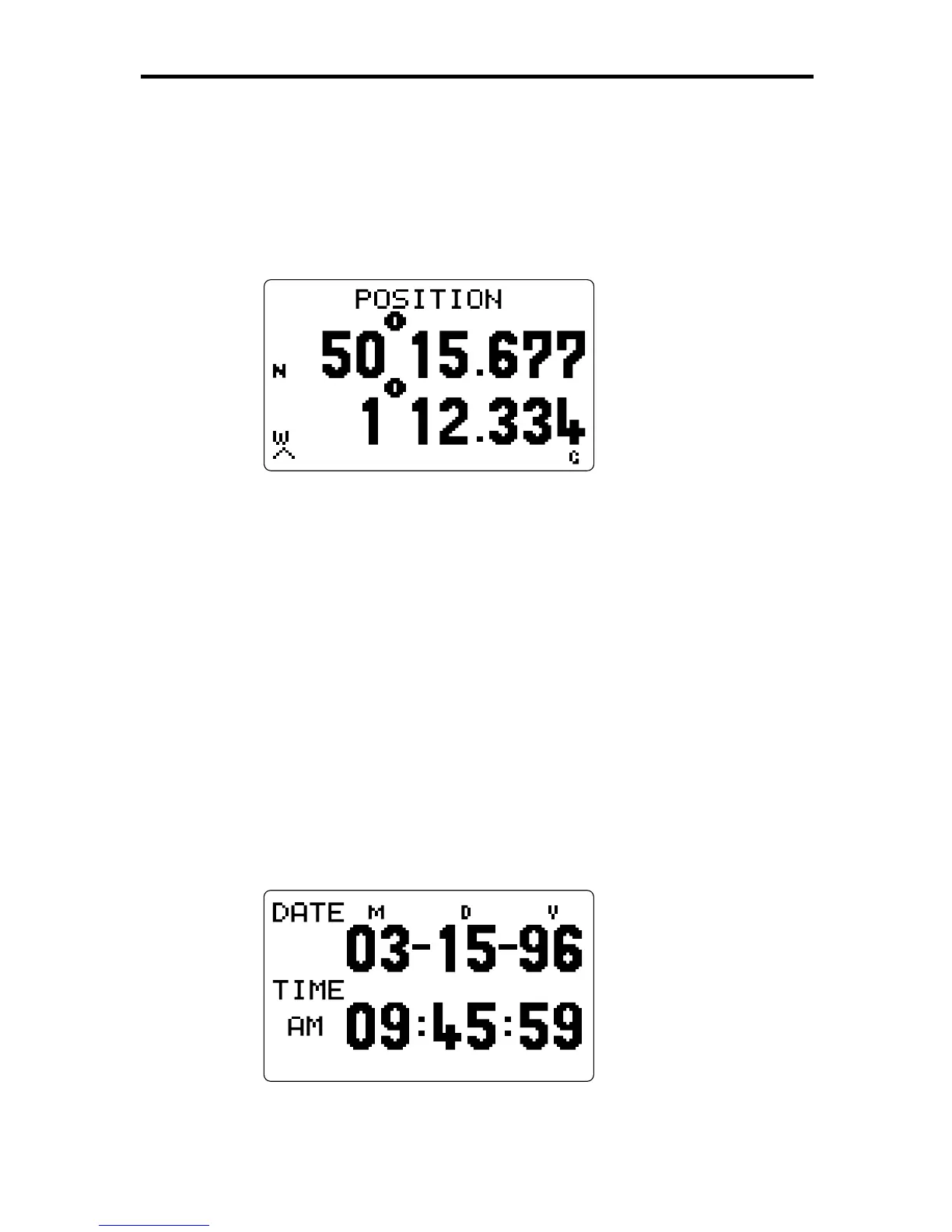
This display shows the current position in lat/lon or TDs, depending on
the choice made in the Setup pages (see Chapter 4). The source of the
information is also shown in the bottom right corner, as follows:
D dGPS
G GPS
L Loran
If the primary position data is lost, the RayData uses the speed and
heading data to calculate a dead-reckoned position. This is indicated by
the text DEAD RECKONING replacing the POSITION text.
From the Position page, you can press NAV to access the Waypoint/
Bearing/Distance page, or
ÙÙ
ÙÙ
Ù
to display the Time & Date sub-page.
Time & Date
To display this sub-page, press
ÙÙ
ÙÙ
Ù
from the Position page.
D3058-1
This page shows the time and, if available, the date.



 To Next Page