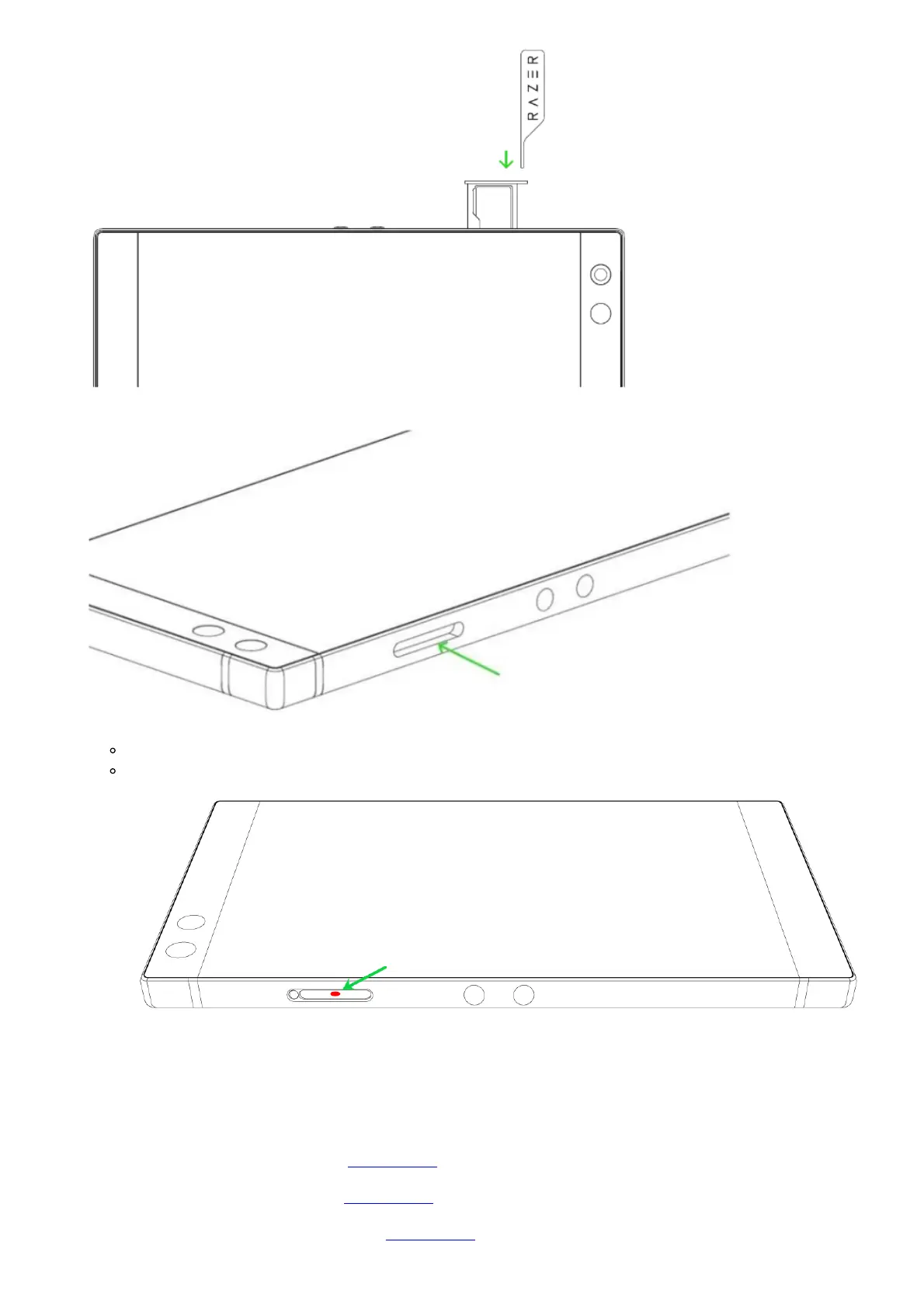
2. Use a magnifying glass with the help of a portable light when looking inside the SIM tray.
3. You will notice a round dot that will either be white or red.
White – the phone has not been exposed to liquids.
Red – the phone has been exposed to a liquid.
Note: Internal LCIs may indicate water damage that is not reflected by the one shown above. Liquid
damage is not covered by Razer’s Limited Warranty.
Downloads
Razer Phone Master Guide (Slovak) – Download
Razer Phone Master Guide (Czech) – Download
Razer Phone Master Guide (Portuguese) – Download



 To Next Page