Support for assistance.
7. If the issue persists, consider using a third-party USB-C charger. If that solves the issue, the USB-C
cable may be defective. Contact Customer Support for assistance.
If the above steps do not solve the issue, consider doing a factory data reset.
My Razer Phone is overheating
A rise in temperature is normal on smartphones. They are designed to handle a certain level of high
temperatures. Usually, a smartphone reaching temperatures of up to 32-40°C is completely normal.
Remember that the longer you use the phone the more you will notice a rise in temperature,
especially when you are running demanding apps or games.
If your phone is often heating up to the point where it is unpleasant to hold, it might have some
serious issues.
Follow the steps below to help stabilize the Razer Phone’s temperature to the optimal level:
1. Remove a Razer Phone case if there is any.
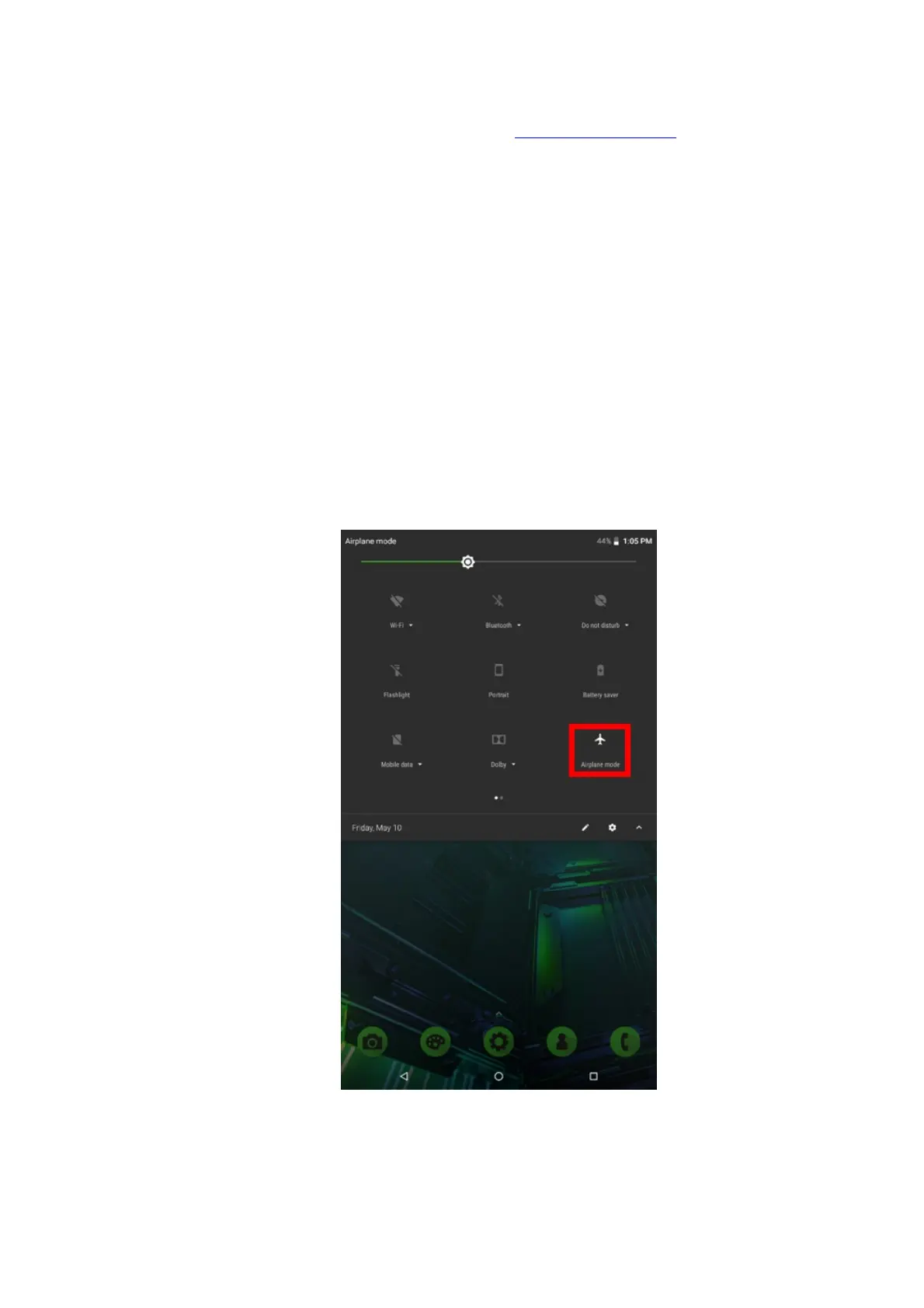
2. Turn on “Airplane mode” to quickly disable Bluetooth, WiFi, and cellular signal search. To do this,
follow these steps:
a. Make the notification tray appear by swiping down on the home screen.
b. Tap “Airplane mode” to enable.
3. Tap the recent apps icon on the lower right of the screen.



 To Next Page