Navigate to Settings > System > Advanced > System update > Check for update.
To fix this issue, follow the steps below:
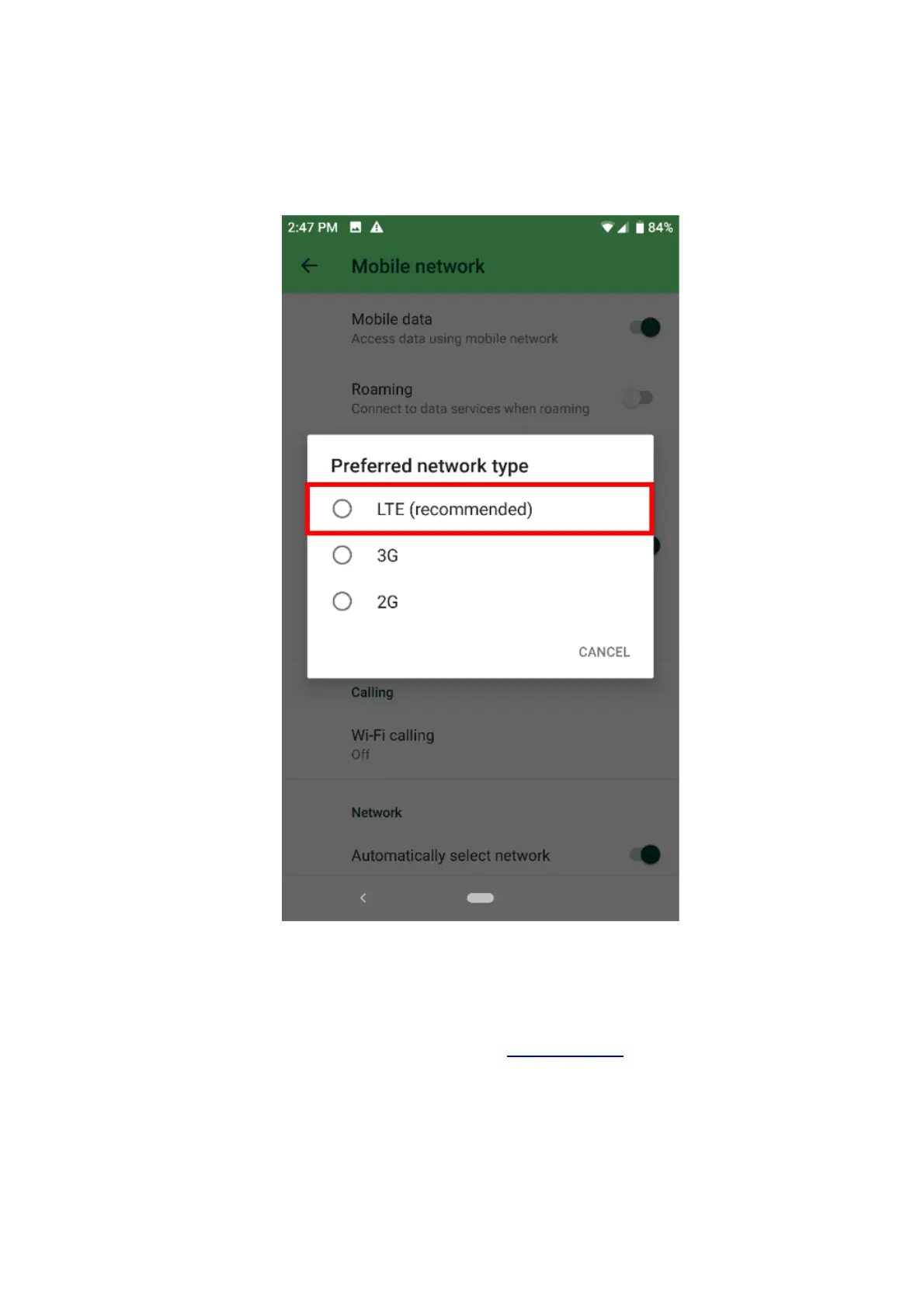
1. Check the network coverage on the Razer Phone.Note: Network signal is affected by walls,
buildings, trees, and weather conditions.
2. Make sure that “LTE (recommended)” is selected. Navigate to Settings > Network & internet >
Mobile network, expand “Advanced” and select “Preferred network type”.
Note: If you are in a poor 4G coverage area, you can force your phone to use lower frequencies
like 2G and 3G. This may or may not improve performance depending on the network coverage.
3. If you are still experiencing the issue, there might be a problem with your SIM card and may have
to contact your network provider to request a replacement.
4. If the issue persists, back up the data and perform a factory reset.
My Razer Phone cannot get a mobile data connection
There are multiple ways to solve when the Razer Phone is unable to get a cellular data connection but
can receive text messages and phone calls. Try the steps below to see which works best for your
problem.
Note: Before proceeding to the troubleshooting steps, be sure that the Razer Phone is up to date.
Navigate to Settings > System > Advanced > System update > Check for update.



 To Next Page