Device Settings Troubleshooting
Note: The instructions below apply to the Razer Phone with the Android Pie installed.
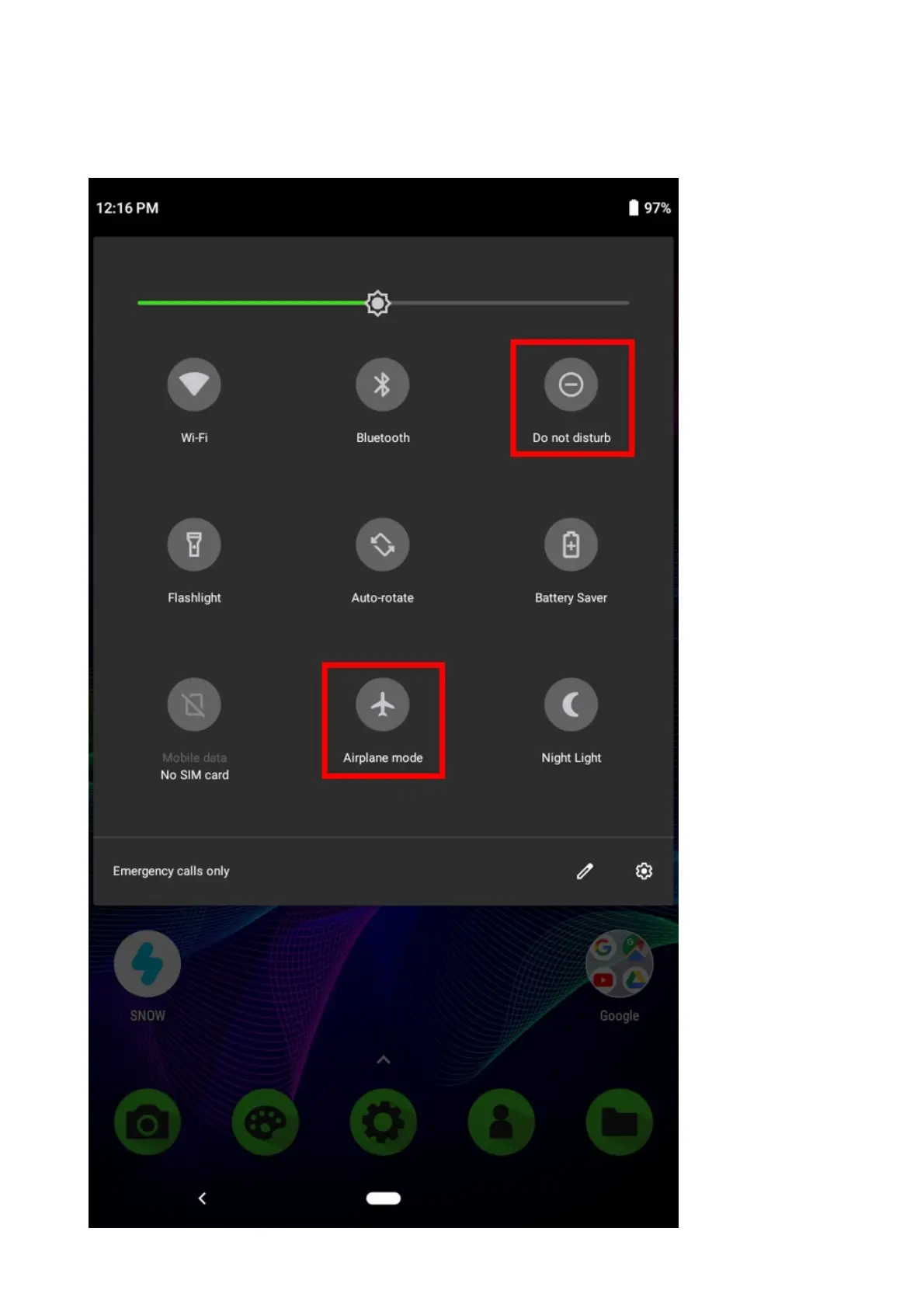
1. From your home screen, swipe down twice to display quick settings.
2. Ensure that the “Airplane mode” and “Do not disturb” are not enabled.
3. If they are enabled, tap the icon(s) to disable.
4. Go to Settings > Network & internet > Mobile network.



 To Next Page