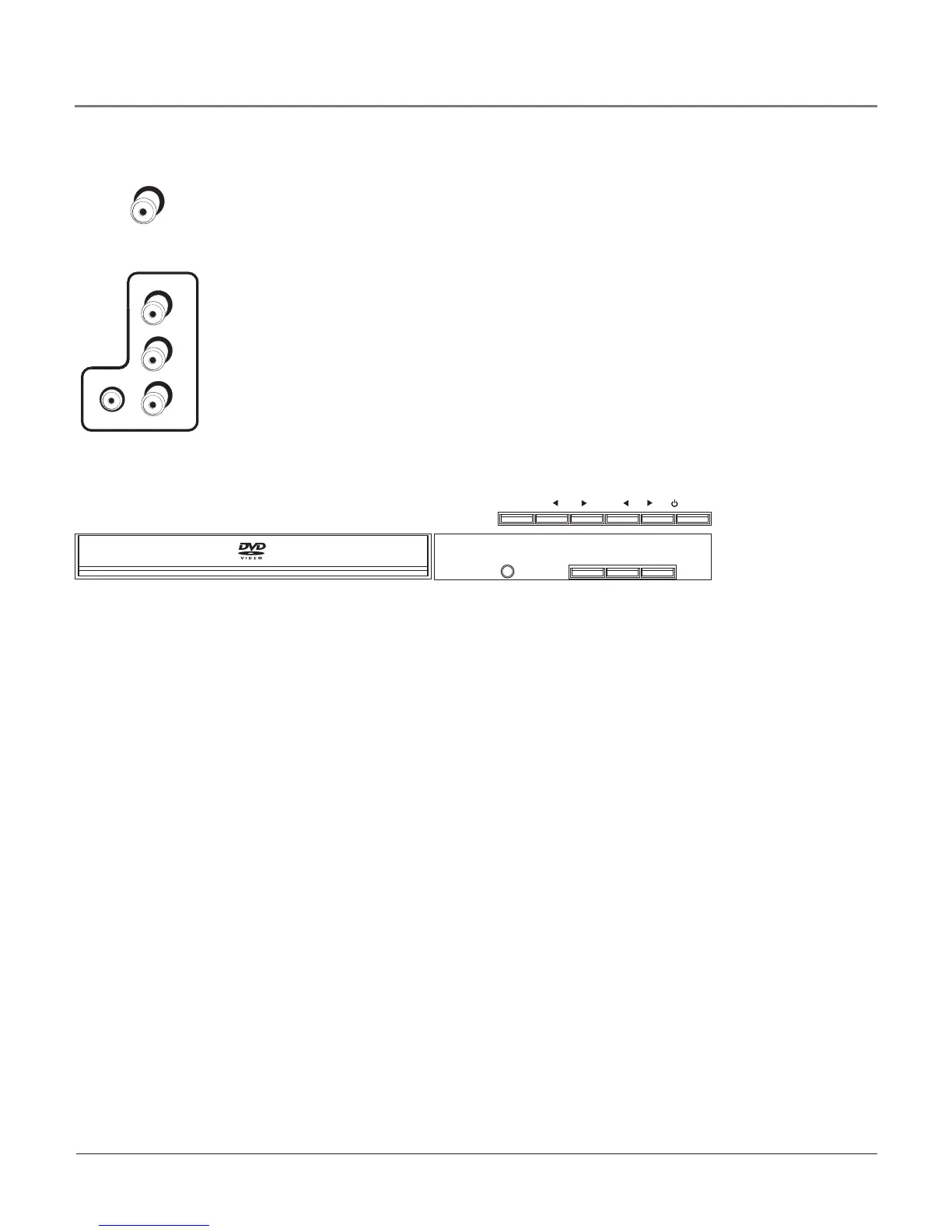
Side (Input) Thesejacksarelocatedonthesideofyourproduct.Letsyouconnectdevices
thathavecompositeoutputssuchasVCRs,DVDplayers,satellitereceivers,cableboxes,video
gameconsolesandcamcorders.
• AUDIO-L Providesleftaudioconnection.Theleftaudioconnectorisusuallywhite.
• AUDIO-R Providesrightaudioconnection.Therightaudioconnectorisusuallyred.
• VIDEO Providescompositevideoconnection.Thevideoconnectorisusuallyyellow.
Toaccessthedevicewhenusingthesejacks,presstheINPUTbuttononyourremoteuntil
FRNTappears.
Front Buttons
Thesebuttonsoperatemanyof theTV’sfeatures.Buttonplacementpermodelmayvary.Your
modelhasbuttonslocatedonthefrontof yourproduct.
POWER TurnstheTV/DVDplayeronandoff.
CHANNEL t/u InTVmode,changesthechannel.Alsoscansupanddownthroughthe
currentchannellist.IntheTVmenusystem,usetonavigatethemenus.InDVDmode,moves
tothenext/previouschapter.
VOLUME t/u Decreases/increasesthevolume.IntheTVmenusystem,actsliketheleft/
rightarrowbuttonontheremotecontrolandadjustsmenucontrols.
MENU DisplaystheTVMainmenu.If theMainmenuisdisplayed,exitsthemenu;if asub-
menuisdisplayed,takesyoubacktothepreviousmenu.
STOP/EJECT Presstoopenorclosethedisctray.If adiscisplaying,stopsdiscplay.
PLAY/PAUSE Beginsdiscplay(pressandholdtoclosedisctrayif open).Alsopausesdisc
play.Whenthediscispaused,pressPLAY/PAUSEtoresumeplayback.
INPUT TogglesthroughtheavailableVideoInputChannels(FRNT, VID, CVID, DVD, last
digitalchannelorthelastanalogchannel).
Note: If a disc becomes jammed in the disc tray (shown above), unplug all connected
devices and unplug the power cord. Place the TV on a soft surface with the screen face
down. Make sure the disc tray can open freely and isn’t obstructed.
Have someone steady the TV so it doesn’t fall. Underneath the TV is a long rectangular
slot. Inside the slot is a white switch that slides (look on the right side of the slot). You
might need a flashlight to see the white switch. Use a thin screwdriver to push the switch
to the other side. Now the disc tray opens.
IN P UT
VOL CH
MENU
POWER
STOP/ E JECT
PL AY/PA USE
DVD DIGITAL AUDIO OUT (COAXIAL) Usethisjacktoconnectanaudioreceiverfor
enhancedsoundqualityinDVDmode.MakesureyousettheAudiooutputcorrectlyinthe
Audio Setupmenu.Gotopage39formoreinformation.
DVD
DIGITAL
AUDIO OUT
COAXIAL
VIDEO
(VID) INPUT
AUDIO/
VIDEO
OUTPUT
YPb
Pr
AUDIOR L
VIDEO
AUDIOR L
AUDIOR L
COMPONENT VIDEO (CVID) INPUT
HEADPHONE
ANTENNA/CABLE
INPUT
(DIGITAL/
ANALOG)
VIDEO
DVD
DIGITAL
AUDIO OUT
COAXIAL
VIDEO
(VID) INPUT
AUDIO/
VIDEO
OUTPUT
YPb
Pr
AUDIOR L
VIDEO
AUDIOR L
AUDIOR L
COMPONENT VIDEO (CVID) INPUT
HEADPHONE
ANTENNA/CABLE
INPUT
(DIGITAL/
ANALOG)
VIDEO
Connections & Setup
12 Chapter 1



 To Next Page