Chapter 5 33
A•B Repeat
Thisfeatureletsyoudeneasegmentonthedisctorepeat.
1. PresstheA•Bbuttonatthebeginningof asegmentyouwanttorepeat.ThissetspointA.
2. PressA•Bagainattheendof thesegment.ThissetspointB.Theplayerautomatically
playsthesegmentfrompointAtopointBrepeatedly.
3. PressA•Bathirdtimetodisableandgobacktonormalplayback.
TT 04/05 CH 001/001 00:00:00
DVD
TITLE CHAPTER TIME
DVD Search Feature
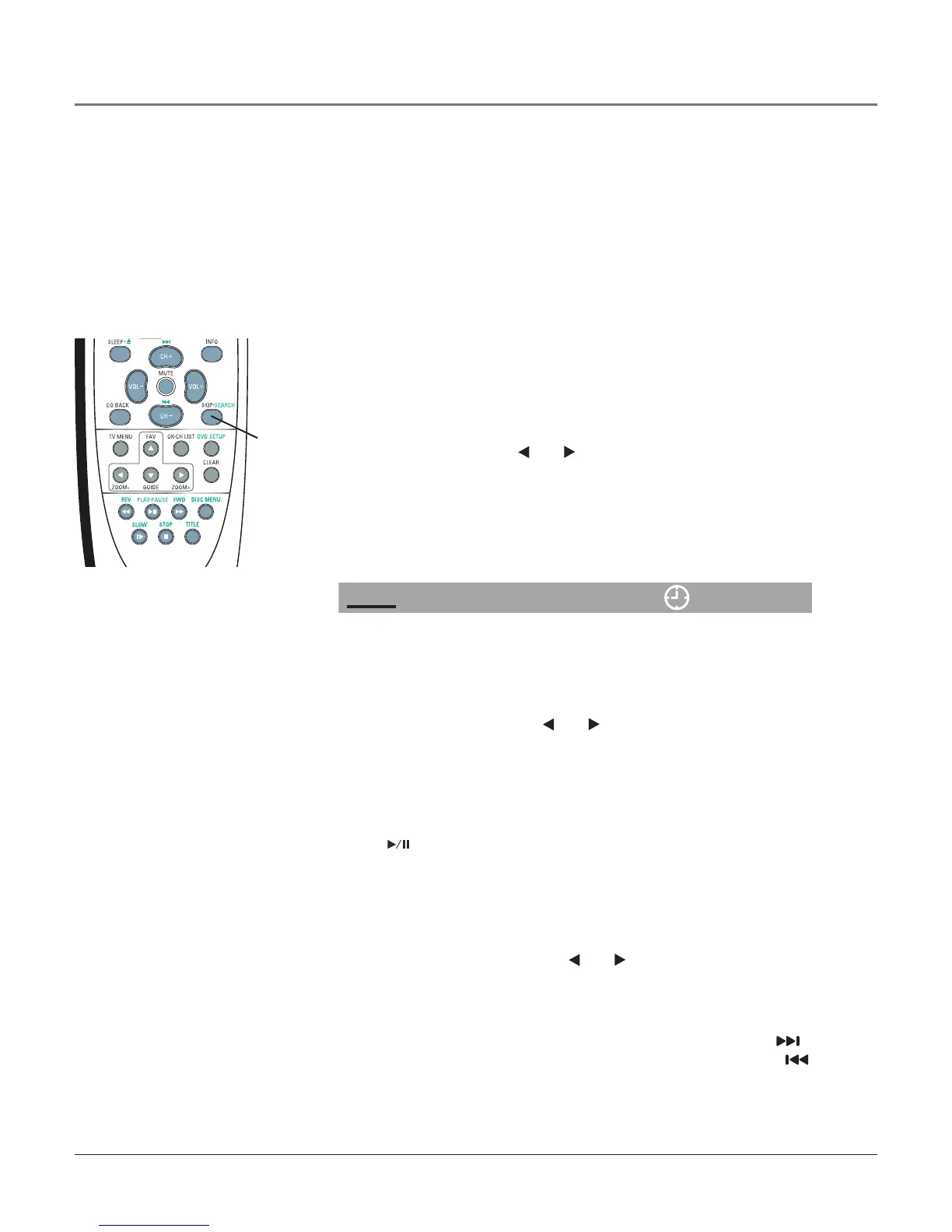
YoucandisplayinformationaboutthediscduringplaybackusingtheSEARCH
button.Itallowsyoutoaccesscertainfunctions.Remembertousethearrow
buttonswhenchangingthefunctions.
Selectanoptionusingthe
and
buttonsandpressOKtoselect,if
supportedbytheDVD.Thenusethenumericbuttonstoenternumbers.Press
OKtoconrmtheselection.PresstheSEARCHbuttontoreturntoplayback.
Note: You can press the INFO button to display this feature but the
information is not modifiable.
SEARCH
button
Select a Title
Todirectlyaccessatitleorachapter:
1. SelectTitle(TT)usingthe
and
buttons.
2. Enteratitleorchapternumberusingthenumericbuttons.
3. PressOK.
Note: Instead of pressing the SEARCH button, you can press the TITLE
button. Use the arrow buttons to highlight the desired title and press OK
or (PLAY•PAUSE). Some discs only have one title.
Select a Chapter
BecauseDVDdiscsusedigitaltechnology,atitlecanbedividedintoindividual
chapters(similartotracksonaCD).Toskiptoaspecicchapter:
1. SelectChapter(CH)usingthe
and
buttons.
2. Enterachapternumberusingthenumericbuttons.
3. PressOK.
Notes: Instead of pressing the SEARCH button, you can press to
advance to the next chapter while the disc is playing. Press the
button to go to the previous chapter. This also works on audio CDs.
You can also press the number buttons to reach a specific chapter. For
example, press 0 then 6 to go to Chapter 6. Some discs aren’t formatted
with separate chapters.
Playing Discs



 To Next Page