Get the Picture
TherstpartofconnectingyourTVistogetthepicture,alsoknownasasignal.Thebackpanelof yourTVallows
youtoreceiveanaloganddigitalchannelsbyusingtheANTENNA/CABLEINPUT.
What You Need to Know
• ThistelevisionisequippedwithaQAM(QuadratureAmplitudeModulation)tunerthatenablesreceptionof
unscrambleddigitalcablecontent.Checkwithyourcableproviderforinformationaboutcontentavailabilityin
yourarea.YourTValsoreceivesanalogcableTVchannels.
•WhenyougettotheAuto Channel Search screenintheSetupmenu,chooseCable asyoursourcetype.TheTV
seachesforbothanaloganddigitalchannels.Tocompleteachannelsearchnow,gotopage14.
• Whenyouarereadytowatchdigitalchannels,makesureyouaretunedtoadigitalchannel.Digitalstations
typicallyhaveadashintheirchannelnumberbecausetheymaycontainsubchannels,forexample,8-3.
Whenyouarereadytowatchananalogchannel,makesureyouaretunedtoananalogchannel.Analogstations
containnomorethanthreedigits.Refertopage14forinformationonanaloganddigitalstations.
Receiving Cable Channels
Coaxial cable
Continues on next page...
What You Need
Coaxialcablefromacableoutlet.PlugthecoaxialcableintotheANTENNA/CABLEINPUTto
receiveyouranaloganddigitalcablechannels.
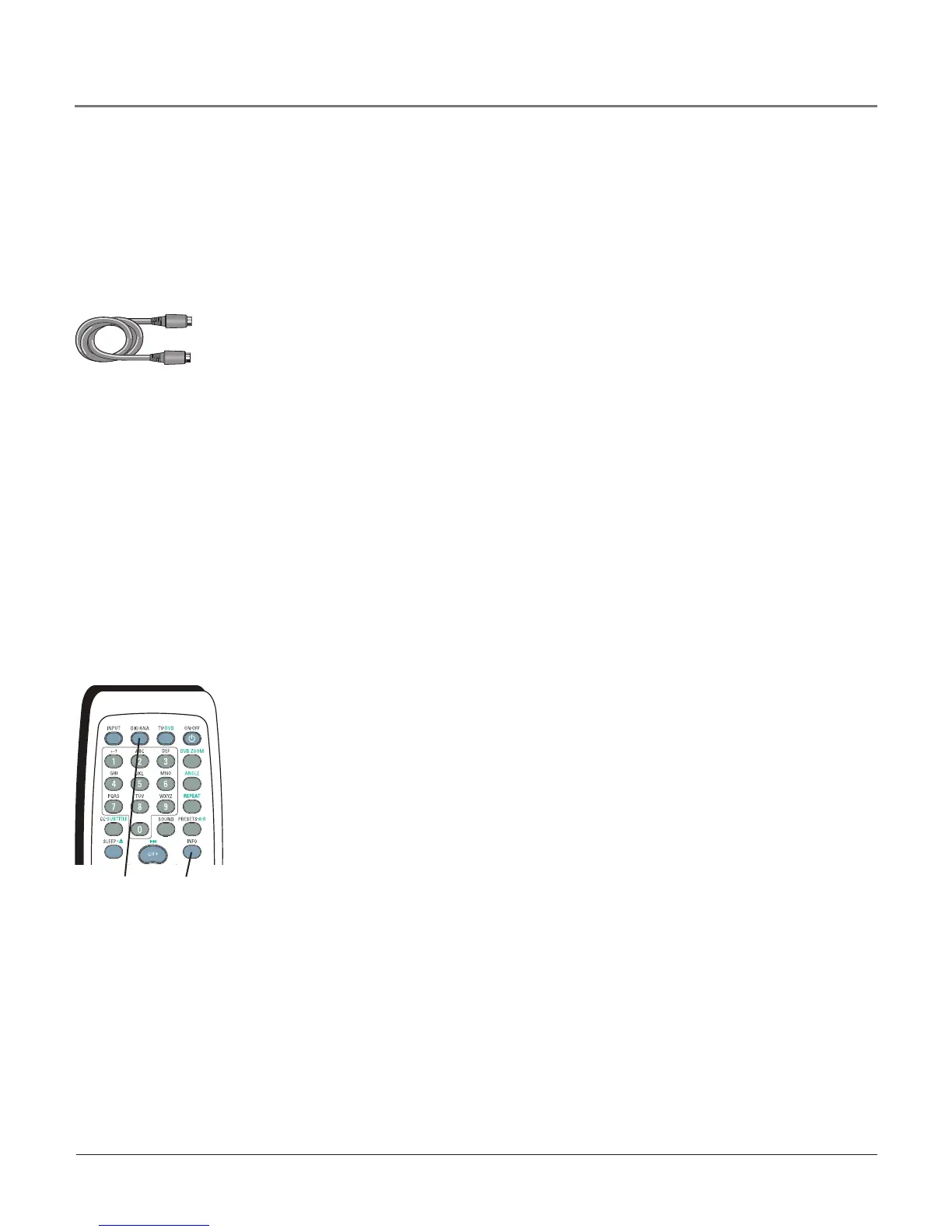
DIG•ANA
button
Whenusingtheinputdescribedabove,usetheDIG•ANAbuttonon
theremotetotogglebetweenthedigitalandanalogchannels.Referto
page14formoreinformation.
Note: Another way to see if you’re tuned to a digital or
analog channel is to press the INFO button. This brings up the
Channel Banner screen, discussed on page 19.
INFO
button
Chapter 1 5
Connections & Setup



 To Next Page