34 Chapter 5
Select a Time
Toaccessaspecicpointof timeontheDVD:
1. Selecttime(thenumberstotherightof theclockicon)withthe
and
buttons.
2. Enterthetimelocationintheformof hh:mm:ss(hours,minutesandseconds)withthe
numberbuttons.
3. PressOK.
DVD DISPLAY Feature
PresstheINFObuttontwicetodisplaytheDVDDisplaybanner.Thecurrentlanguage,audio,
andsubtitlesaredisplayed.Thecameraiconappearsonthescreenwhenfootagehasangle
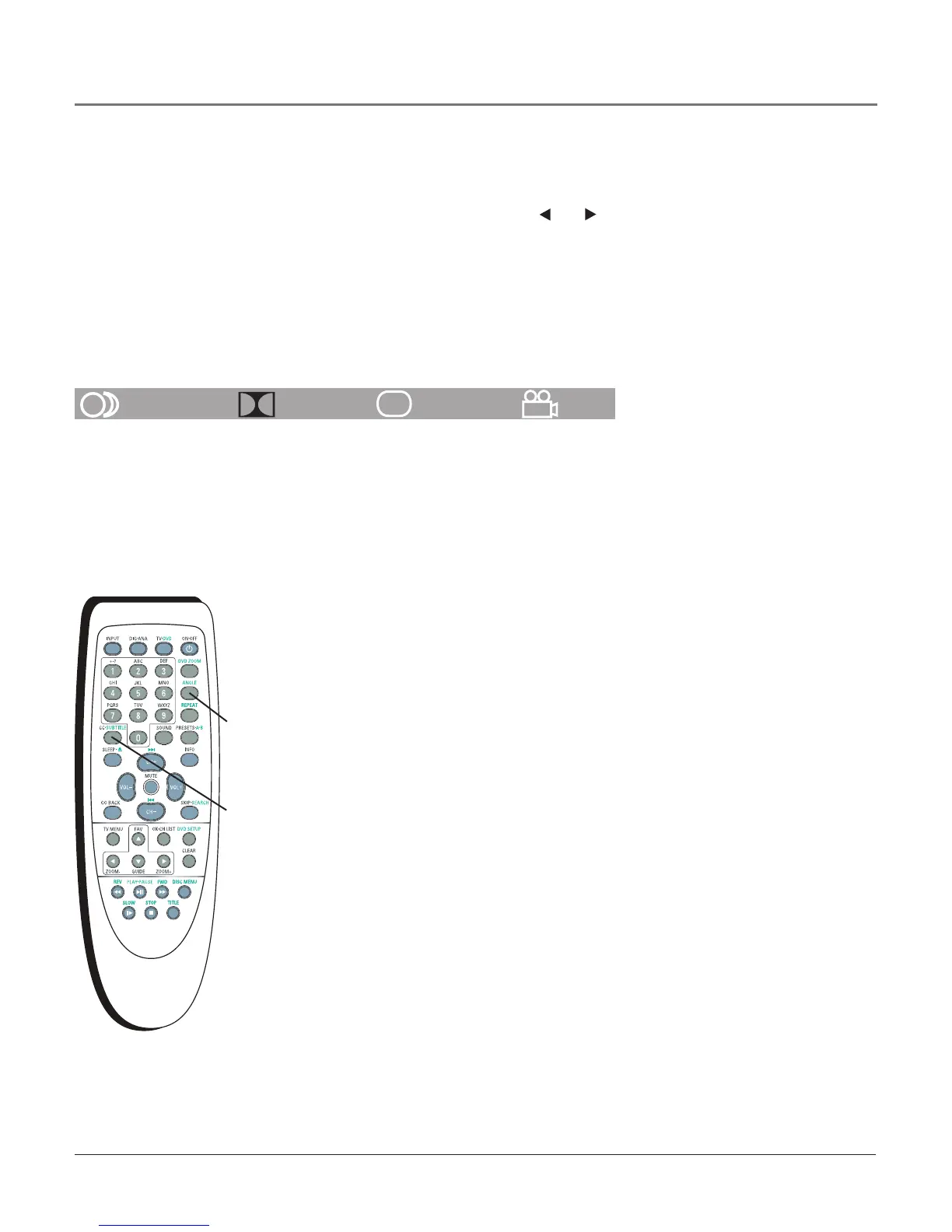
optionavailable.Inthisdisplay,theiconshowswhetheranglesareinuse.PresstheANGLE
buttonrepeatedlyontheremotetoscrollthroughcameraangles,ifavailable.PressINFOa
thirdtimeforthedisplaytodisappear.
1/4 ENG D5.1CH 1/2ENG OFF
....
LANGUAGE AUDIO SUBTITLES ANGLES
ANGLE
button
Changing the Camera Angle
Somediscscontainsceneswhichhavebeenshotsimultaneouslyfromanumber
of differentcameraangles.If thedischasonlyoneangle,thisfeaturewon’twork.
Whenmultipleanglesareavailable,theCameraAngleiconappearsintheupper
rightcornerof thescreen.Tochangethecameraangle:
1. Whileyou’replayingadisc,pressANGLEontheremote.TheCameraAngleicon
displaysthenumberof anglesavailable.Forexample,if thereare3different
angles,theiconreads1of 3.Thereforeangle1iscurrentlybeingplayed.
2. PressANGLErepeatedlytoscrollthroughthecameraangles.
Disc Features Using the Remote Control
Selecting Subtitles
Tochangethesubtitlelanguagewhilethediscisplaying:
1. PresstheSUBTITLEbuttonrepeatedly
2. PressSUBTITLEagaintoscrollthroughthesubtitlelanguagesavailableonthe
disc.Choosealanguageandthesubtitlesappearinthatlanguage.
Note: If you change the subtitle language on the Disc Menu your choice of
language only applies for the disc currently being played. When you eject
the disc and switch off the player, the subtitles will be displayed again in the
subtitle language you selected in the DVD SETUP menu. Refer to page 38 for
more information.
SUBTITLE
button
Playing Discs



 To Next Page