Chapter 3 19
Chapter 3: Using the TV’s Features
Channel Banner
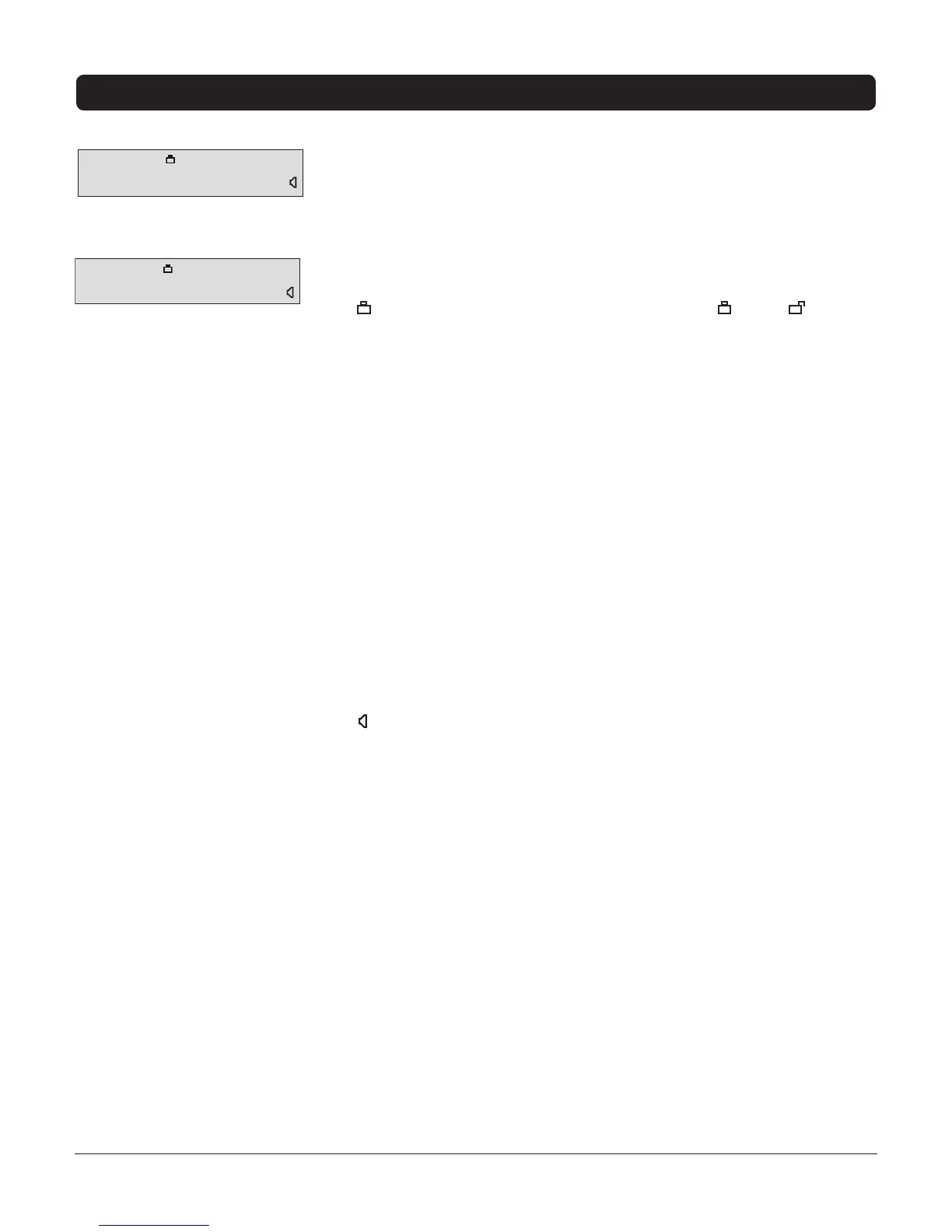
WhileinTVmode,thereareseveralitemsthatmightappearon-screenwhen
youpresstheINFObutton.ThisdisplayiscalledtheChannelBanner.The
followinglistdescribestheitemsontheChannelBannerscreen.
TV-14 Displayscurrentprogram’srating.Refertopage20formore
information.
ParentalControlsMasterEnabledisplayseithera lockor unlock
icon.(Refertopage20).
•ThelockiconisdisplayedwhentheParental Control(MasterEnable)
settingisactive.
•TheunlockiconisdisplayedwhentheParental Control (Master
Enable)settingisdeactivated.
English Displaysthelanguagecurrentlybeingheard.
CC DisplayedwhenClosedCaptioningisavailableonthecurrentchannel.
Analog/Digital Indicateswhetherthecurrentsignalisanalogordigital.
Skip: 0:30 CorrespondstotheSKIPbutton.Displaystheamountoftime
leftbeforetheTVswitchesbacktothepreviouschannel.(Refertopage16).
7:18 AM Displaysthecurrenttime(enteredintheTimemenu).
11 CNN/11-2 CNN Displaysthecurrentchannelandlabelassignedtothe
channel.Digitalchannelsalsohaveasubchannellisting(forexample,-2).
Refertopage26formoreinformation.
Normal DisplaysthecurrentscreenformatchosenfromtheSetupmenu
orwhentheZOOM– or ZOOM+buttonsareused.
DisplayedwhenyouMUTEthesound.
TV-14 DSLV CC
Analog Skip: 0:30 7:18 AM
11 CNN Normal
X
TV-14 DSLV English CC
Digital Skip: 0:30 7:18 AM
11-2 CNN Normal
X
Channel Banner menu for an
analog channel.
Channel Banner menu for a
digital channel.



 To Next Page
 Loading...