Chapter 5 35
Changing the Audio Language
If thediscwascreatedwithdifferentlanguagetracks(recordedindifferentlanguages),
youcanchangetheDVD’sAudiolanguagesetting.Thereareseveralwaystochangethe
audio.
Changing the Menu Audio Language
1. Setthisoptionwhilethereisn’tadiscplaying.PressDVDSETUP.
2. PresstherightarrowbuttontogotoLanguage SetupandscrolldowntoAudio Lang.
3. Presstherightarrowbutton,thenthedownarrowbuttontoscrollthroughthe
languagesthatareavailableonthediscandchangetheselection.Theaudioplaysin
thatlanguage.
Changing the Disc Audio Language
Therearetwowaystochangetheaudiolanguageinthediscmenu.Thisonlyworksif
thediscwascreatedwithmultipleaudiotracks.
1. Whileadiscisplaying,pressDISCMENU.
2. Dependingonhowthediscmenuwascreated,lookforaselectionlikeLanguages.
3. Scrollthroughthelanguagesthatareavailableonthediscandchangetheselection.
Theaudioplaysinthatlanguage.
OR
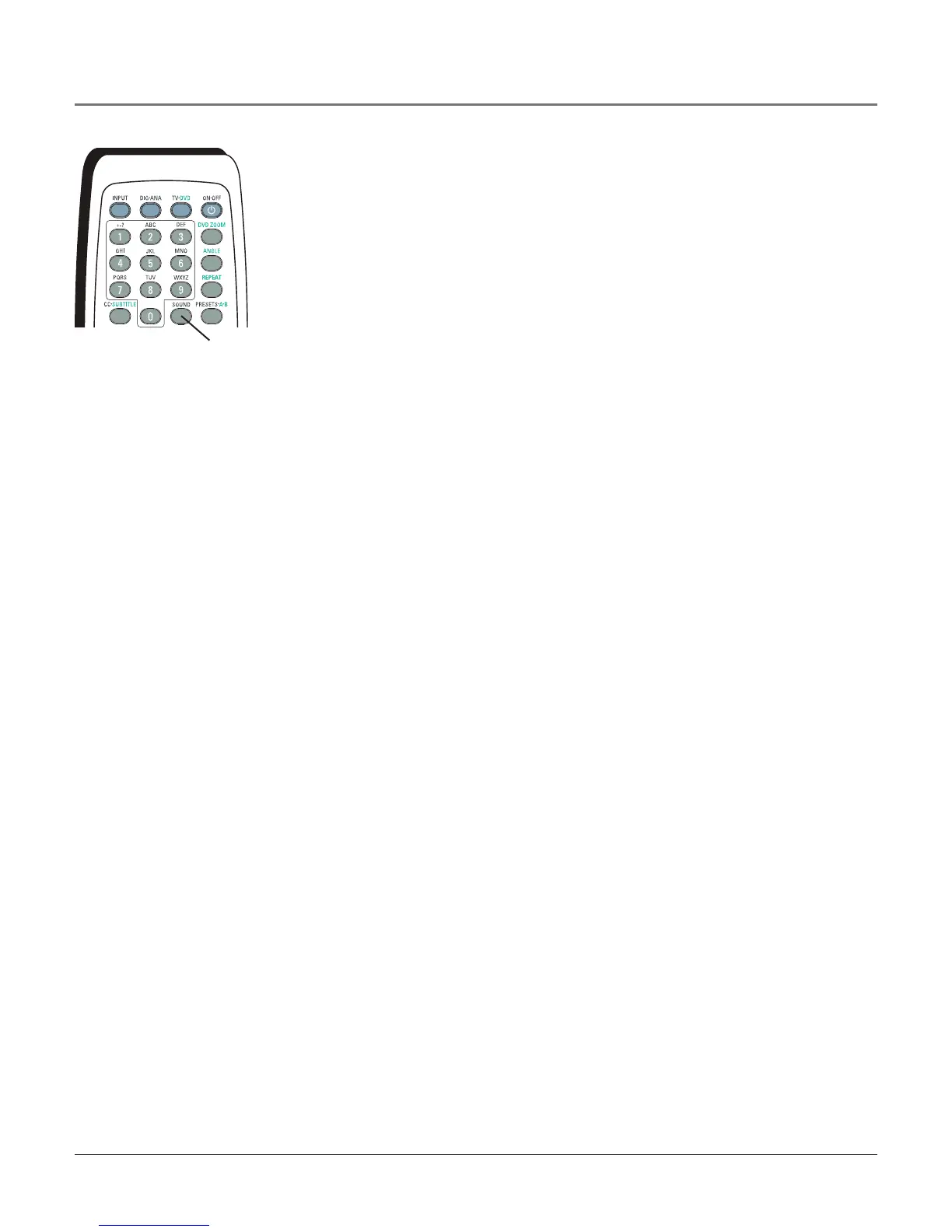
1. YoucanchangetheaudiolanguagebypressingtheSOUNDbuttonrepeatedly
duringplayback.Thenumberof soundchoiceswillvaryaccordingtohowthedisc
wascreated.
Note: When you use the SOUND button your choices only apply to the disc
currently being played. You only override the audio language setting in the DVD’s
menu system temporarily. When you eject the disc and switch off the player, the
audio will play in the language you selected in the DVD menu. Go to page 17 for
more information.
SOUND
button
DIVX
DivX®isanewformatfordigitalvideo.Itismuchlikemp3,whichisacompression
technologythatcanshrinkdigitalmusic.DivXtechnologyallowsdigitalvideotobe
compressedtosizesthatcanbetransportedovertheInternet.DivXisthebrandnameof
avideocompressiontechnologycreatedbyDivXNetworks,Inc.ItisMPEG-4basedvideo
compressiontechnologythatmaintainshighvisualquality.ThisplayercanplayDivXdiscs.
How to use DivX
Thefollowingisastep-by-stepprocessforpurchasinganddownloadingDivXcontent.
1. Browsewebsitesandvideoofferingsandselectavideotodownload.Forexample,
contentcanbedownloadedfromwww.divx.com.(GototheDivXwebsitefor
instructionsonviewingfree,rentingorpurchasingcontent.)Thesitewillalsoinstructyou
ontheminimumsystemrequirementsneededtodownloadcontenttoyourcomputer.
2. BurnyourcontentontoacompatiblediscsuchasCD-ROMorDVD-ROM.
3. InsertthediscintheDVDplayerandplay.
Playing Discs



 To Next Page