Chapter 2 17
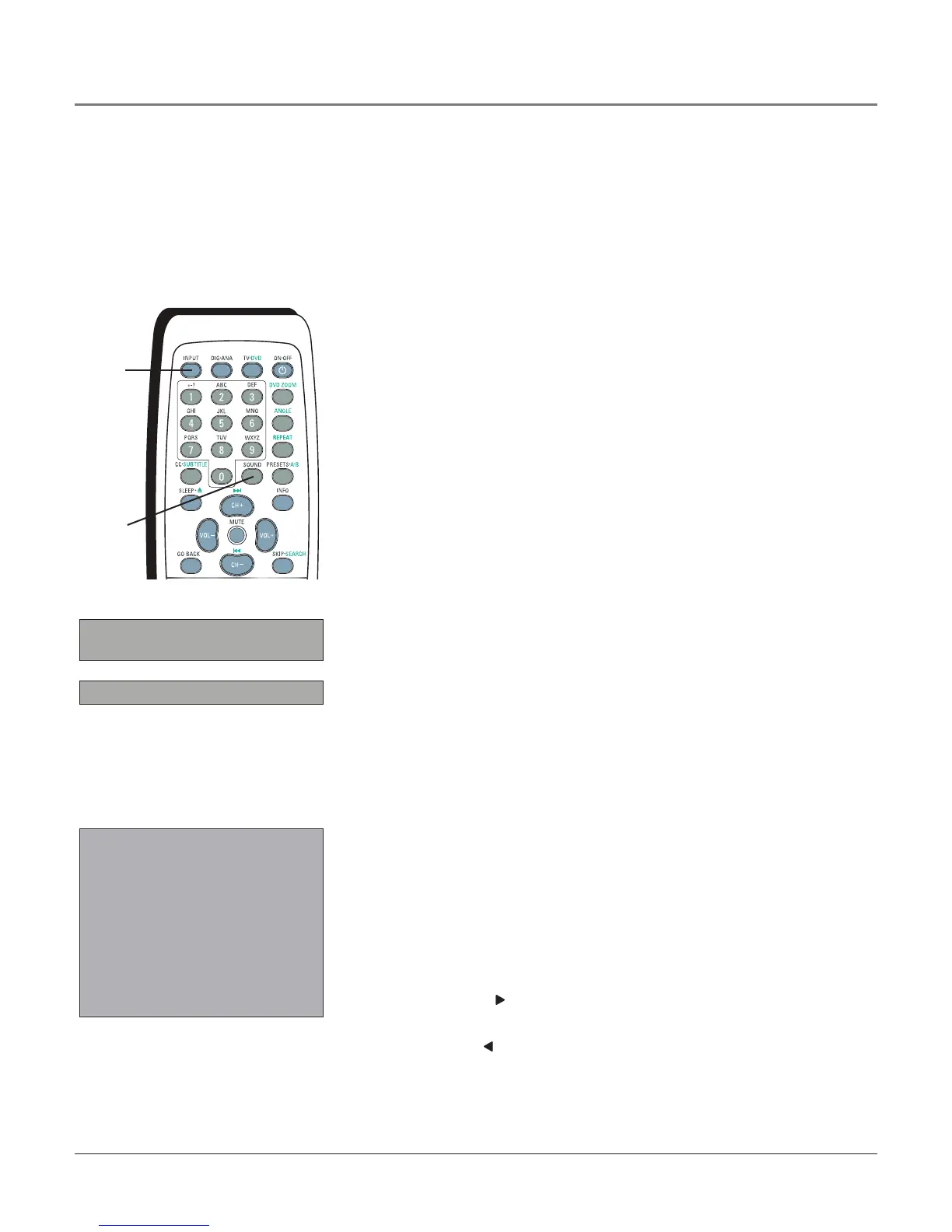
SOUND Whenadigitalchannelisbeingviewed,selectstheCurrent LanguageandDefault
Language options.Refertopage17formoreinformation.
TV•DVD PutstheTVinTVmode.
TV MENU BringsuptheTV’sMAIN MENU.Alsogoesbackonemenuinthemenusystem.
VOL - or VOL + Decreasesorincreasesthevolume.
INPUT
button
DIGITAL AUDIO
Go back
Cur. Language English1
Def. Language English
SOUND
button
Guide
9:00 AM-12:00 PM WGBH-SD
Clifford “LuLu”
12:00 PM-1:00 PM WGBH-SD
Clifford “Dog’s Rule”
1:00 PM-3:00 PM WGBH-SD
Spiderman
t���� Page 1 of 3���� u ��
Using the INPUT Button
UsetheINPUTbuttontoscrollthroughtheavailableVideoInputChannelsto
viewdevicesyouhaveconnectedtoyourunit.
1. Makesurethedeviceyouwanttoview(likeasatellitebox)isturnedON.
2. PressINPUTtotunetoanavailableVideoInputChanneltoviewthe
device.
3. PresstheINPUTbuttonuntilyoureturntothepreviouschannel.
Using the SOUND Button
WheninTVmode,thefollowingitemsareavailablefordigitalchannelsonly:
Cur. Language (Current Digital Channel Audio Language) Pressthe
rightarrowbuttontochoosetheaudiolanguageavailablefortheprogram
you’rewatching.Thelanguageyouchoosebecomesthepreferredaudio
languageforallchannelsonthedigitaltuneruntilyouturntheunitoff.Ifthe
languageyouchoosehereisnotbeingbroadcastwithaprogram,thenthe
defaultaudiofortheprogramisplayed(usuallyEnglishintheU.S.).
Def. Language (Default Digital Channel Audio Language) Press
therightarrowbuttontochoosethedialoglanguageyoupreferondigital
channels.If yourpreferredlanguageisbeingbroadcastwithaprogram,itwill
play.If not,thenthedefaultaudiofortheprogramwillplay(usuallyEnglish
intheU.S.).ThedefaultdigitalchannelaudiolanguageoptionsareEnglish,
Spanish, German, Italian, Japanese, Chinese andKorean.
Using the GUIDE Button
TheGuidefeatureisavailablefordigitalbroadcastsonly.WheninTVmode,
usetheGUIDEbuttontoviewcurrentandupcomingTVprogramming,if
available.Whiletheguidescreenisshown,contentcannotbeupdated.If
thereisnoprograminformationavailable,thescreendisplays,No program
information.
UsethefollowingremotebuttonstonavigatetheGuide.
Right arrow button ( ) Goestothenextguidepagewiththerstprogram
highlighted.
Left arrow button ( ) Goestothepreviousguidepagewiththerst
programhighlighted.
Using the Remote Control



 To Next Page