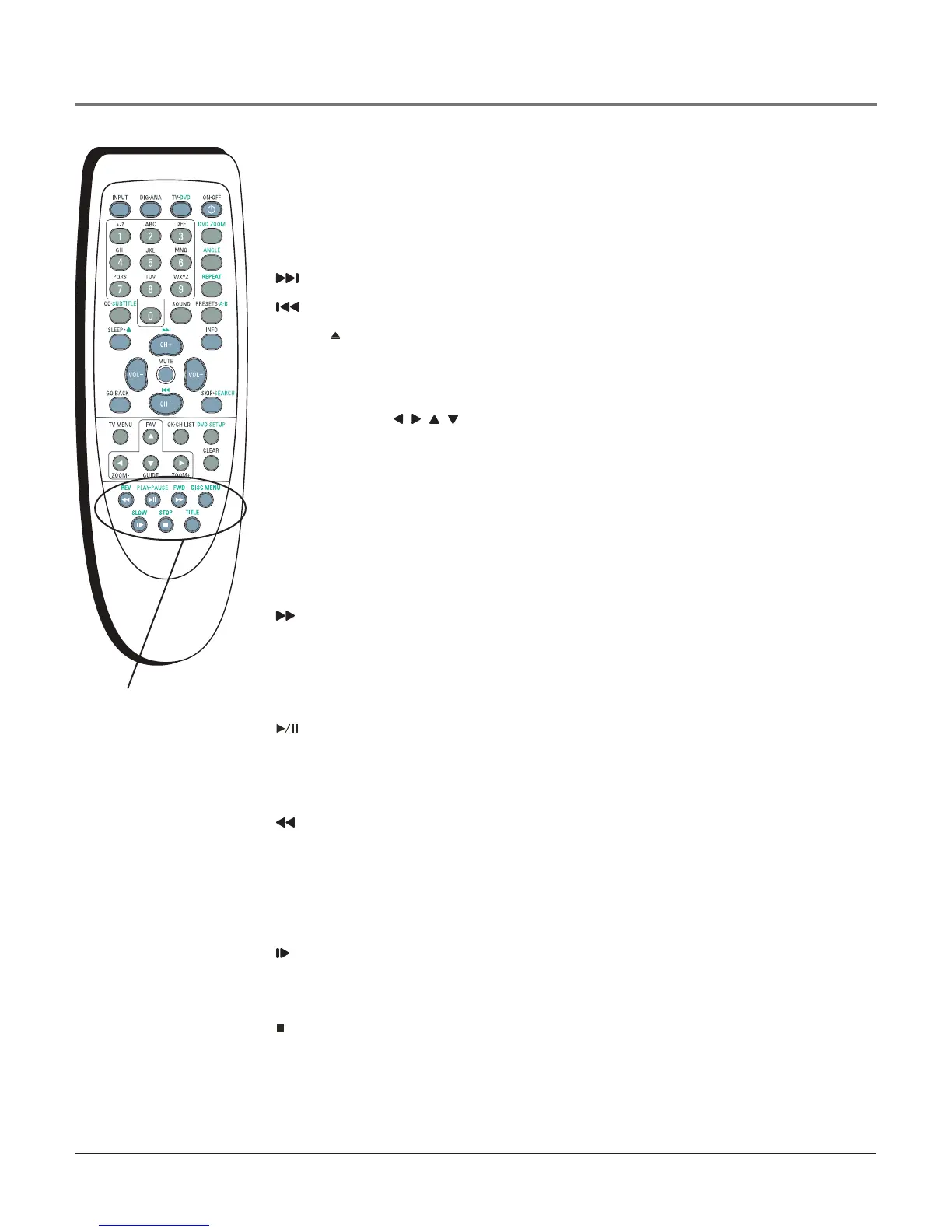
DVD Function Buttons
Note: The green button labels are used for DVD functions. Check to make sure you’re in
DVD mode by pressing the TV•DVD button.
(0-9) Number buttons Enterinformationsuchaschapterandtracknumbers(referto
page33).
Advancestothenextchapterortrack.
Reversestotheprecedingchapterortrack.
SLEEP• (OPEN/CLOSE) Presstoopenorclosethedisctray.
A•B Denesaspecicsegmentonthediscthatyouwanttorepeat(refertopage33).
ANGLE Selectsthecameraangle,if available,onthedisc.
Arrow buttons ( , , , ) Presstomovethroughtheon-screenDVDmenusystem.
DISC MENU Displaysmenusanotheroptionsthatareavailableonthecurrentdisc(if
thedisccontainsthisinformation).
DVD PutstheTVinDVDmode.
DVD SETUP PausesplaybackandbringsuptheDVD’smenusystem.Pressagainto
resumeplayingthedisc.
DVD ZOOM Presstomagnifythepicture.ChoosefromZoom 2, Zoom 3, Zoom 4,
Zoom 1/2, Zoom 1/3, Zoom1/4 and OFF.Yourselectionappearsmomentarily.
FWD (FORWARD) Searchesforwardthroughadiscduringplayback.Press
repeatedlytoincreasespeed.
INFO Displaysthetitle,chapterandelapsedtimeinformationduringplayback.Press
againtoremovefromthescreen.UsetheSEARCHbuttontonavigatetheseitems.Goto
page33formoreinformation.
PLAY•PAUSE Beginsdiscplay(pressandholdtoclosedisctrayifopen).Also
pausesdiscplay.Whenthediscispaused,pressPLAY/PAUSEtoresumeplayback.
REPEAT PresstorepeatachapterortitleonDVD,oranaudioCDtrackortheentire
disc.
REV (REVERSE) Searchesbackwardthroughadiscduringplayback.Press
repeatedlytoincreasespeed.
SEARCH Bringsupthetitle,chapterandelapsedtimeinformationduringplayback.
Usethearrowandnumberbuttonstoskiptodifferenttitle,chapterortimelocations.
Titlelocationstakeyoutodifferentsectionsof thedisc(likeamovietrailer,bonus
material,etc.).
SLOW Searchesforwardslowlythroughadiscduringplayback.
SOUND Displaysdifferentlanguageoptionsinvaryingenhancedsound(if available
onthedisc).
STOP Stopsdiscplay.
SUBTITLE Bringsupanon-screendisplaythatshowswhatsubtitlelanguagesare
available(if presentonthedisc).ChooseOFFif youdon’twantsubtitlesdisplayed.Go
topage34formoreinformation.
TITLE PresstodisplaytheTitlemenuduringplayback,if available.
DVD function
buttons
Using the Remote Control
18 Chapter 2



 To Next Page