INSTALL BACKPACK BASE PLATE AND BACKPACK QUICKPLATE
(SHORT)
REQUIRED TOOL(S): 3.0 mm Hex driver
1. Turn off the camera.
2. Place the Backpack Base Plate on the rear of the BRAIN.
3. Insert four (4) M4x0.7 mm x 8 mm mounting screws into the Backpack Base Plate mounting holes.
4. Use a 3.0 mm Hex driver to tighten screws in a cross pattern (“X” pattern) approximately two (2) turns each.
DO NOT FULLY TIGHTEN.
5. Fully tighten the four (4) screws in a cross pattern (“X” pattern).
WARNING: DO NOT OVERTIGHTEN.
6. Loosen the wingnut clamp on the Backpack Base Plate.
7. Slide the Backpack Quickplate (Short), with the V-Mount receiver facing away from the BRAIN, into the dovetail
rails on the Backpack Base Plate.
8. Tighten the wingnut clamp on the Backpack Base Plate.
WARNING: DO NOT OVERTIGHTEN.
9.
Connect the 6-pin 1B LEMO connector to the DC IN port on the BRAIN.
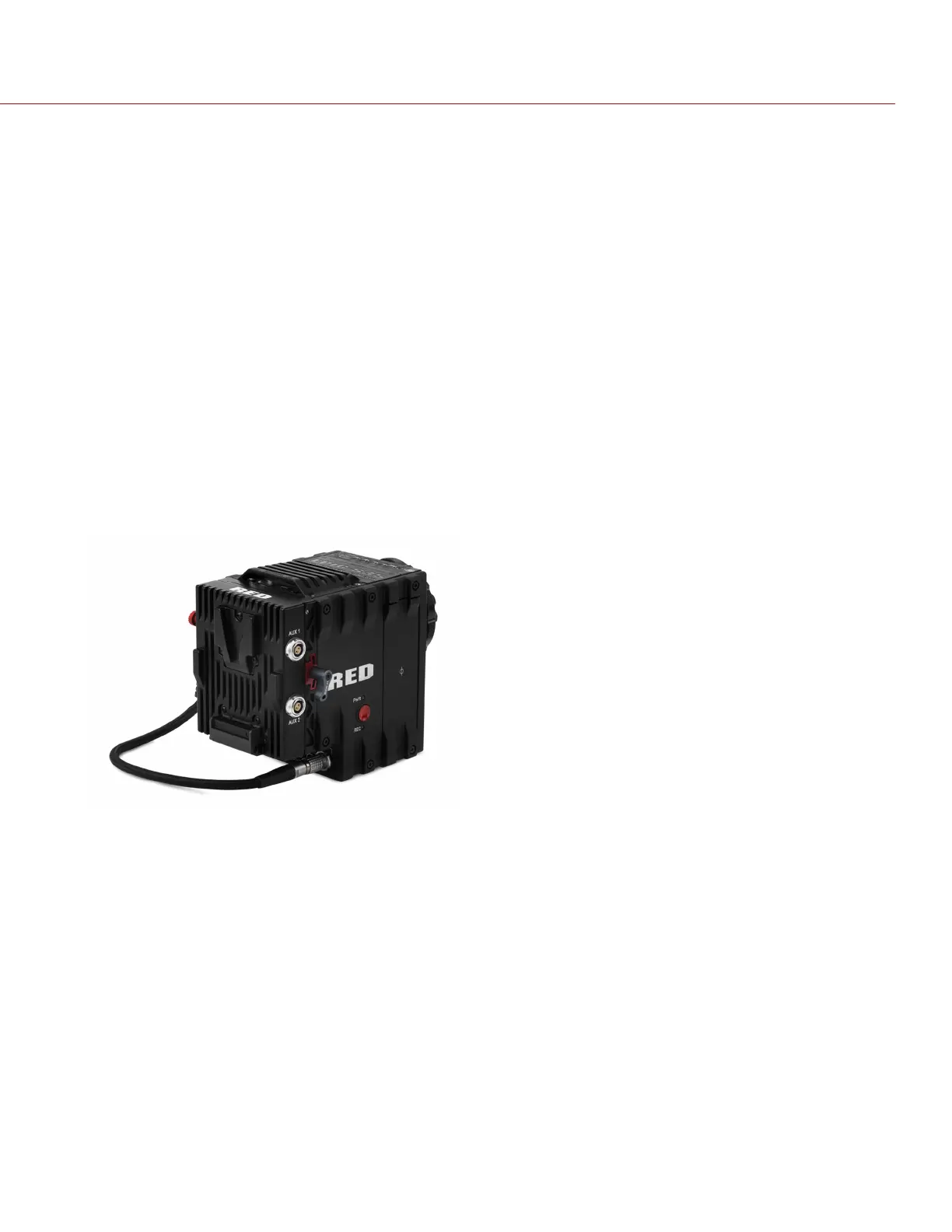
Figure: Backpack Quickplate (Short) Collection with a RED BRICK
NOTE: The release button is black on the Backpack Quickplate and red on the Backpack Quickplate (Short).
INSERT A BATTERY
1. Slide the RED BRICK or REDVOLT-V onto the back of the Backpack Quickplate so that it fits into the V-Mount on
the back of the Backpack Quickplate.
2. Apply pressure until the battery is fully seated.
NOTE: You may not hear a click when the battery is fully connected.
REMOVE A BATTERY
1. Press the release button on the side of the Backpack Quickplate to remove the RED BRICK or REDVOLT-V.
2. Pull up on the battery to disengage it from the V-mount.
C OPYRI G HT © 2017 RED.C OM , LLC 955- 0038, REV-AD| 46
RED DSMC POWER OPERATION GUIDE



 To Next Page