COPYRIGHT © 2014 RED.COM, INC
RED DSMC OPERATION GUIDE
955-0020_V5.1, REV-H | 38
VIEWFINDER OUTPUTS
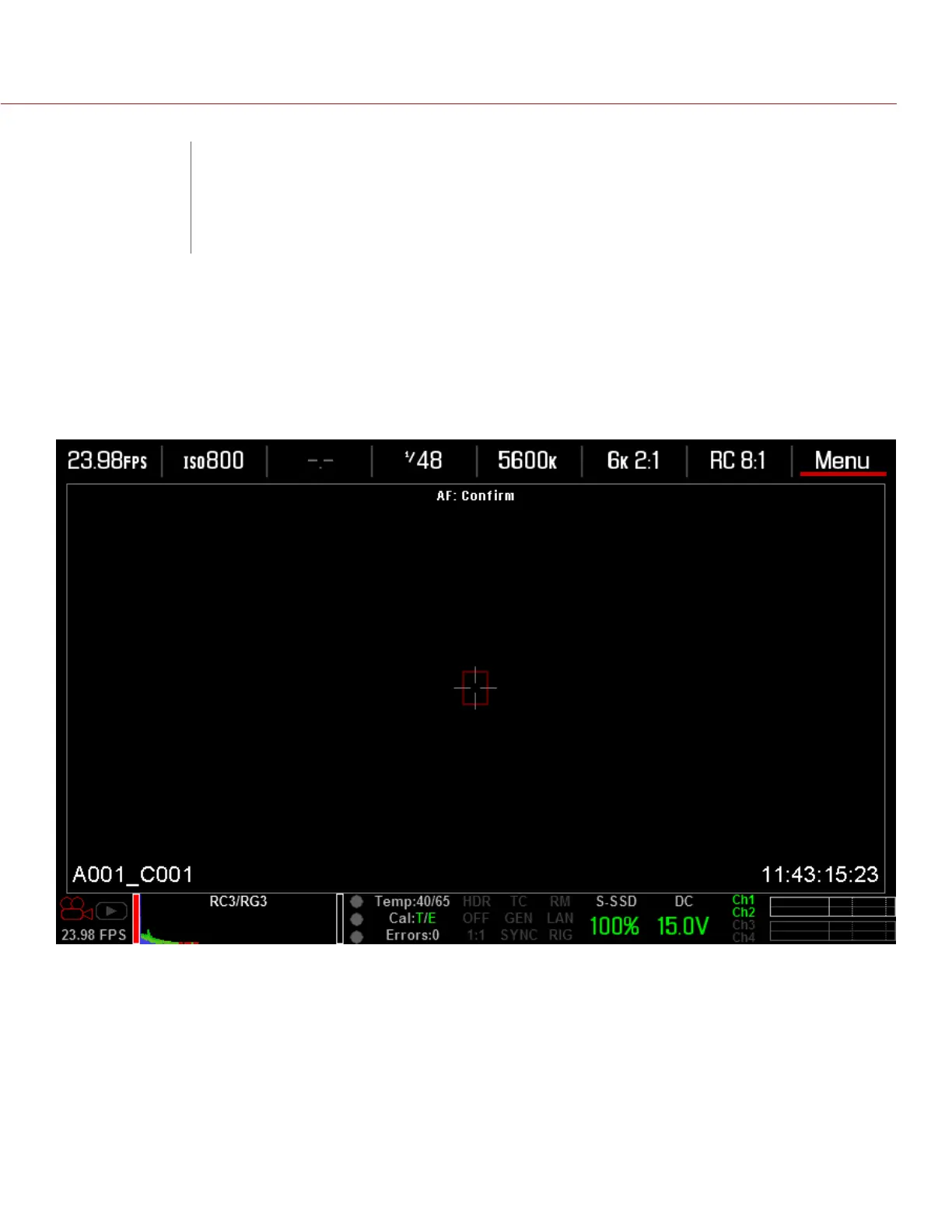
The following is a general description of the structure of the camera’s graphical user interface that overlays the
video monitor signal on the Viewfinder outputs (RED PRO LCD, RED TOUCH, BOMB EVF, and external moni-
tors) of the camera.
The display elements include:
Audio Meter: Audio input selection and levels
Cal: T/E: Indicator of relative change in sensor temperature and exposure since your last calibration
Clip Level Bar: Relative number of RAW pixels near clip
Clip Meter: RGB sensor RAW clipping status
Cursors: Reference cursors – Safe Action/Safe Title, Picture Center, Grid Overlay
Drop: Indicates if any frames were dropped during recording of the clip
F Stop: Functional when optional mount and lens are installed
False Color Mode: Displays false color overlay mode
04
GRAPHICAL USER
INTERFACE



 To Next Page