RED DSMC OPERATION GUIDE: WEAPON
COPYRIGHT © 2015 RED.COM, INC 955-0116_V6.1, REV-H | 129
PRE-AMP GAIN
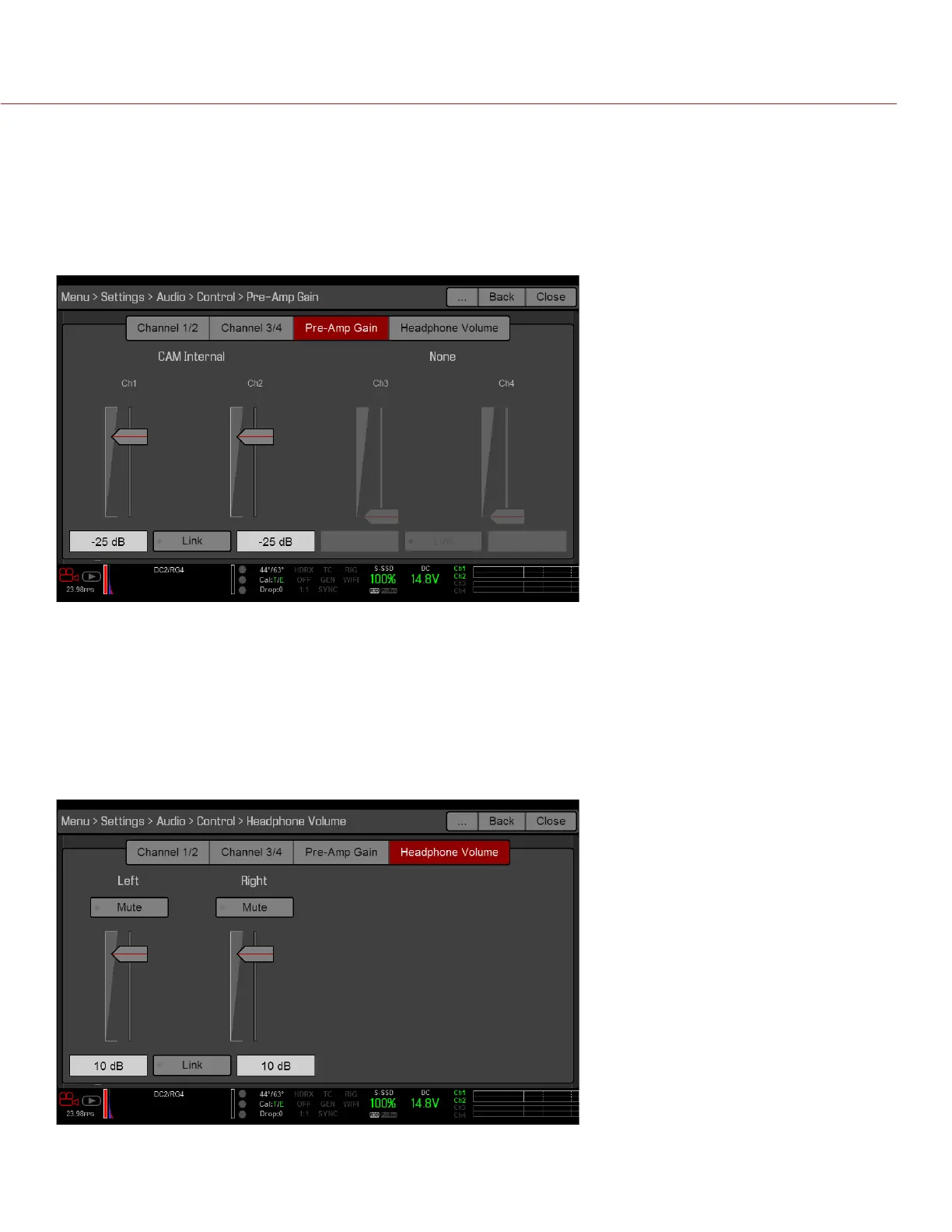
The pre-amplifier range and default value depend on the attached expander. To adjust amplification levels,
follow the instructions below:
1. Go to Menu > Settings > Audio > Control > Pre-Amp Gain.
2. Move the Pre-Amp (pre-amplifier) sliders up and down to adjust the amplification levels.
NOTE: To link the amplification for each channel, select Link.
HEADPHONE VOLUME
The volume range for Left and Right is –6 dB to 14 dB. The default is 10 dB. To adjust headphone volume,
follow the steps below:
1. Go to Menu > Settings > Audio > Control > Headphone Volume.
2. Move the Left and Right sliders up and down to adjust the volume.
3. To toggle mute/unmute, select Mute.
NOTE: To link the volume for Left and Right, select Link.



 To Next Page