COPYRIGHT © 2015 RED.COM, INC
RED DSMC OPERATION GUIDE: WEAPON
955-0116_V6.1, REV-H | 166
HDMI OUT
The DSMC
2
Base Expander features an HDMI connector.
A standard HDMI connector provides the following output:
High-definition video output (default mode is Overlay)
Two (2) channels of embedded audio
The HDMI output provides the formats described in the table below:
HDMI OUTPUT FORMATS
1
VIDEO FEED
2
FREQUENCY (HZ)
480p 50.00, 60.00
720p 24.00, 25.00, 30.00, 50.00, 60.00
1080p 24.00, 25.00, 30.00, 50.00, 60.00
1. Ensure you select a frequency supported by your monitor.
2. The HDMI output is progressive scan (p); it does not support progressive segmented frame (PsF) or interlaced (i) scan formats.
COMPATIBLE CABLE
790-0331: RED HDMI Cable (5')
COMMUNICATION PORTS
SYNC (VIDEO SYNC IN)
The DSMC
2
Base Expander features a SYNC connector.
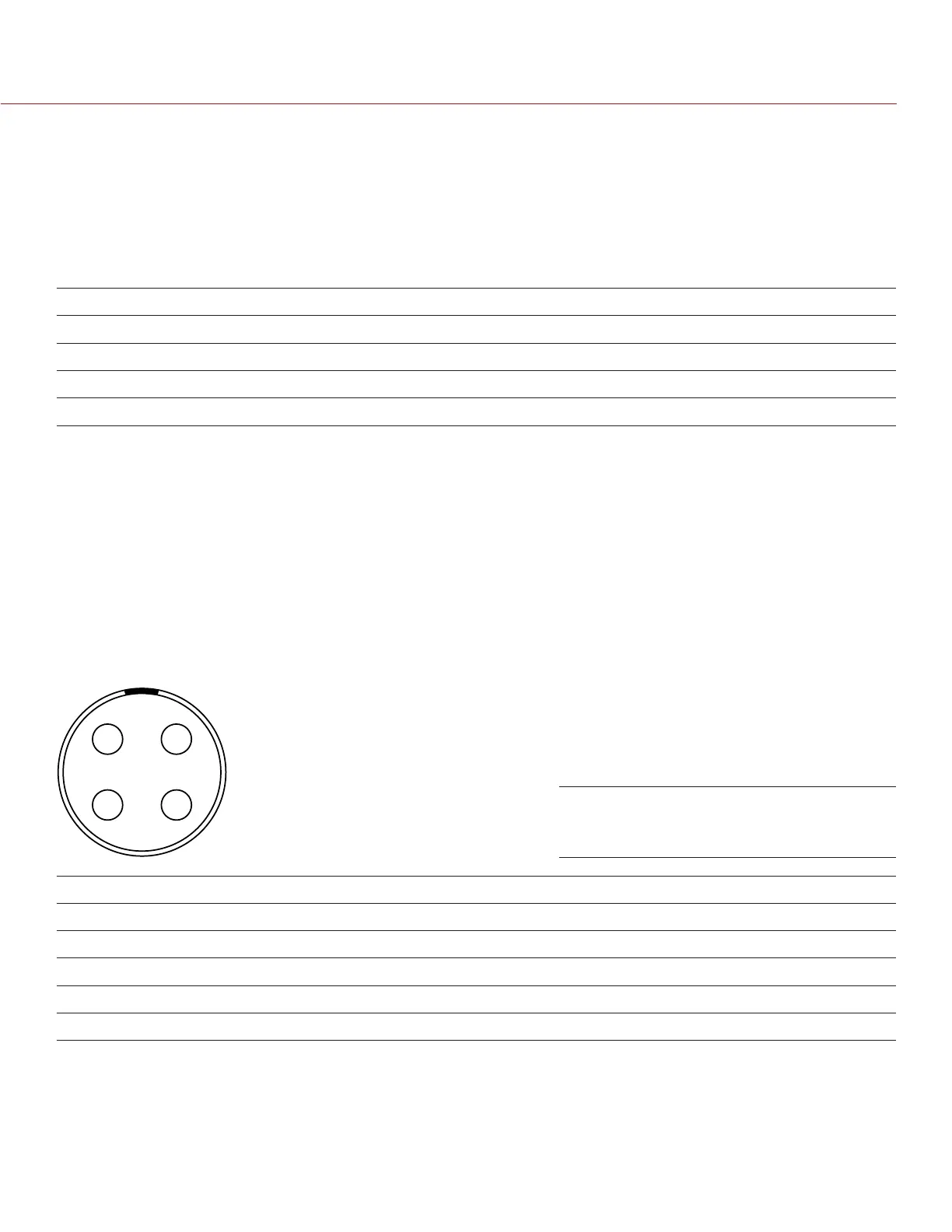
The 4-pin 00B LEMO SYNC connector accepts timecode, genlock, and General Purpose Input (GPI) signals.
1
2
4
3
4-PIN 00B LEMO SYNC CONNECTOR
PIN SIGNAL DESCRIPTION DIRECTION
1 GROUND Common ground N/A
2 SS/GPI Shutter sync/general purpose input trigger In
3 TIMECODE SMPTE unbalanced timecode input In
4 GENLOCK Tri-level sync input In
NOTE: Mating connector is FGG.00.304.CLAD27Z.
Front Face of the SYNC (Video Sync)
Connector (Looking at the DSMC)



 To Next Page