RED DSMC OPERATION GUIDE: WEAPON
COPYRIGHT © 2015 RED.COM, INC 955-0116_V6.1, REV-H | 55
DSMC
2
SIDEKICK
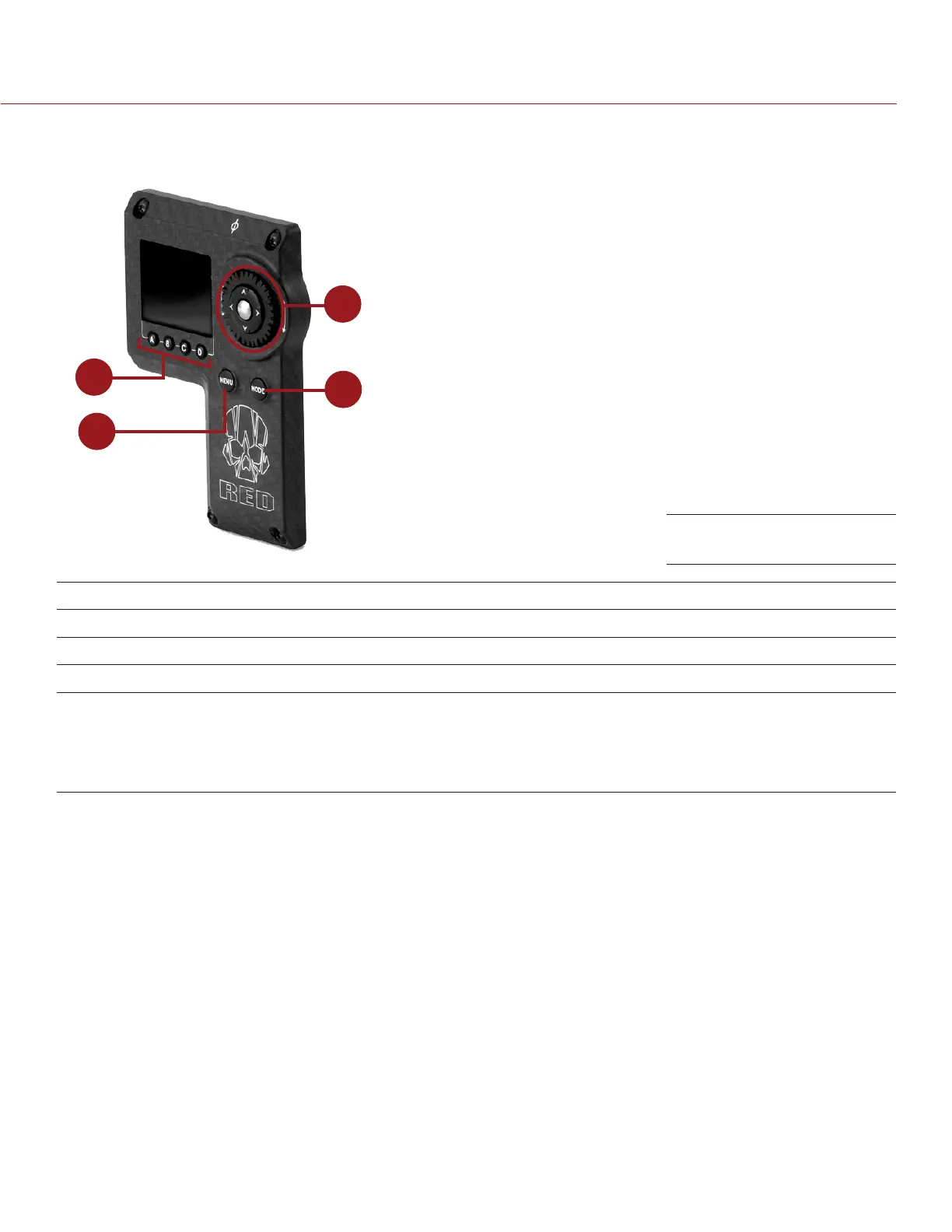
This section describes the controls and display of the DSMC
2
Sidekick.
4
1
2
3
# CONTROL/ITEM DESCRIPTION
1 Navigation Group Navigate menus and menu items; Go to “Navigation Group” on page 54
2 MODE Button Toggle between Remote and Local Modes
3 MEDU Button Access menus or exit currently selected menu
4 User Keys (A–D)
1
A: Cycle Auto-Focus Mode
B: Auto White Balance
C: Toggle 1:1 Magnify
D: Toggle Exposure Mode
1. Press User Keys A + D simultaneously to lock/unlock DSMC
2
Sidekick buttons to prevent inadvertent menu changes.
NOTE: DSMC
2
Sidekick keys are programmable. For more information, go to “Key Mapping” on page 92.
OPERATION MODES
The DSMC
2
Sidekick display reflects the currently selected mode. Use the Scroll Wheel and Directional Keys to
navigate menus. Press MENU to access the Advanced Menu.
Press MODE to toggle between the following modes:
Remote Mode: Navigate with DSMC
2
Sidekick controls, using an attached LCD, EVF, or other monitor as a
reference. The DSMC
2
Sidekick displays the primary control screen.
Local Mode: Navigate using the DSMC
2
Sidekick controls and display. User Keys A-D are inactive.
KEY LOCK/UNLOCK
Lock the keys on the DSMC
2
Sidekick to prevent inadvertent button presses and menu changes.
Lock: Press A + D simultaneously.
Unlock: Press A + D simultaneously. Alternatively, press and hold ENTER while keys are locked.
DSMC
2
Sidekick



 To Next Page