COPYRIGHT © 2015 RED.COM, INC
RED DSMC OPERATION GUIDE: WEAPON
955-0116_V6.1, REV-H | 94
CAMERA NAME
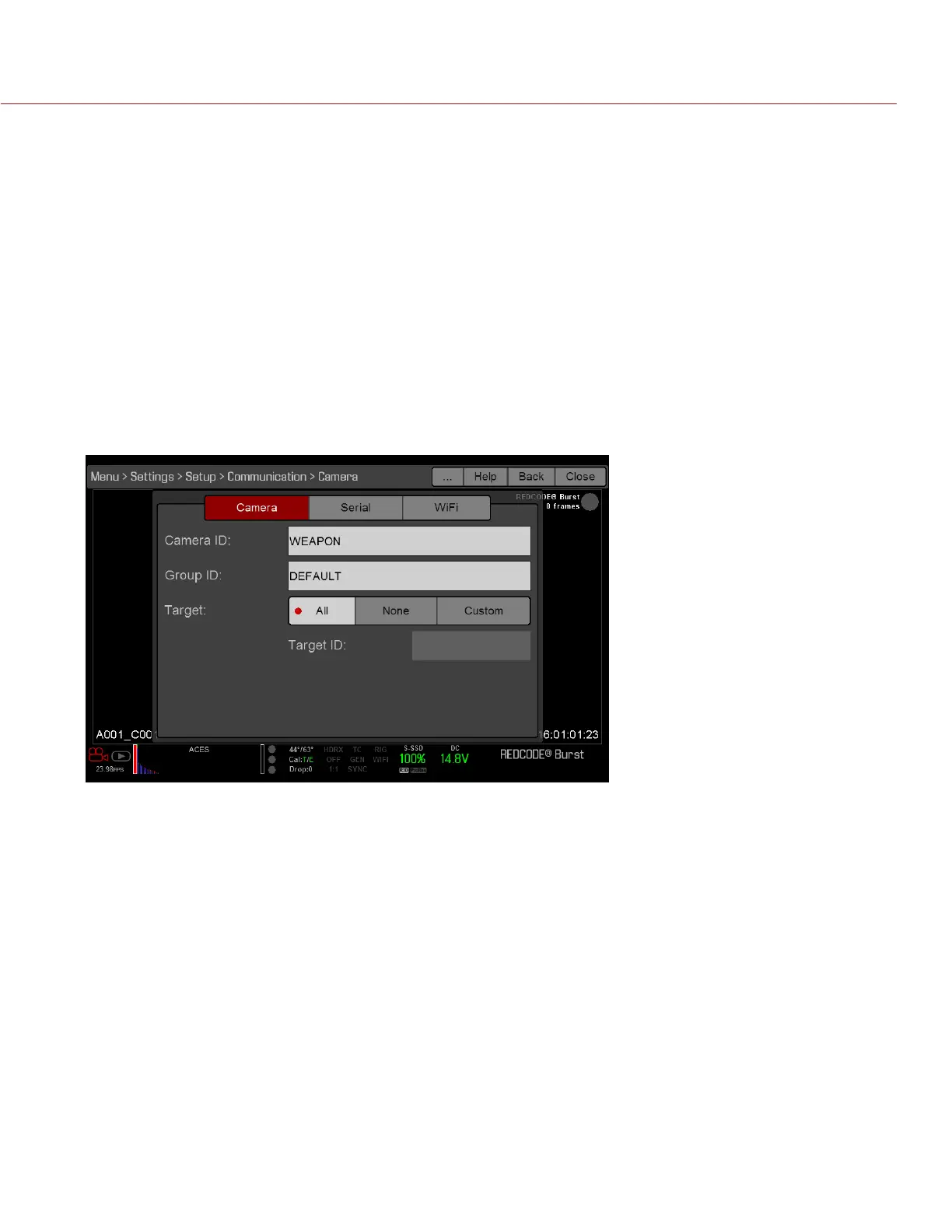
Use the Camera menu to set up a unique identifier for your camera (or a group of cameras). All command
filtering happens on the receiver side of the communication link. Use camera names and group names to
address commands to a specific camera or group of networked cameras.
Camera ID: Enter a unique camera name to use in network communications. The field is limited to eight (8)
characters.
Group ID: Enter a group name to identify the camera as a member of a group of devices. The field is limited
to eight (8) characters, and the default name is DEFAULT.
Target: Specify which devices the camera can send commands to:
‒ All: The camera can send commands to all devices on the network.
‒ None: The camera can only receive commands. The camera cannot send commands.
‒ Custom: The camera can send commands to a specific camera/device (enter the name of the camera/
device in the Target ID text box) or a specific group (enter the name of the group in the Target ID text
box). The camera/group name must match the name entered in the Name/Group field of the target
device(s).
SERIAL PROTOCOL
NOTE: CTRL and GIG-E ports are only available on select DSMC
2
expanders. For more information, go to “Input/
Output Connectors” on page 161.
The camera can communicate to external devices via the CTRL and the GIG-E connectors (camera-to-camera
communication is possible only via GIG-E).
Select one of the following protocols from the Serial Protocol drop-down menu:
None (Default)
Element Technica
3ality SPC 7XXX
REDLINK Command Protocol



 To Next Page