COPYRIGHT © 2016 RED.COM, INC
RED DSMC OPERATION GUIDE: WEAPON/SCARLET-W
955-0116_V6.1, REV-U | 102
WIFI
The camera offers a WiFi connection that provides communication support for third-party applications. The
camera uses the REDLINK
®
Command Protocol (RCP) to communicate information between the camera and an
application. As with all wireless devices, the communication range may be affected by the environment and any
radio frequency (RF) interference that may be present.
There are two (2) ways to connect the camera to a device:
Ad-Hoc mode: The camera and your device connect to each other.
Infrastructure mode: The camera and your device both connect to an access point, and communicate
through that wireless network.
NOTE: To connect the camera to an app, the app must have been programmed using the REDLINK SDK, which
is available through the REDLINK Development Kit.
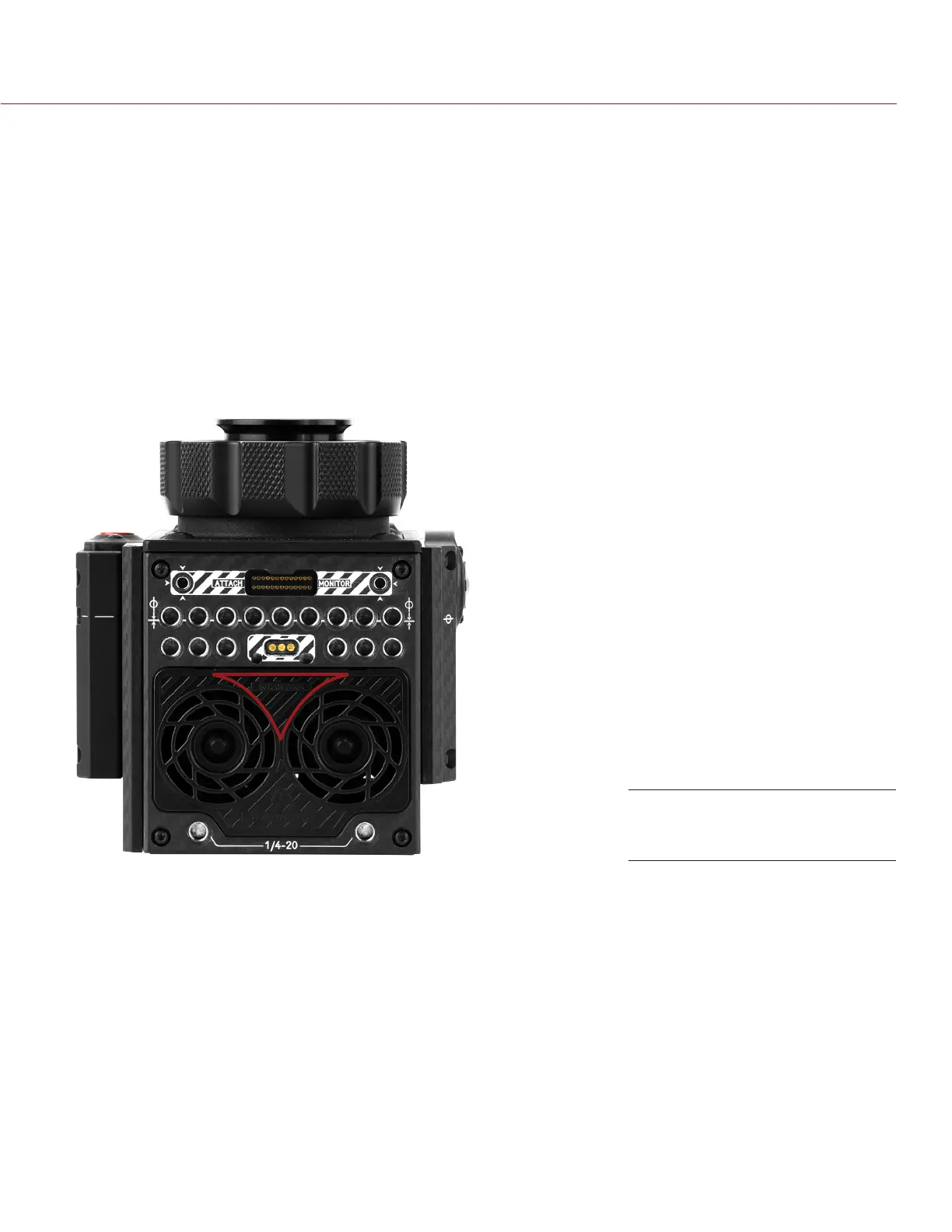
NOTE: The WiFi antenna is integrated into the fan grill (top side of camera). For optimal WiFi performance, do
not obstruct the antenna with any accessory, mounting plate, or mounting rail.
CONNECT WIRELESSLY TO A DEVICE VIA AD-HOC MODE
In Ad-Hoc mode, the camera and your device connect to each other. To connect the camera to your device via
an ad-hoc network, follow the instructions below:
1. Go to Menu > Settings > Setup > Communication.
2. Select the WiFi tab.
3. Select Ad-Hoc from the Mode drop-down menu.
4. Select a wireless channel from the Channel drop-down menu. The default is Ch1, and you can select one
out of 11 channels.
Do Not Obstruct WiFi Antenna
(Marked in Red)



 To Next Page