TRIP COMPUTER
2
140 - Getting to know your vehicle
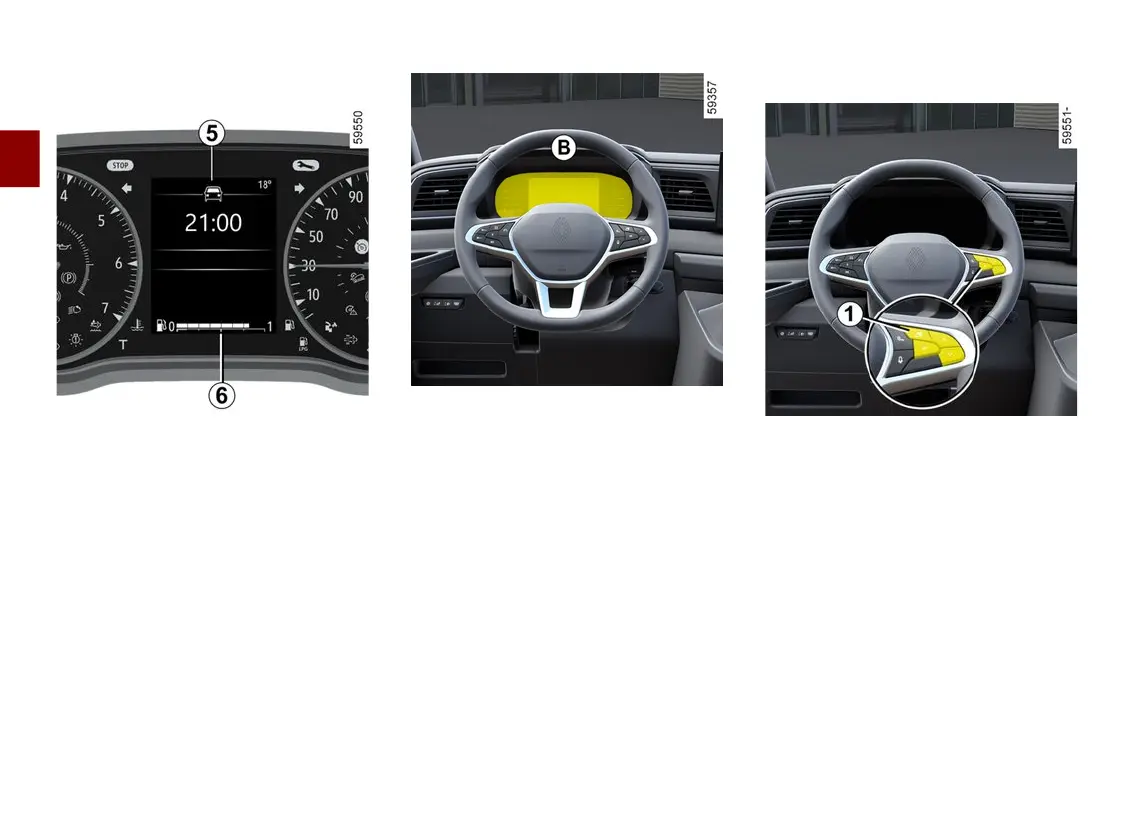
Tripcomputer
5
Fuel gauge
6
The number of squares lit shows the
fuel level. When it is at minimum, the
squares disappear and the low fuel
levelwarninglightcomeson,depend
ing on the vehicle.
Instrument panel
B
The presence and operation of the
display and indicators DEPENDS
ON THE LEVEL OF EQUIPMENT
AND THE COUNTRY.
It lights up when the ignition is
switchedon.Insomecases,theap
pearanceofawarninglightisaccom
panied by a message.
Selection of views
Depending on the vehicle, use the
control
1
tobrowseandselectthevar
ious view on the instrument panel
B
.
Several views are proposed:
– Charging view:onlywhilethevehi
cle is charging, displays the vehicle
range,batterypercentageandremain
ing charging time;
– ADAS view: displays the speed and
the active driving aids in full screen
andtheinformationareaontheinstru
ment panel;
– Power view:displaysthespeed,ac
tive driving aids and power-meter on
the instrument panel;
– Minimum view:displaysonlyes
sential information, the speed, active











 To Next Page