TRIP COMPUTER
2
144 - Getting to know your vehicle
Vehicle settings personalisation
menu
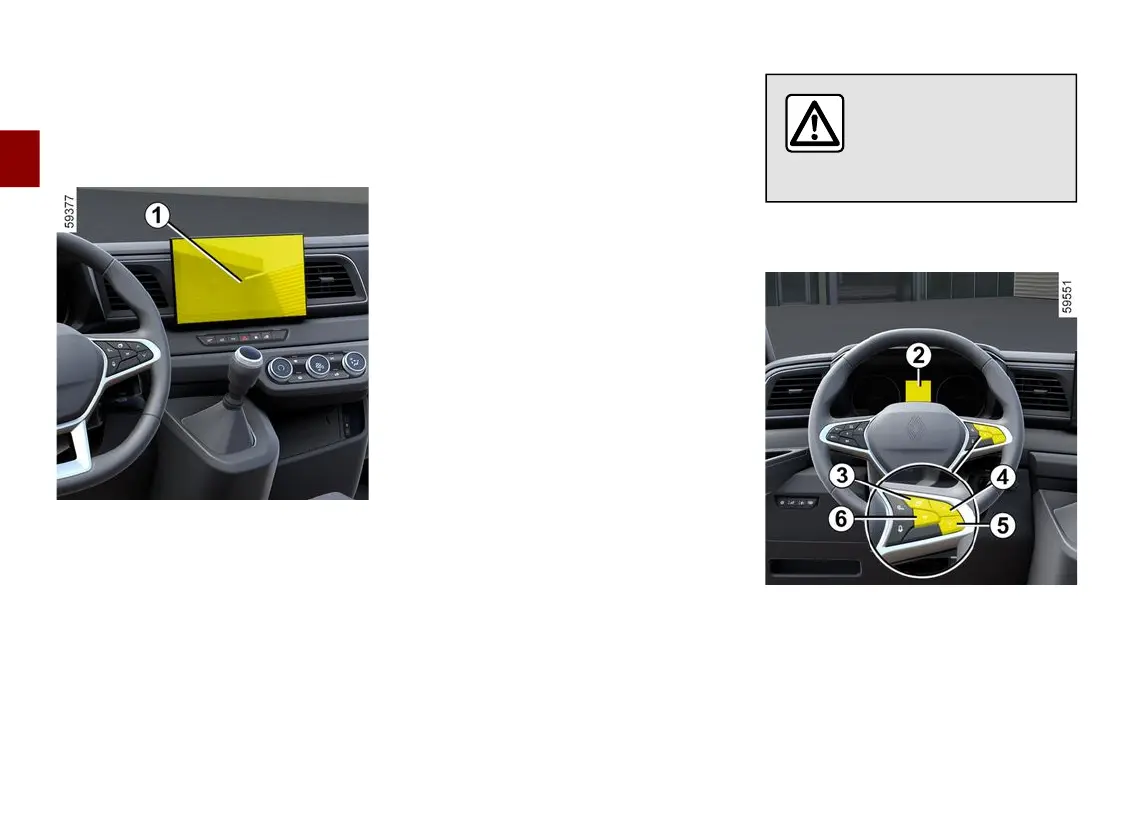
Vehicles fitted with a multimedia
screen
1
Depending on the vehicle equipment,
thisfunctionallowsyoutoactivate/de
activate and adjust some of the
vehicle's functions.
Access the settings menu
Refertothevariousmultimediain
structions for information on accessing
the settings.
Select a menu then the function to be
modified (the display depends on the
vehicle equipment and country):
a) "Driving":
– Direction indicator volume;
– Free-wheel;
– ...
b) "Access":
– Unlockingthedriver’sdoor;
– Lock doors during driving;
– Opening/closing in hands-free mode;
– Remote locking sound;
– Silent mode;
– Automatic locking;
– Switching between Access/Secure
mode.
c) "Wiping and lighting":
– Follow-me-home lighting;
– Wiping in reverse;
– Automatic front wiping;
– Wipe after wash.
d) "Welcome":
– Exterior welcome;
– Interior welcome;
– Courtesy light auto mode
Depending on the function, select:
– "ON" or "OFF"toactivateordeacti
vate it,
or
– a setting to adjust the time during
which the lights are switched on (e.g.
forthe"Followmehomelighting"func
tion).
Pleaserefertothemultimediainstruc
tions for further information.
For safety reasons, carry
out any adjustments
whilethevehicleissta
tionary.
Vehiclesnotfittedwithamultime
dia screen
Accessing the settings menu on
the display
2
Press switch
3
asmanytimesasre
quired to reach the "Settings" world,
then press the switch
6
"OK"tocon
firm.











 To Next Page