ADDITIONAL DRIVING AID FUNCTIONS
3
216 - Driving
My Safety
The "My Safety" function can be used
to deactivate or activate a set of driver
assistance functions simultaneously.
Depending on the vehicle, you can
configure the "My Safety" function from
themultimediascreenorfromthein
strument panel by selecting the driving
aid functions to be switched off as a
group.
Operation
"All On" mode
Depending on the vehicle, this mode
includesthefollowingdrivingassis
tance functions:
– overspeed sound alert 🡺254;
– lane departure warning 🡺217;
– lane departure prevention 🡺224;
– the driver vigilance warning 🡺252.
When the "All On" mode is activated:
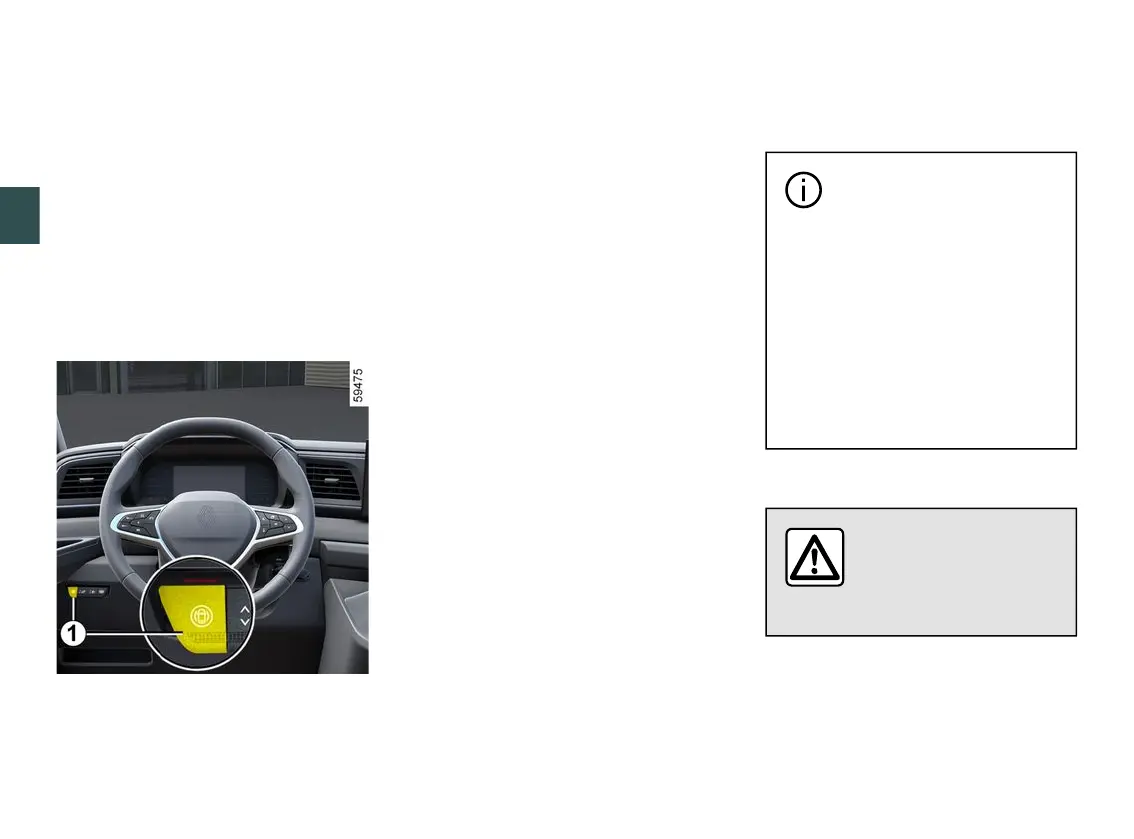
the indicator light on the button
1
comesonandthemessage"MySafe
tyAllONselected"appearsonthein
strument panel to confirm activation.
The driving aids that are available in
the mode are activated.
"Custom" mode
From this mode you can deactivate
or reactivate certain driving aids that
areavailableinthe"AllOn"modepre
viouslyconfiguredusingthe"MySafe
ty Custom" setting.
With the ignition on, press the button
1
twiceinsuccessiontoactivate"Cus
tom" mode. The first time you press it,
the "Press again for My Safety Perso"
message appears on the instrument
panel.Onthesecondpress,theindi
cator light on the button
1
goes out.
The "Custom" mode is activated. The
message "My Safety Perso selected"
appears on the instrument panel.
To switch back to "All On" mode, press
the button
1
once. The indicator light
onthebutton
1
comes on.
Depending on the vehicle,
depending on the length of
time following the last time
the engine was stopped, the "All
On" mode is reactivated:
– when the vehicle is unlocked;
or
– when a door is opened;
or
– when the engine is restarted.
Configuring "My Safety Custom"
For safety reasons, carry
out any adjustments
whilethevehicleissta
tionary.











 To Next Page