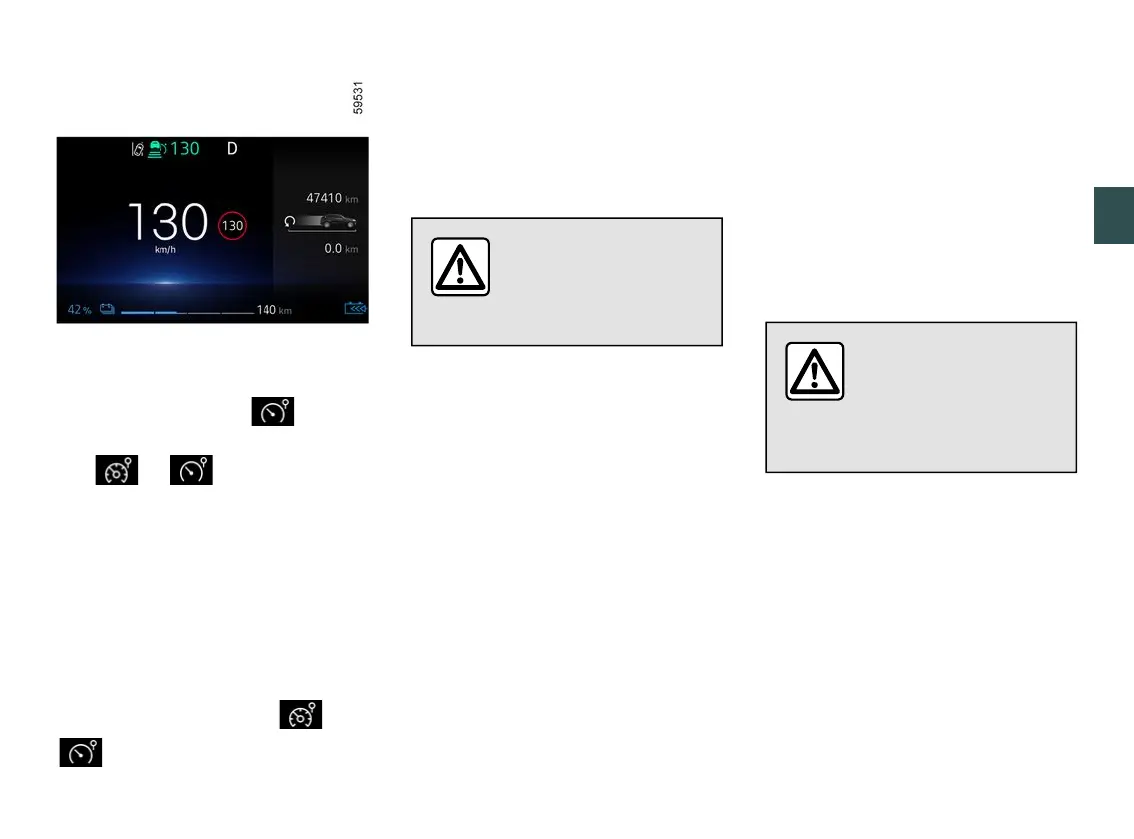
SPEED LIMITER
3
Driving - 261
Press switch
1
until the warning
light appears on the instrument panel.
The or warninglightap
pears in grey on the instrument panel.
The"Speedlimiterready:SETtoacti
vate"messageappearsontheinstru
ment panel accompanied by dashes to
indicate that the speed limiter function
is activated and waiting for a limit
speed to be stored.
To store the current speed, press
switch
4
(SET/-) or
5
(SET/+): the limit
speedreplacesthedashesand,de
pending on the vehicle, the or
warning light appears in white.
The minimum stored speed will be 19
mph(30km/h).Thefunctioncanbe
activated from 0 mph (0 km/h).
Note: the "Speed limiter" function can
be activated up to the maximum speed
of the vehicle.
You must keep your feet
near the pedals to be
ready to react in an
emergency.
Varying the limit speed
The limit speed may be changed by
pressing repeatedly or holding down:
– switch
5
(SET/+) to increase speed;
– switch
4
(SET/-) to reduce speed.
Note: pressing and holding up or down
on control
4
makes it possible to
changethespeedbysuccessiveincre
ments.
Exceeding the limit speed
It is possible to exceed the limit speed
at any time. To do this: press the ac
celerator pedal firmly and fully(be
yond the kickdown point). While the
speed is being exceeded, the speed
limiter flashes red on the instrument
panel. Then, release the accelerator
pedal:thespeedlimiterfunctionwillre
turn as soon as you reach a speed
lower than the memorised speed.
Limitedspeedcannotbemain
tained
When driving down a steep slope, the
system may not maintain the limit
speed: in this case the limit speed
flashes in red on the instrument panel
andasoundalertsoundsatregularin
tervals to inform you.
If the speed limiter is not
available (after several
attempts to activate),
contact an approved
dealer.











 To Next Page