ADDITIONAL DRIVING AID FUNCTIONS
3
Driving - 257
Activating, deactivating the
overspeed sound alert from the
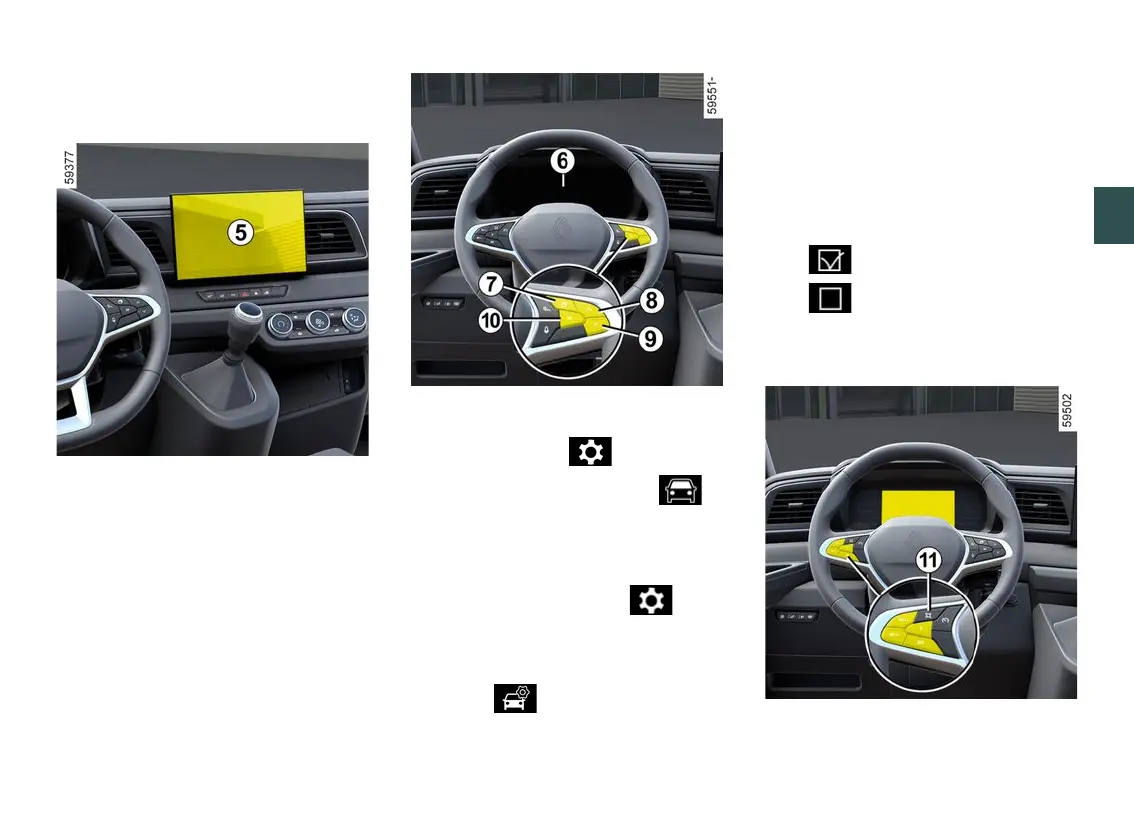
multimedia screen
5
To activate or deactivate the sound
alert,pleaserefertothemultimediain
structions.
Select "ON" or "OFF".
Activating, deactivating the
overspeed sound alert from the
trip computer
6
(depending on the vehicle)
– With the vehicle stationary, press
theswitch
7
asmanytimesasre
quiredtoreachthe tabor,de
pending on the vehicle, on the
tab;
or
– press switch
7
and repeatedly press
control
8
or
9
to reach the tab;
– depending on the vehicle, press
switch
10
OK;
– repeatedly press control
8
or
9
to
reach the menu, then press
switch
10
OK;
– repeatedly press control
8
or
9
to
reach the "DRIVING ASSIST" menu,
then press switch
10
OK;
– repeatedly press control
8
or
9
to
reach the "Speed alert" menu, then
press switch
10
OK;
– press switch
10
OK again to activate
or deactivate the alert:
– function activated
– function deactivated
Variation of the limited speed or
cruising speed
To adapt the speed limiter or cruise
control setpoint or to the detected
speed limit, press switch
11
.











 To Next Page