GEAR CONTROL
3
Driving - 189
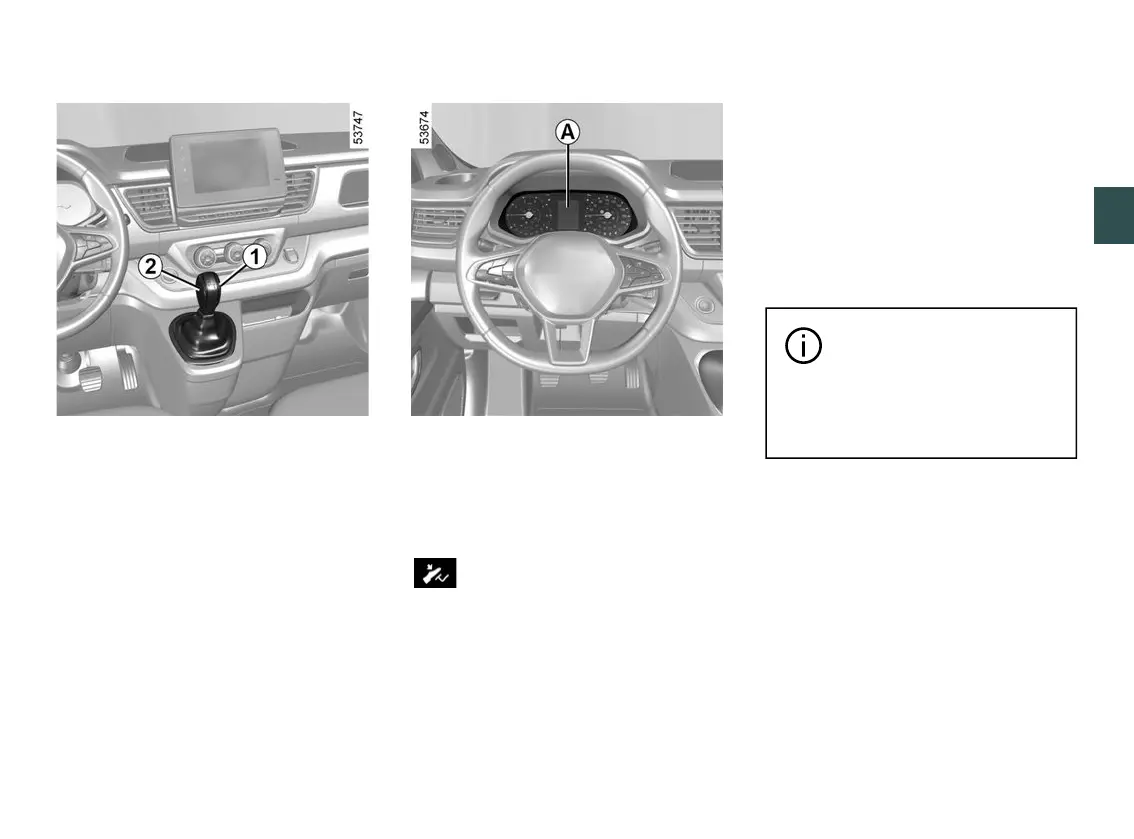
Selector lever
1
P: park
R: reverse gear
N: neutral
D: automatic mode
M: manual mode
+: shift up a gear
-: shift down a gear
The gear that is currently engaged is
displayed on instrument panels
A
or
B
.
Note: press button
2
to change from
position D or N to R or P.
Operation
With the selector lever
1
in P position,
start the engine.
To move out of P position, you must
press the brake pedal before pressing
the unlocking button
2
.
With your foot on the brake pedal (the
warning light on the display
goes out), disengage P position.
The lever must only be shifted to D
or R position while the vehicle is
stationary, your foot is on the brake
pedal, the accelerator pedal is re
leased and the engine is on.
Driving in automatic mode
Set the lever
1
to D position.
In the majority of driving conditions,
you will no longer have to use your
gearlever:thegearschangeautomati
cally,attherighttime,toasuitableen
gine speed because the automated
system takes the vehicle's load, road
profileandtheselecteddrivingstylein
to account.
In some cases (parked on a
steep slope, etc.), a lot of
the force may be required
tomovethegearleverfromPpo
sition to another position.
Driving in automatic mode (cont.)
Economical driving
When driving, always leave the lever in
position D, keeping the accelerator
pedallightlydepressedtoensureauto
matic gear changes at a lower engine
speed.
Accelerating and overtaking
Depress the accelerator pedal briskly
and fully (so that it goes beyond the
kickdown point).











 To Next Page