CRUISE CONTROL
3
256 - Driving
Temporarily not available
Thesystemcontrolsaccel
eration and deceleration of
your vehicle using the engine and
brakingsystem.Thesystemacti
vatesthebrakesinordertomain
tainthesetspeed,thesystemap
plies limited braking. In the event
of a steep descent, for example in
amountainousarea,youmustse
lect a lower gear to benefit from
engine braking.
To reduce the load imposed on
the braking system and to prevent
the brakes from overheating, the
cruise control function may be
temporarily interrupted and the
"Check Cruise Control" message
appears.Themessagedisap
pears when the function becomes
available again.
If the message remains, contact
an approved dealer.
Putting the function on standby
The function is set to standby if you:
– the switch
4
(0);
– the brake pedal;
– theclutchpedalforaprolongedperi
od or if the vehicle is in neutral for a
prolonged period on vehicles equipped
with a manual gearbox;
– shiftingtoneutralpositiononvehi
clesequippedwithanautomaticgear
box.
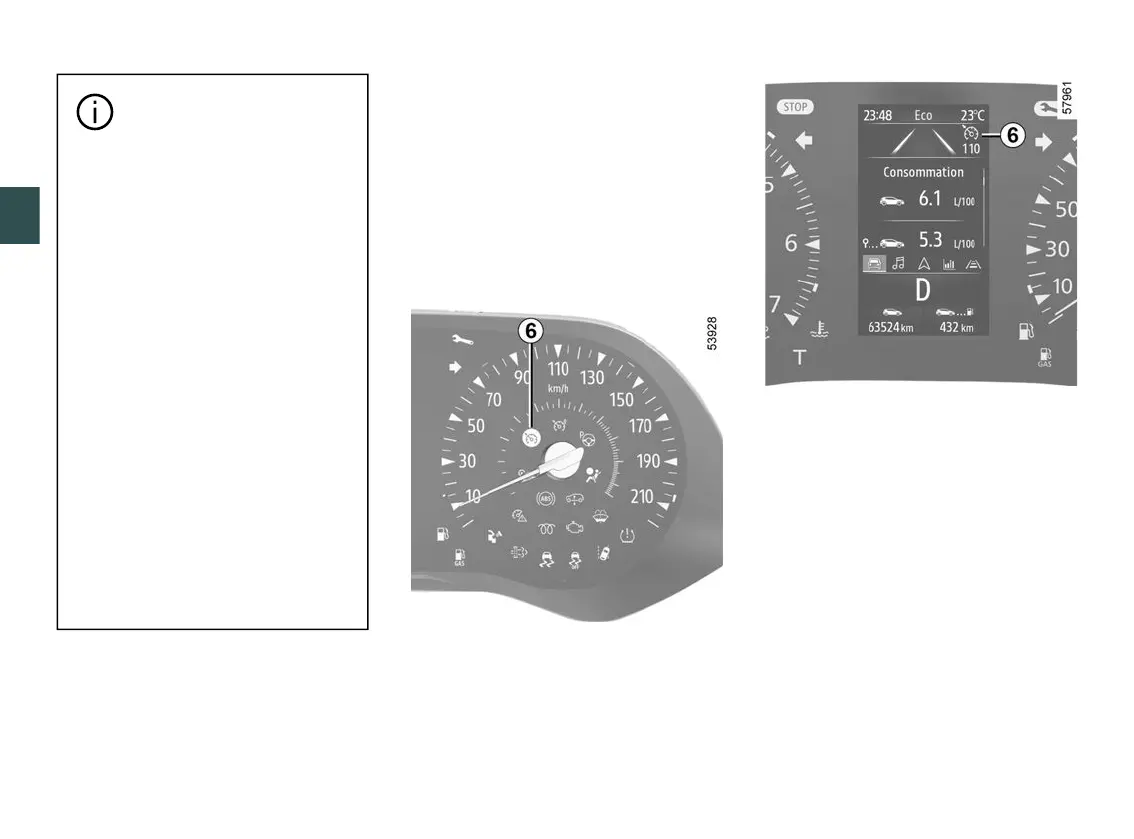
Thecruisingspeedisstoredanddis
played in grey on the instrument panel.
Returning to the cruising speed
If a speed is stored, it can be recalled,
onceyouaresurethattheroadcondi
tions are suitable (traffic, road surface,
weather conditions, etc.). Press the
switch
3
(RES/+) if the vehicle speed
is above 19 mph (30 km/h).
Whenthespeedisstored,cruisecon
trolactivationisconfirmedbythedis
play in green of the cruising speed
and, depending on the vehicle, the
warning light
6
appears.
Note: if the speed previously stored is
much higher than the current speed,
the vehicle will accelerate more rapidly
to reach this threshold.
Whenthecruisecontrolissettostand
by, pressing switch
2
(SET/)reacti
vatesthecruisecontrolfunctionwith











 To Next Page