CARD
2
Getting to know your vehicle - 27
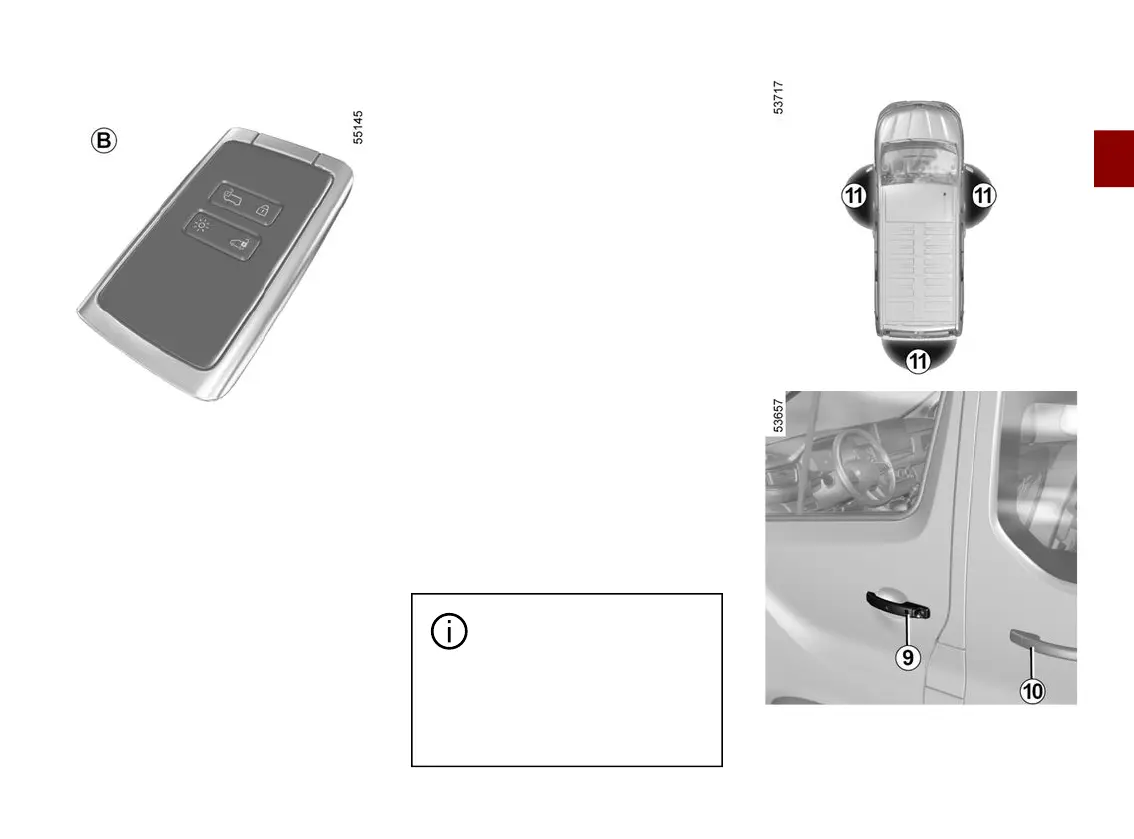
Card
B
(van version)
Unlocking the vehicle
Therearetwowaystounlockthevehi
cle:
– in"handsfree"mode,usingthebut
tons on the door handles;
– using the card in remote control
mode.
Locking the vehicle
Therearefourwaystolockthevehi
cle:
– in "hands-free" mode, when moving
away from the vehicle;
– in "hands-free" mode, using button
9
on one of the front door handles;
– in "hands-free" mode, using button
10
ononeoftheslidingsidedoorhan
dles;
– using the card in remote control
mode;
– in"handsfree"mode,usingthebut
ton on the handle of the rear door.
Deactivating/activating the "hands-
free mode"
Depending on the vehicle, from the trip
computer or the multimedia screen you
can deactivate/activate the following:
– locking when moving away from the
vehicle;
– locking and unlocking by pressing
button
9
ontheopeningelementhan
dles.
You can also deactivate/activate the
soundsignalthatisemitteduponlock
ingwhenmovingawayfromthevehi
cle. See the relevant information.
"Hands-free" unlocking
Donotstorethecardany
where it may come into
contactwithotherelectron
ic equipment (computer, phone,
etc.)asthiscouldhinderitsoper
ation.
With the card in the access zone
11
:
– press button
9
on the handle of one
of the front doors to unlock the front











 To Next Page