37
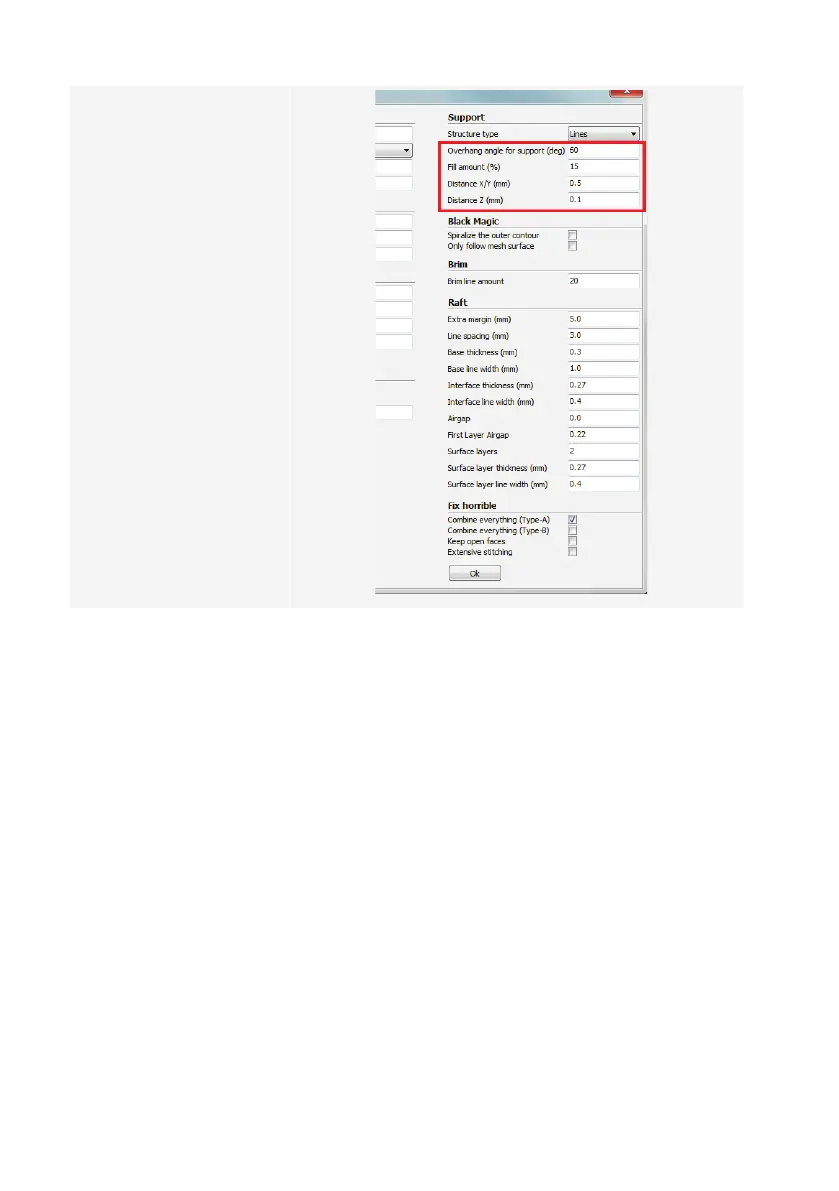
9 Set up the parameters in
“Support”settingsasshown.
10 Click “Ok“.
9
10
Filamentdiameter:
Thelamentdiameterisprovidedbythelamentmanufacturer.Ifyouareunabletolocatethediameterofthelament
youintendtouse(e.g.thereisnolabelonthelamentspool),youhavethepossibilityofcalculatingthediameter
yourself.Followthebelowsteps:
1. Measure1moflamentforsampling.
2. Withthehelpofacalliper,takeatleast10diametermeasurementsevenlyspreadover1m.
3. Calculatetheaverageofallmeasurements,whichwillgiveyouthediameterofthelament
Sinceidealtemperaturesvaryamonglamentmanufacturers,youareencouragedtorunyourowntestsbasedonthe
pre-settingstodeterminethebesttemperature–lamentcombination.Whenperformingtests,use5°Cincrements
andcomparetheresultsduringorafterprintingwithothersettings.Therstlayershouldalwaysbeprintedataslightly
highertemperatureandmoreslowlyforbetteradhesiononthebuildbed.



 To Next Page