32
Section I :: User
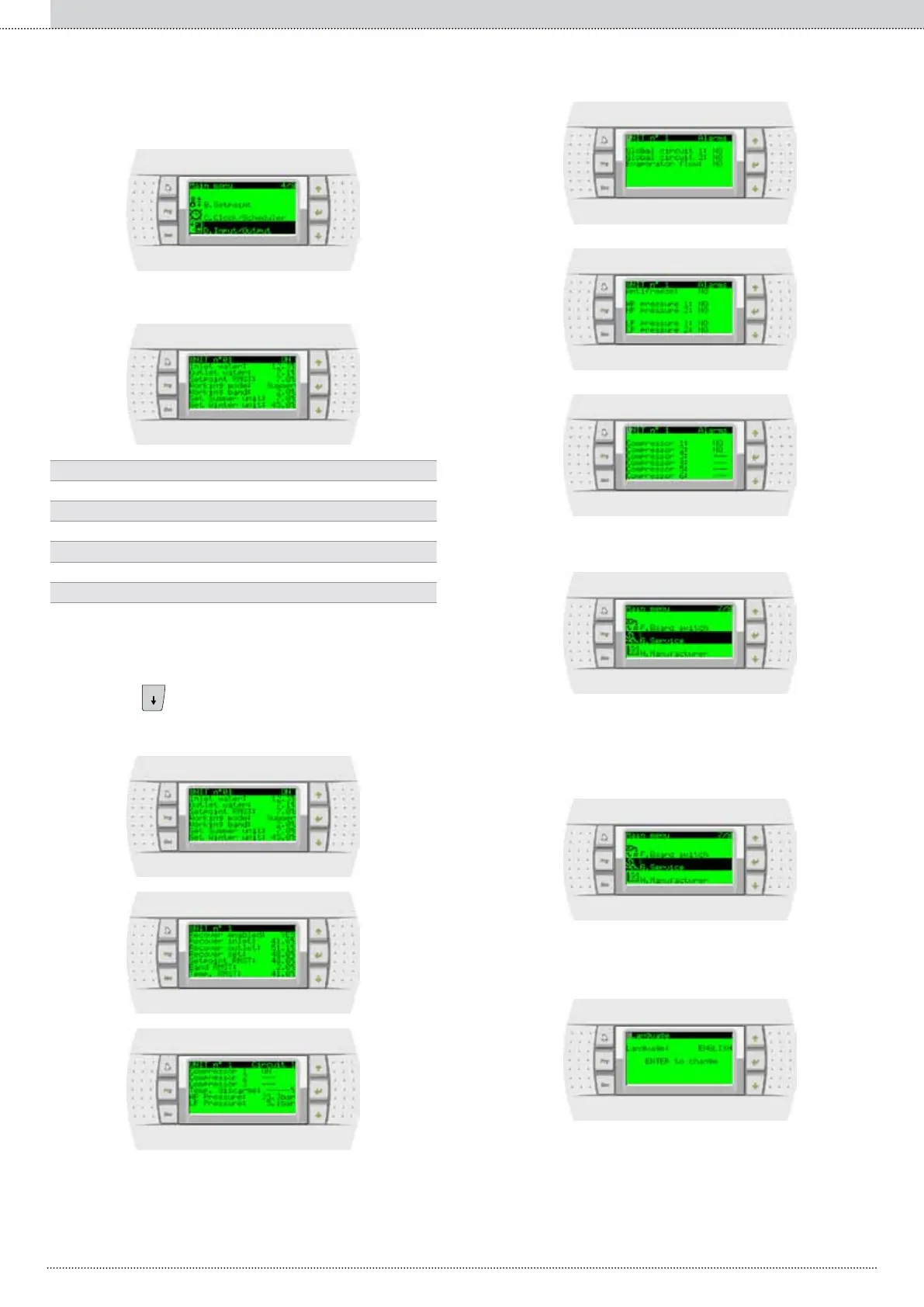
Access the Input/Output menu
The rst screen refers recaps the parameters and the sizes of the
selected unit:
Displays the status (ON/OFF) of the unit
Values read by the probes of the selected
Displays the current set point
Local set point setting
Unit differential setting
Displays the system mode
The system is positioned under the UNIT U; press to place it
under the identication progressive number of the unit, of which the
sizes must be displayed (the number can be changed pressing and
and saved pressing
). Press
to access the other screens displaying the unit
state, which slightly vary depending on type of conguration of the unit.
Examples of screens:
The Board switch menu is normally not used.
With special congurations, it allows sharing the terminal between several
units.
The menu service and the relative sub-menus allow dening
• the system language


 To Next Page