34
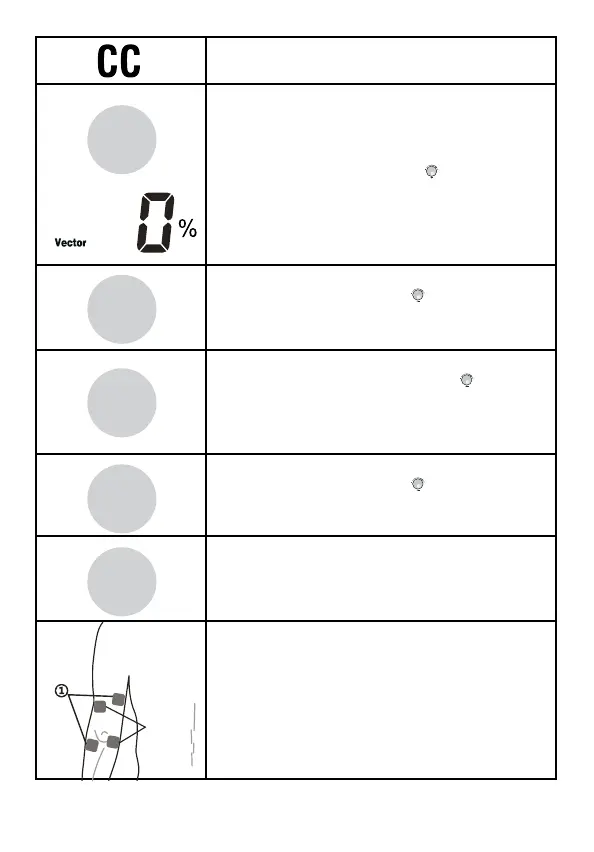
7. Press the [Waveform] button to choose
CC for constant current.
8. Press the [Vector] button, once to choose
a manual vector degree. Press the [Vector]
button a second time to choose the auto
vector percentage (%) setting. Then rotate
the Central controller knob (
) to adjust to
the desired setting.
9. Press the [Beat H.] button, and then rotate
the central controller dial (
)
to set the parameter from (Beat. L) Hz to
150Hz, 1Hz/step.
10. Press the [Beat L.] button, and then
rotate the central controller dial (
) to
set the parameter from 1Hz to(Beat. H)Hz,
1Hz/step. (Note: Beat L. parameter will not
exceed Beat H. setting.
11. Press the [Time] button, and then rotate
the central controller dial (
) to set the
treatment time from 1min to 60min, 1min/step.
12. Press and hold the [Save] button until you
hear a “beep” sound if you want to save all
settings. Note: The settings will not be saved
if you have not followed the steps above.
13. Place the electrodes on the patient.
You will need to use at least one channel,
with two electrodes. You can also use two
channels with four electrodes as shown in
the figure to the left.
Place electrodes at least 2” but no more than
6” apart, per channel.
Program
Save
Vector
F.M.
Burst
Beat H.
A.M.
Duty
Beat L.
P. Dur.
Freq.
Time
Cycle
Ramp



 To Next Page