Adjusting the System Date and Time
The system date and time should be adjusted by the field technician in the following cases, before
leaving the customer site. Also, confirm that the E-24B is set to the correct time zone.
•
At installation
• After replacing the motherboard
• After replacing the lithium battery on the motherboard
1. Access to Configure. [Link to page 68 "Accessing Configure"]
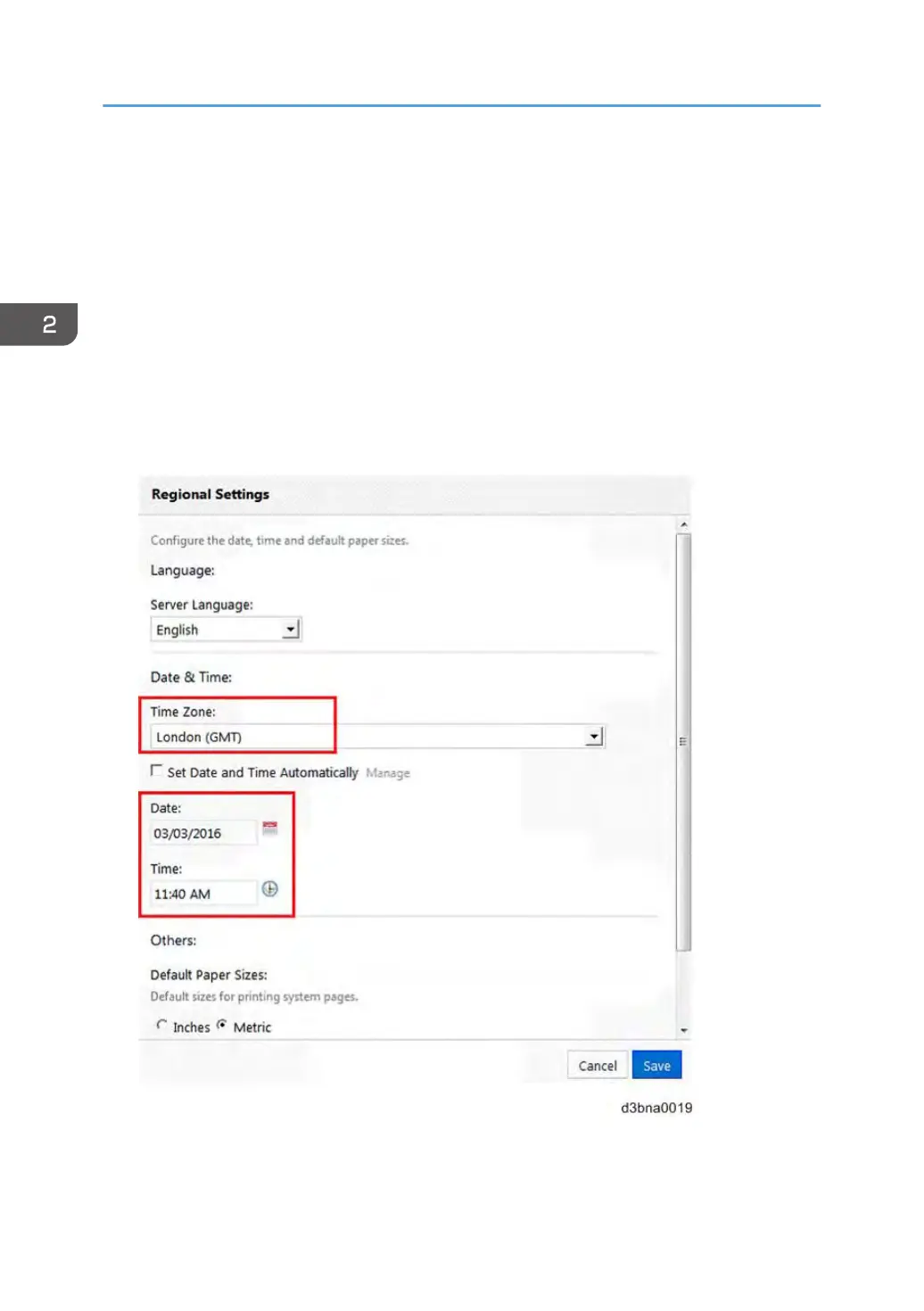
2. Select Fiery Server > Regional Settings.
3. Confirm correct Time Zone, Date and Time. If not, adjust the settings and click Save.
2. General Operations For Servicing
72


 To Next Page