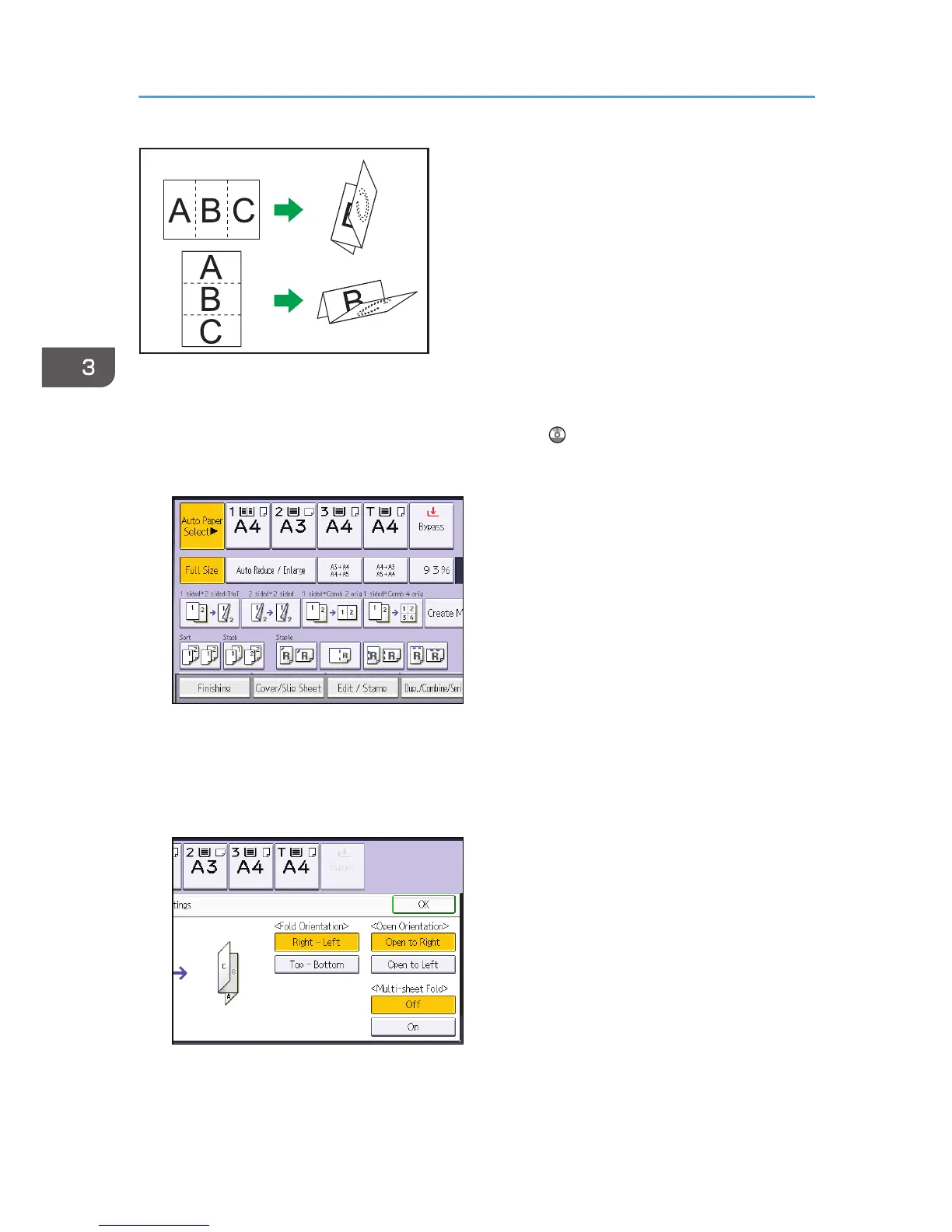
To fold multiple sheets with the Letter Fold-out function, you must install the Z-fold support tray for the
multi-folding unit. For details about how to install the Z-fold support tray, see "When the Amount of
Output Paper Is Less than the Stack Capacity", Troubleshooting .
1. Press [Finishing].
2. Press [Fold].
3. Press [Letter Fold-out].
4. Press [Change].
5. Select [Fold Orientation], [Open Orientation], and [Multi-sheet Fold].
6. Press [OK] twice.
7. Place the originals, and then press the [Start] key.
3. Copy
70



 To Next Page