EasyManua.ls Logo

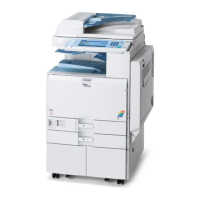
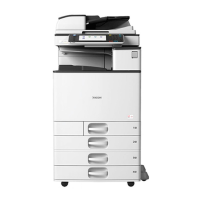
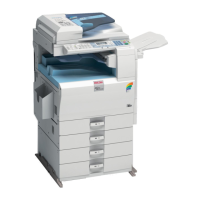
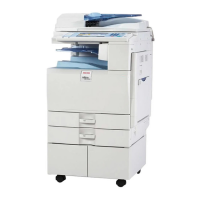
Ricoh MP C2003 Series - User Manual

Ricoh MP C2003 Series
662 pages
Print Icon
To Next Page IconTo Next Page
Loading...
Read this manual carefully before you use this machine and keep
it handy for future reference. For safe and correct use, be sure to
read the Safety Information in this manual before using the
machine.
Please look at the on-screen instruction manual (included in the
attached CD-ROM), the manual provided on this company's
website, or the manual viewable via the Smart Operation Panel
for information not included in the paper instruction manual.
Appendix
Other Information for This Machine
Safety Information for This Machine
Manuals Provided with This Machine
Read This First

Table of Contents

Other manuals for Ricoh MP C2003 Series

Questions and Answers

  • Q
    qoliverAug 31, 2025
    What to do if Ricoh MP C2003 cannot connect to the network?
    • S
      Scott RandallAug 31, 2025
      If your Ricoh All in One Printer is unable to connect to the network, ensure the machine is correctly connected and properly set up. If the issue persists, contact your administrator or service representative for assistance.
  • M
    markmckinneySep 12, 2025
    Why can't I print in duplex mode on my Ricoh All in One Printer?
    • M
      Melinda BallSep 12, 2025
      You cannot print in duplex mode on your Ricoh All in One Printer because you have selected a paper tray that is not set for duplex printing. Change the setting for "Apply Duplex" in [System Settings] to enable duplex printing for the paper tray. Alternatively, you have selected a paper type that cannot be used for duplex printing. In [System Settings], select a paper type that can be used for duplex printing.
  • L
    lisa76Aug 30, 2025
    What to do if error message remains on Ricoh All in One Printer after removing misfed paper?
    • J
      Jason RitterAug 30, 2025
      If an error message remains on your Ricoh All in One Printer even after removing misfed paper, it means paper is still jammed in the tray. Remove the jammed paper by following the procedures displayed on the control panel.
  • T
    thomas85Sep 13, 2025
    Why only copier icon appears on Ricoh All in One Printer?
    • N
      Nathan OdonnellSep 13, 2025
      If, when your Ricoh All in One Printer is turned on, the only icon that appears on the home screen is the [Copier] icon, it means that functions other than the copier function are not yet ready. Wait a little longer.
  • M
    mandradeSep 12, 2025
    Why does the user code entry screen appear on my Ricoh All in One Printer?
    • S
      Stephen SandovalSep 12, 2025
      The user code entry screen is displayed on your Ricoh All in One Printer because users are restricted by User Code Authentication.
  • C
    Cynthia SolomonSep 16, 2025
    What causes error when changing Address Book on Ricoh All in One Printer?
    • R
      rhonda78Sep 17, 2025
      An error occurs when the Address Book is changed from the display panel or Web Image Monitor on your Ricoh All in One Printer because the Address Book cannot be changed while deleting the multiple stored documents. Wait a while, and then retry the operation.
  • J
    john17Sep 23, 2025
    What to do if Ricoh All in One Printer cannot print because the main and designation sheets are set to the same paper tray?
    • J
      Jennifer KennedySep 23, 2025
      If your Ricoh All in One Printer cannot print because both the main and designation (chapter) sheets are set to the same paper tray, the tray selected for other pages is the same as the one for slip sheets. Reset the job and be sure the tray you select for slip sheets is not providing paper for other pages.
  • L
    Lisa SnowAug 27, 2025
    What to do if an error has occurred in the hard disk of Ricoh MP C2003 All in One Printer?
    • B
      brownamandaAug 27, 2025
      Turn off the power, and then back on again. If the message appears again, contact your service representative.
  • O
    ocampbellAug 26, 2025
    What to do if the wireless LAN board error was detected on Ricoh All in One Printer?
    • L
      Linda BrownAug 26, 2025
      Turn off the power, and then confirm the wireless LAN board is inserted correctly. After confirmation, turn on the power again. If the message appears again, contact your service representative.
  • R
    rosechristopherAug 25, 2025
    What to do if an error has occurred on Ricoh MP C2003 All in One Printer?
    • F
      frothAug 26, 2025
      If an error has occurred on your Ricoh All in One Printer, press [Check] in the function where the error occurred. Then check the displayed message, and take appropriate action.

Ricoh MP C2003 Series Specifications

General IconGeneral
Print Resolution1200 x 1200 dpi
Maximum Paper SizeA3
Copy Resolution600 x 600 dpi
Duplex PrintingYes
Print TechnologyLaser
Print Speed20 ppm (A4)
Scanner Resolution600 dpi
Network ConnectivityEthernet
FunctionsPrint, Copy, Scan
Operating System CompatibilityWindows, Mac, Linux
Scan Speed54 images per minute
Control Panel9-inch color touchscreen

Related product manuals