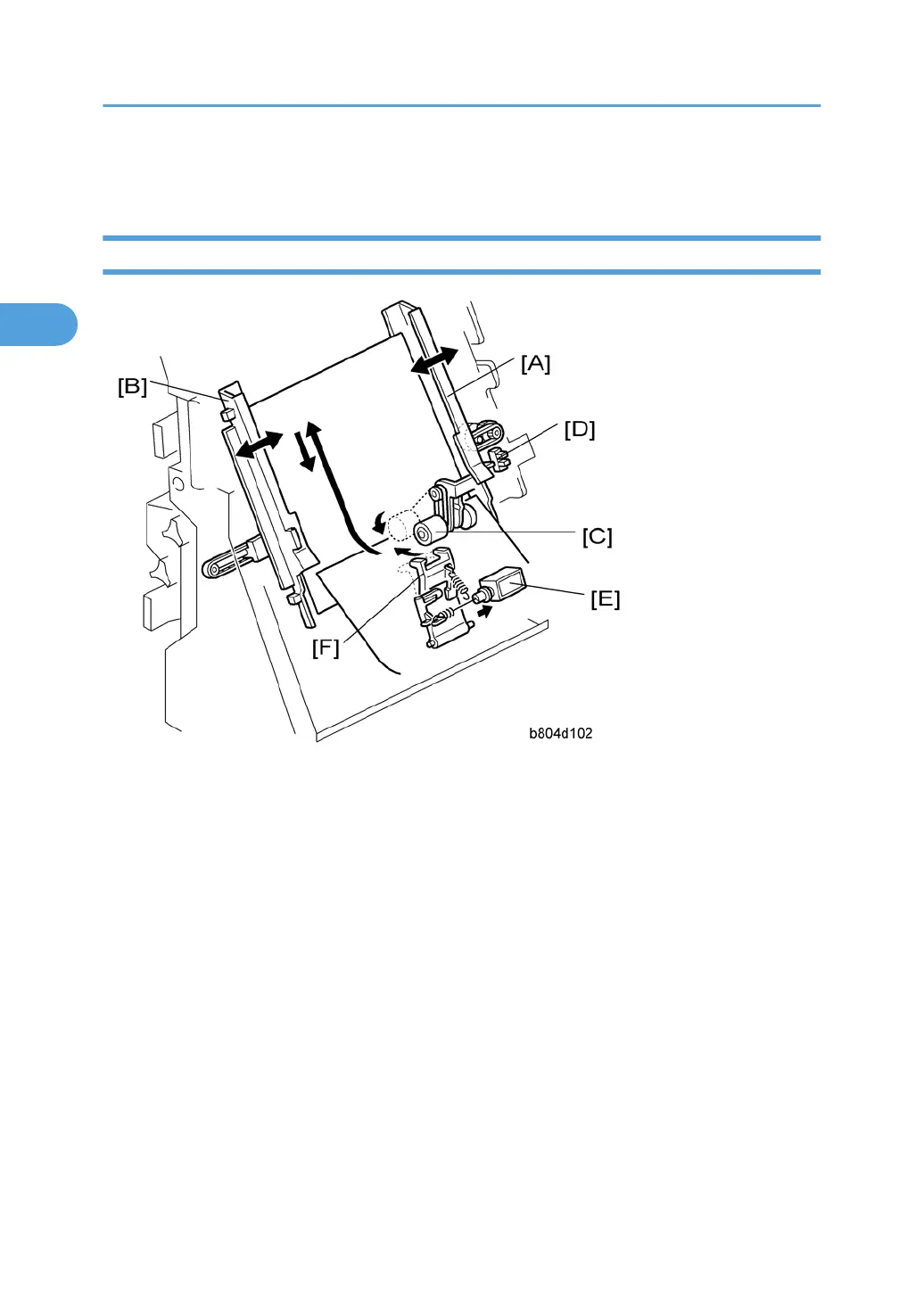
Corner Stapling
Stacking and Jogging
[A]: Jogger Fence Motor (M15)
[B]: Jogger Fences
[C]: Positioning Roller
[D]: Jogger Fence HP Sensor (S15)
[E]: Stapling Edge Pressure Plate Solenoid (SOL4)
[F]: Pressure Plate
At the beginning of the job, the jogger fence motor (M15) [A] switches on and moves the jogger fences
[B] to the standby position (7.5 mm from the sides of the selected paper size).
When each sheet passes the pre-stack tray exit sensor (S2) and enters the stapling tray:
• The jogger fence motor switches on and moves the jogger fences to within 5.5 mm of the sides of the
selected paper size.
• The positioning roller solenoid (SOL3) switches on for the time prescribed for the paper size. This
pushes the positioning roller [C] onto the sheet and pushes it down onto bottom fence. This aligns the
edge of the stack.
Next, the jogger fence motor:
2. Detailed Section Descriptions
54



 To Next Page