• Switches on again and moves the jogger fences to within 2.6 mm of the sides of the stack to align the
sides of the stack.
• Reverses and moves the fences to the standby position (7.5 mm away for the sides) and waits for the
next sheet.
• The jogger fence HP sensor [D] switches off the jogger motor at the end of the job.
After the last sheet feeds:
• The stapling edge pressure plate solenoid [E] (SOL4) switches on and pushes the pressure plate [F]
onto the stack to press down the edge for stapling.
• The corner stapler staples the stack.
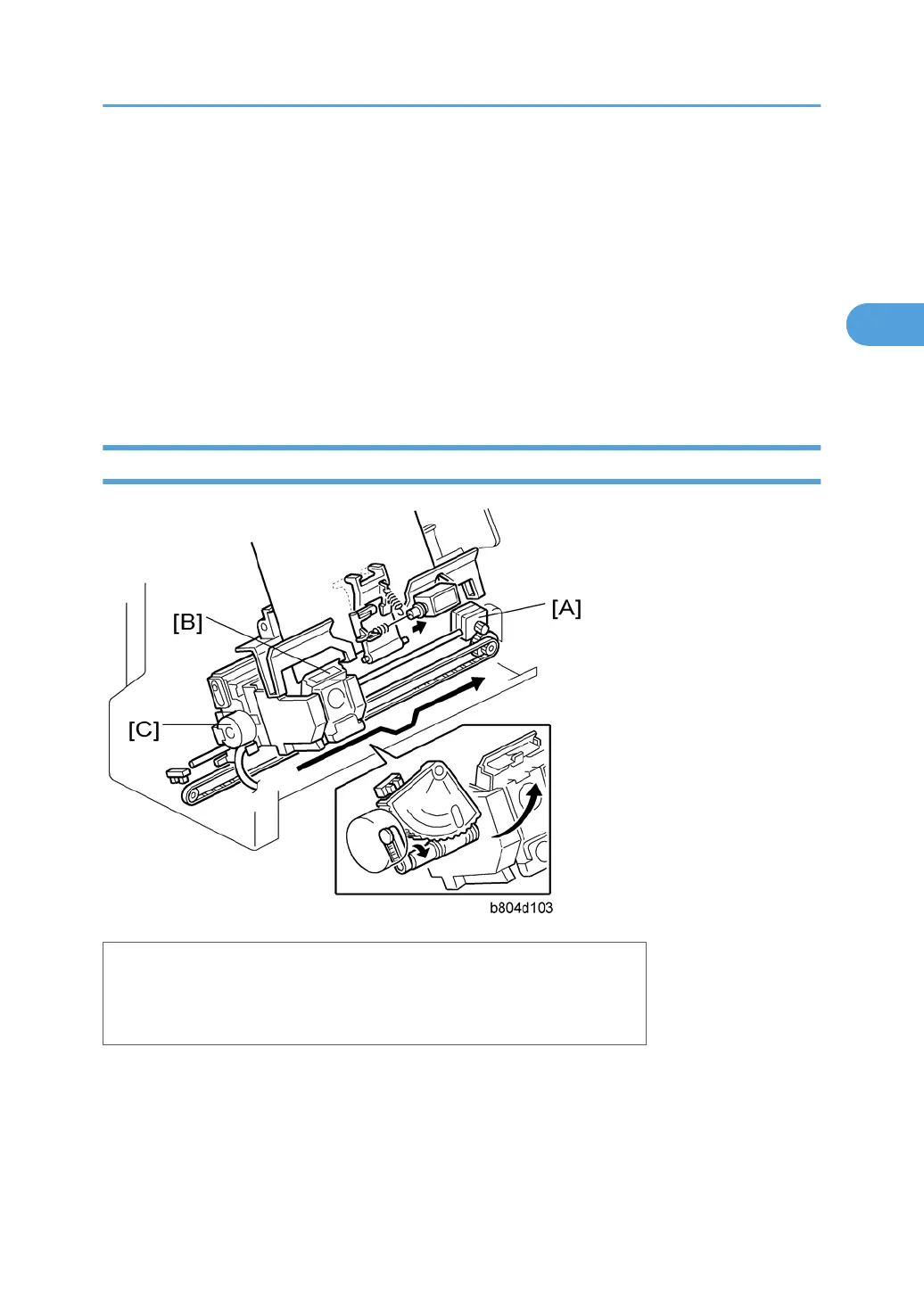
Stapler Movement
[A]: Stapler Movement Motor
[B]: Stapler
[C]: Stapler Rotation Motor
The stapler performs horizontal and rotational movement in each of the four staple modes:
• Front 1 staple
• Rear 1 staple
• Rear diagonal staple
Corner Stapling
55



 To Next Page