Ricoma Quick Start Guide38
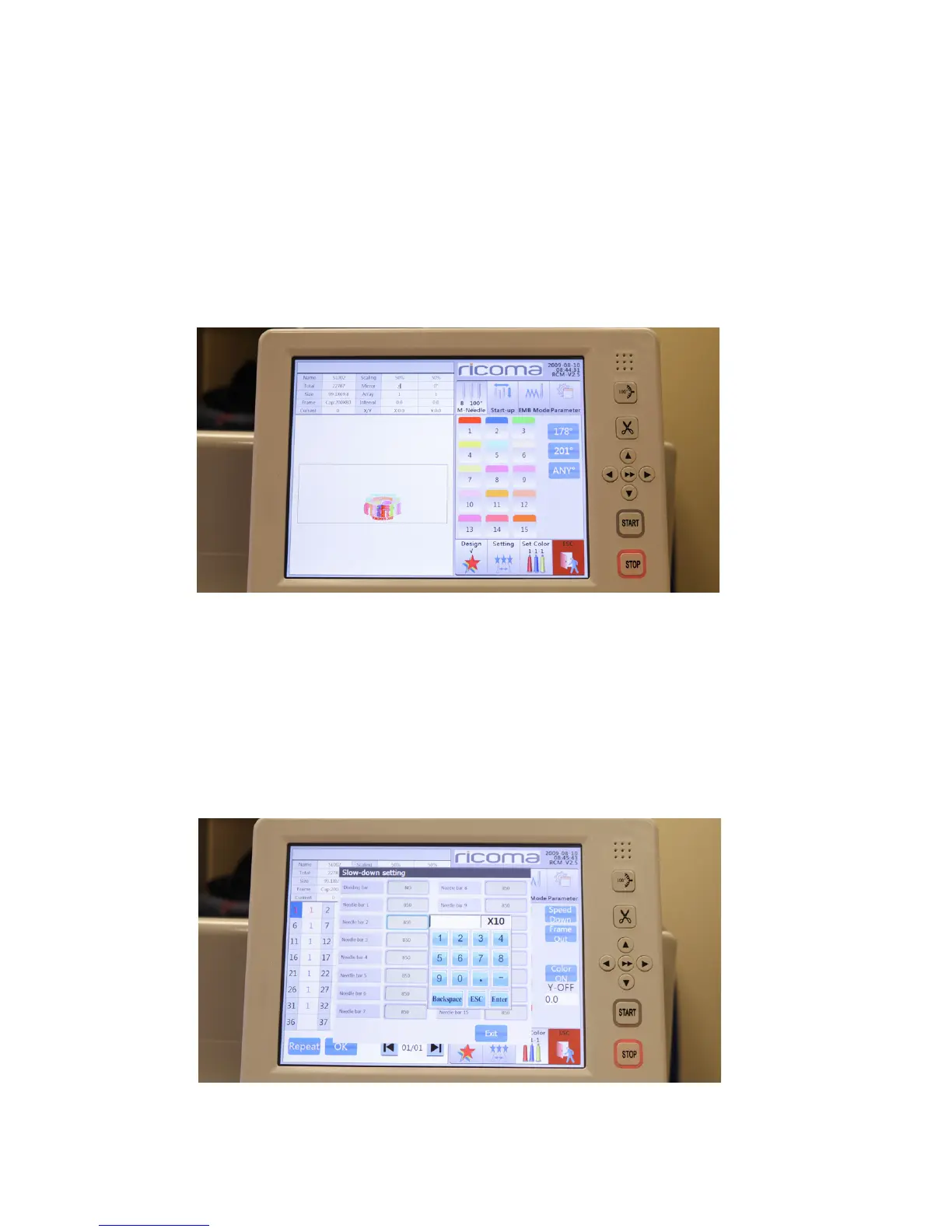
Figure 86
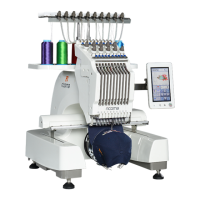
HOW TO SLOW DOWN THE SPEED DURING ONE COLOR STOP
The “Speed Down” key allows you to slow down the speed during a certain color stop. This is helpful
during color stops that have smaller detail, and thus require slower stitching speeds. Follow these steps
to do so.
1. Open the color sequence settings menu.
2. Select the “Speed down” key.
3. Select the needle bar which you would like to slow down.
4. Input the speed which you would like the machine to run during that color stop. See
Figure 86.
Figure 87
HOW TO OFFSET THE FRAME FOR APPLIQUE EMBROIDERY
Offsetting the frame during the applique process allows you to easily place your applique fabric during
embroidery. Follow these steps to offset the frame before a certain color stop begins to stitch.
1. Open the color sequence settings menu.
2. Select the “Frame Out” key.
3. Select the needle bar which you would like for the frame to offset. See Figure 87.


 To Next Page