39
20151763
Calibration and operation
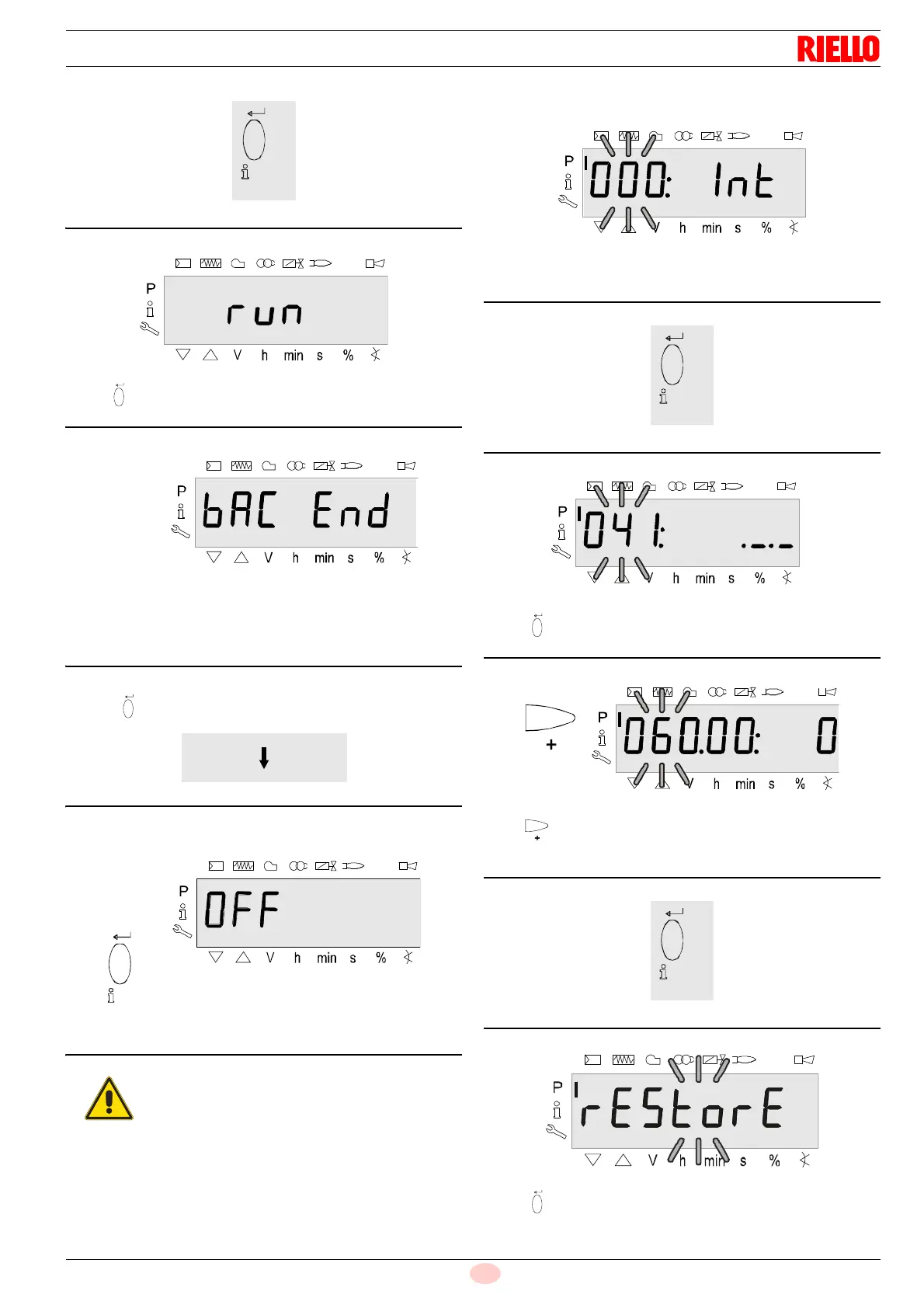
Press “i/reset” to start up the backup process.
The display shows run.
After about 3 seconds (depending on the duration of the program
sequence), the display shows bAC End to indicate the end of the
backup process.
Display: bAC End.
It will be displayed for 2 minutes, or it can be ended by pressing
the key “i/reset”.
The displays shows OFF when the backup process has finished.
6.7.3 Restore
The parameter 000: blinks.
Display: Parameter 000: blinks, the display Int does not blink.
Press “i/reset” for the group of parameters 041.
Display: Parameter 041: blinks, the display ._._ does not blink.
Press for the parameter 060.
Display: Parameter 060: blinks, the index 00: and the value 0 do
not blink.
Press “i/reset” for the parameter rEStorE.
Display: The parameter rEStorE blinks.
Note:
During the backup, all the parameter settings are
transferred from the unit's memory to the memory
of the program module (PME).
If the parameters need to be changed, a back-
up copy must be made!
Otherwise there is the risk of losing the safety
functions.



 To Next Page