Page 3
5. Scroll to “Panel ID” and press . 15 digit Panel ID is now displayed.
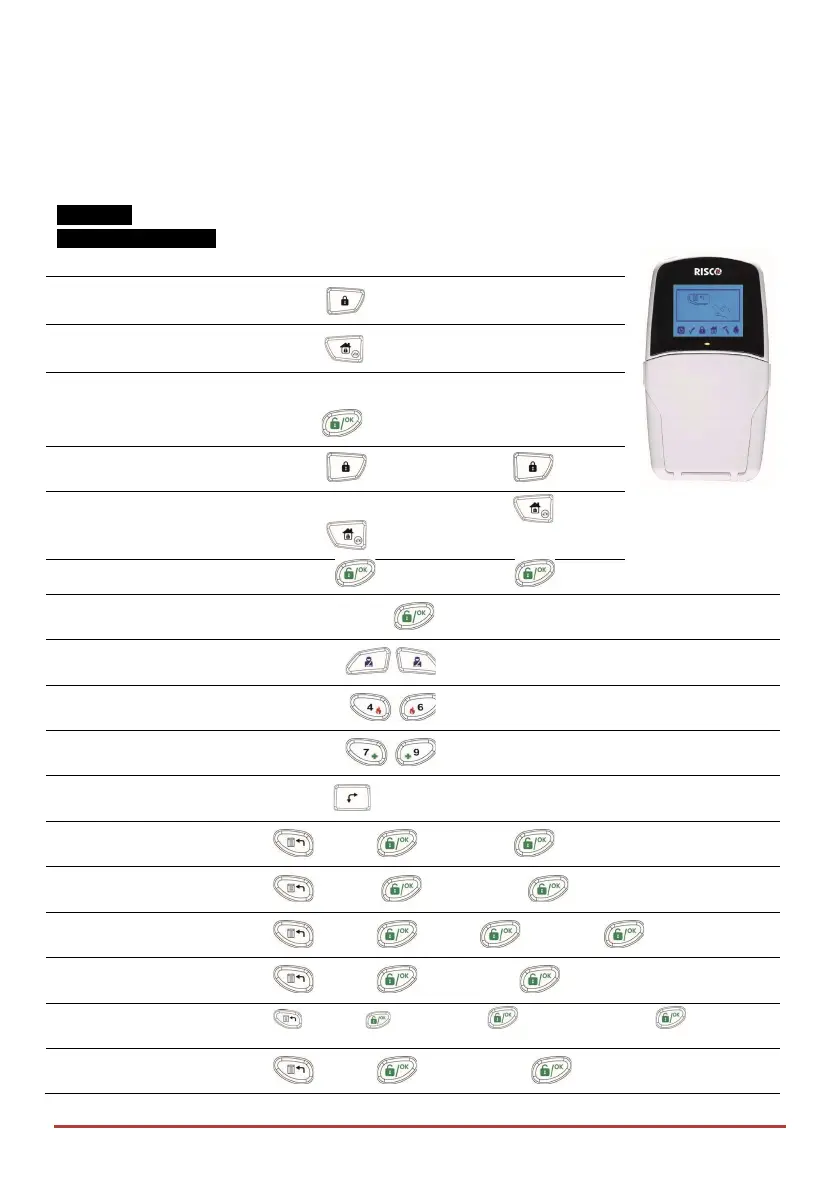
Interface:
LCD Keypad (432KP)
Full (Away) Arm
Code >
Part (Stay) Arm
Code >
System Disarm and
Silence an Alarm
Code>
Partition Away Arm
Code > > Partition No. >
Partition Stay Arm
Code >
> Partition No. >
Partition Disarm Code> > Partition No. >
Duress Unset
Duress Code >
Panic Alarm
Pressing
simultaneously for 2 seconds
Fire Alarm
Pressing simultaneously for 2 seconds
Medical Alarm
Pressing simultaneously for 2 seconds
Quick Zones Bypass
Code > [Zone No.]
Activate Output
[Code] [Activities] [Util Output Num]
Define Follow-Me
>[Code] [Follow Me] [Define]
View Trouble
[Code] [View] [Trouble]
View Event Log
[Code] [Event Log]
Keypad Chime On/Off
[Code] [Activities] [Keypad sound] [Chime]
Edit User Code
[Code] [Codes/Tags] [Define]



 To Next Page