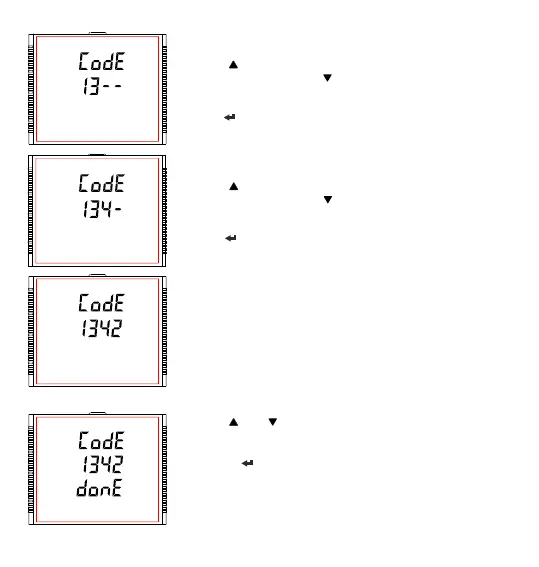
Enter Password, second digit entered, prompt for third digit.
Press the “ ” key to scroll the value of first digit from 0 through to 9, the value
rolls back from 9 round to 0 and “ ” key to scroll the value of first digit from 9
through to 0, the value rolls back from 0 round to 9.
Press the “ ” key to advance to next digit.
Enter Password, third digit entered, prompt for fourth digit. .
Press the “ ” key to scroll the value of first digit from 0 through to 9, the value
rolls back from 9 round to 0 and “ ” key to scroll the value of first digit from 9
through to 0, the value rolls back from 0 round to 9.
Press the “ ” key to advance to verification of the password.
Enter Password, fourth digit entered, awaiting verification of the password.
Password confirmed.
Pressing “ ” or “ ” key advances to the “New / change Password” entry
stage.
Pressing the “ ” key advances to the Menu selection (setup menu) screen
(see Section 3.2).
24



 To Next Page