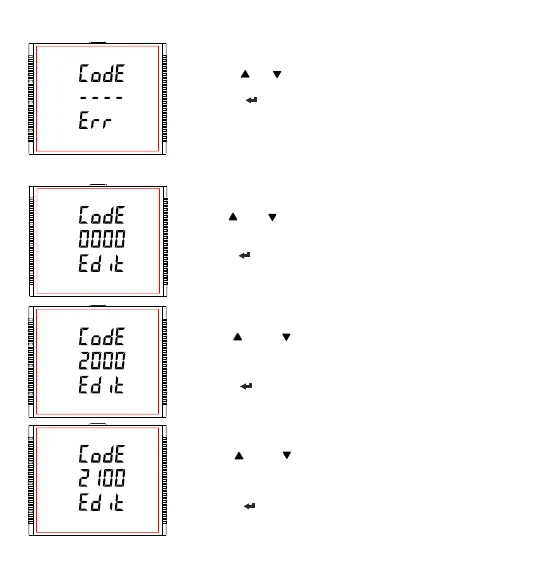
Password Incorrect.
The unit has not accepted the Password entered.
Pressing the “ ” or “ ” key advances to the Enter Password stage.
Pressing the “ ” key exits the Password menu & returns operation to the
measurement reading mode.
New / Change Password
Prompting for first digit.
Press the “ ” and “ ” keys to scroll the value of first digit from 0 through to 9
and from 9 through to 0,respectively with digit roll around feature.
Pressing the “ ” key advances the operation to the next digit and sets the first
digit, in this case to “2”.
New/ Change Password, first digit entered, prompting for second digit.
Press the “ ” and “ ” keys to scroll the value of second digit from 0
through to 9 and from 9 through to 0,respectively with digit roll around
feature.
Pressing the “ ” key advances the operation to the next digit and sets the
second digit, in this case to “1".
New/ Change Password, second digit entered, prompting for third digit.
Press the “ ” and “ ” keys to scroll the value of second digit from 0
through to 9 and from 9 through to 0, respectively with digit roll around
feature.
Pressing the “ ” key to advance the operation to the next digit and sets
the third digit, in this case to “5”.
25



 To Next Page