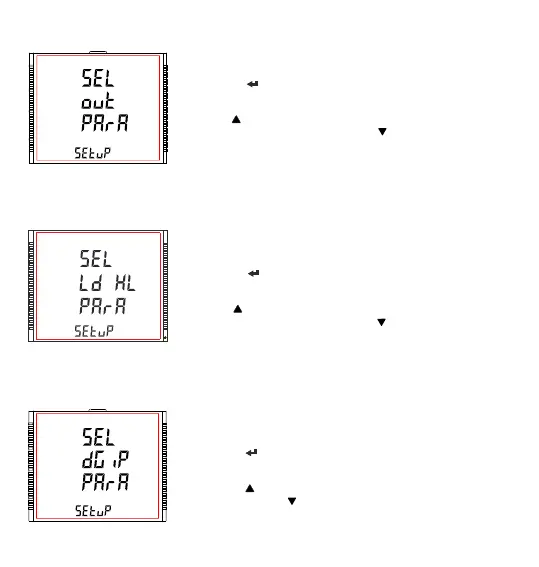
3.2.5 Output Option Selection
This screen will allow the user to select Output Options like “Relay Output”.
Pressing the “ ” key allows the user to select and configure the output
options (see Section 3.2.5.1).
Pressing “ ” key advances to the “Load Health Parameters Selection”
screen (see section 3.2.6) and pressing “ ” key advances to “Reset
Parameter Selection” screen (see Section 3.2.4).
3.2.7 Digital Input Parameter Selection
This screen will allow the user to configure “Digital Input” in different
Modes.
Pressing the “ ” key allows the user to select and configure the feature
(see Section 3.2.7.1 to Section 3.2.7.5).
Pressing the “ ” key advances to “Tariff Parameters” screen (see Section
3.2.8) and pressing “ ” key advances to “Load Health Parameters
Selection” screen (see Section 3.2.6).
3.2.6 Health Monitor Parameters Selection
XXXXXXXXXXXXXXXX
This screen will allow the user to configure Load health monitor parameters
like “Unbalance voltage”, “Unbalance current”, “Under voltage”, etc.
Pressing the “ ” key allows the user to select and configure the Load
health parameters (see Section 3.2.6.1 to 3.2.6.6).
Pressing “ ” key advances to the “Digital Input parameter selection”
screen (see section 3.2.7) and pressing “ ” key advances to “output
option selection” screen (see Section 3.2.5)
28



 To Next Page