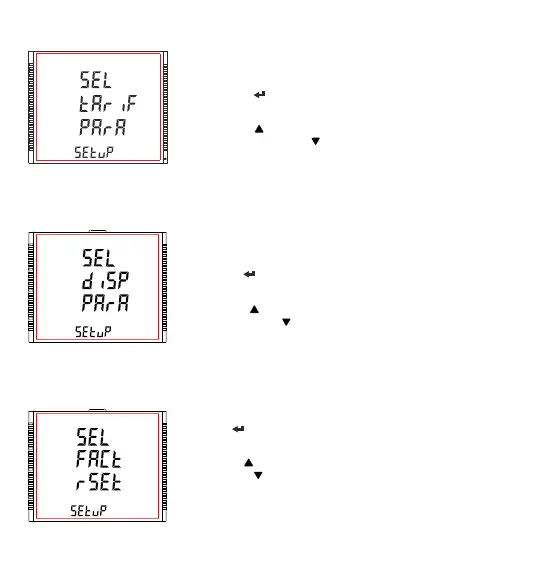
3.2.8 Tariff Parameter Selection
This screen will allow the user to select Tariff Parameter options like
configuring the 6 tariff energies, No. of tariff, Tariff Mode.
Pressing the “ ” key allows the user to select and configure the
parameter options.(see Section 3.2.8.1 to Section 3.2.8.3)
Pressing the “ ” key advances to “Display Parameters” screen (see
Section 3.2.9) and pressing “ ” key advances to “Digital Input Parameter”
screen (see Section 3.2.7).
3.2.10 Factory Reset Selection
This screen allows the user to set the meter to its Factory Default settings
Pressing “ ” key allows the user to configure the feature(see Section
3.2.10.1).
Pressing the “ ” key advances to “Quit Setup” screen (see Section 3.2.11)
and pressing “ ” key advances to “Display Parameters” screen (see
Section 3.2.9).
3.2.9 Display Parameter Selection
This screen will allow the user to access different features like “Backlit”,
“User Assignable Screens”, “Contrast” and “Display Test Screen”.
Pressing the “ ” key allows the user to select and configure the features
(see Section 3.2.9.1).
Pressing the “ ” key advances to “Factory Reset” screen (see Section
3.2.10) and pressing “ ” key advances to “Tariff Parameters” screen (see
Section 3.2.8).
XXXXXXXXXXXXXXXX
29



 To Next Page