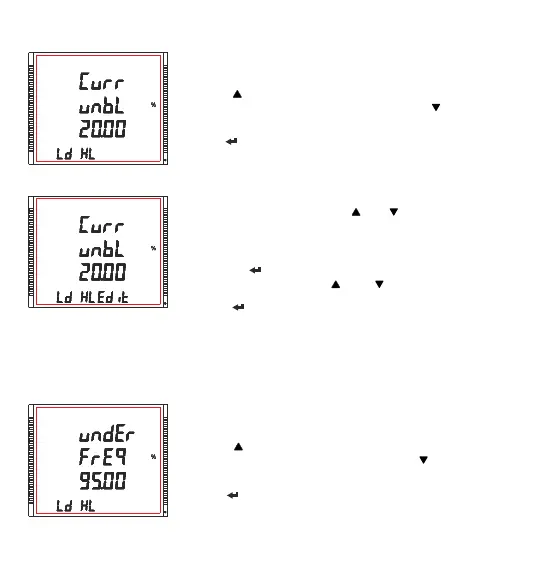
3.2.6.2 Unbalance Current Limit
XXXXXXXXXXXXXXXX
XXXXXXXXXXXXXXXX
This screen allows the user to set Trip point for instrument, when the
Current is unbalance.
Pressing “ ” key accept the present value and advances to “Under
Frequency limit” screen (see Section 3.2.6.3). Pressing “ ” key advances
to “Unbalance voltage limit” screen (see Section 3.2.6.1).
Pressing “ ” key advances to Edit mode.
Edit mode
(Flashing decimal point indicates the cursor position).Initially the “decimal
point must be selected, pressing the “ ” or “ ” key moves the decimal
point position to the right & left respectively until it disappears, which
means that it has reached # # # #. after which it returns to #. # # # or # # #.
#
Pressing the “ ” key accepts the present decimal point position and
advances to first digit. Press the “ ” and “ ” keys to scroll the values of
the first digit.
Press the “ ” key to advance to next digit. Similarly, enter second, third
and fourth digits also. Value ranges from 5% to 20%
Note: (1) Default value is set to 20%.
(2) Setting Values as “0000” will disable this function.
3.2.6.3 Under Frequency Limit
XXXXXXXXXXXXXXXX
This screen allows the user to set Trip point for instruments when the
system frequency is under the tripping point.
Pressing “ ” key accept the present value and advances to “Under
voltage limit” screen (see Section 3.2.6.4). Pressing “ ” key advances to
“Unbalance Current limit” screen (see Section 3.2.6.2).
Pressing “ ” key advances to Edit mode.
64



 To Next Page