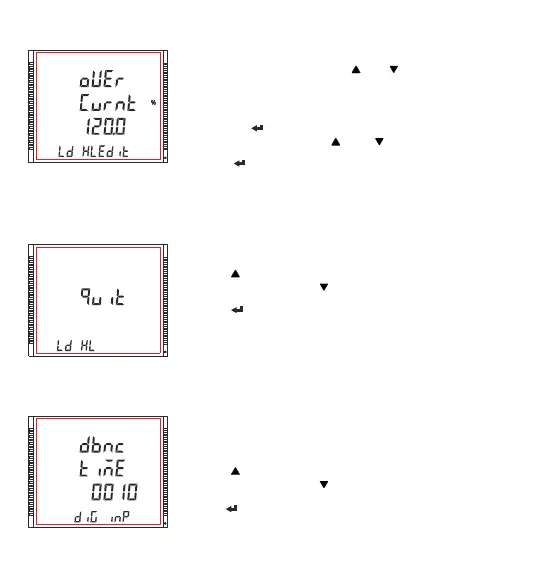
Edit mode
(Flashing decimal point indicates the cursor position). Initially the decimal
point must be selected, pressing the “ ” or “ ” key moves the decimal
point position to the right & left respectively until it disappears, which
means that it has reached # # # #. after which it returns to #. # # # or # # #.
#
Pressing the “ ” key accepts the present decimal point position and
advances to first digit. Press the “ ” and “ ” keys to scroll the values of
the first digit.
Press the “ ” key to advance to next digit. Similarly, enter second, third
and fourth digits also. Value ranges from 50% to 120%
Note: (1) Default value is set to 120%.
(2) Setting Values as “0000” will disable this function.
3.2.6.7 Quit Load Health
The screen allows user to exit the Load Health Parameter menu.
Pressing “ ” key advances to the “Unbalance Voltage limit” screen (see
Section 3.2.6.1) and pressing “ ” key advances to the “Over current limit”
screen (see Section 3.2.6.6).
Pressing “ ” key advances to the “Load health Parameter” menu (see
Section 3.2.6).
XXXXXXXXXXXXXXXX
XXXXXXXX
3.2.7.1 De-Bounce Time
XXXXXXXX
The screen allows user to set the De-bounce time for the digital inputs.
When selected in Pulse mode, debounce time is the minimum time period
for which the pulse should be high inorder to be considered as a valid
pulse. This setting is done in milliseconds.
Pressing “ ” key advances to the “Digital Input 1 Mode Selection” (see
Section 3.2.7.2) and pressing “ ” key advances to the “Quit Digital Input”
screen (see Section 3.2.7.6).
Pressing “ ” key advances to the edit mode.
Note : Default value is set to “0010” milliseconds
3.2.7 Digital Input Parameter Selection
67



 To Next Page