3.2.9.1.2.3 Quit Userscreens
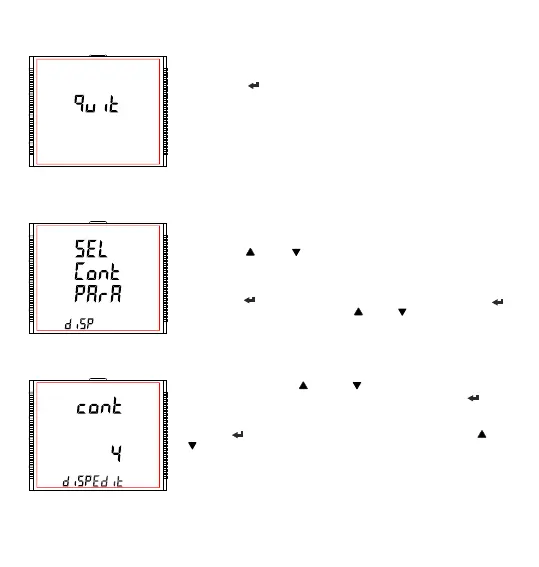
This screen is used to exit User defined Screen selection.
Pressing the “ ” key advances to the “User Assignable Screens” menu
(see Section 3.2.9.1.2).
3.2.9.1.3 Contrast
This screen allows the user to set the contrast for the display.
Pressing the “ ” and “ ” keys advances to“Display Test Screen” menu
(see Section 3.2.9.1.4) and “User Assignable Screens” menu (see Section
3.2.9.1.2), respectively.
Pressing the “ ” key shows the present contrast value and pressing “ ”
key again will allow editing it whereas “ ” and “ ” keys advances to the
“Contrast” menu (see Section 3.2.9.1.3).
In Edit Mode, pressing “ ” and “ ” keys allows the user to scroll
between contrast levels ranging from 1 to 4 and pressing “ ” key
confirms the selection.
Pressing “ ” key advances to editing mode whereas pressing “ ” or
“ ” keys advances to the “Contrast” menu (see Section 3.2.9.1.3).
Note : Default value is set to ‘3’.
Contrast Edit Mode
76



 To Next Page