3-1
3
ComColor GD Series Troubleshooting Guide
Chapter 3 Maintenance
Replacing the Staple Cartridge
When there are no more staples, printing stops and a message is displayed on the touch panel.
Follow the procedure below to replace the staple cartridge.
Replacing the Staple Cartridge UR1
(Multifunction Finisher)
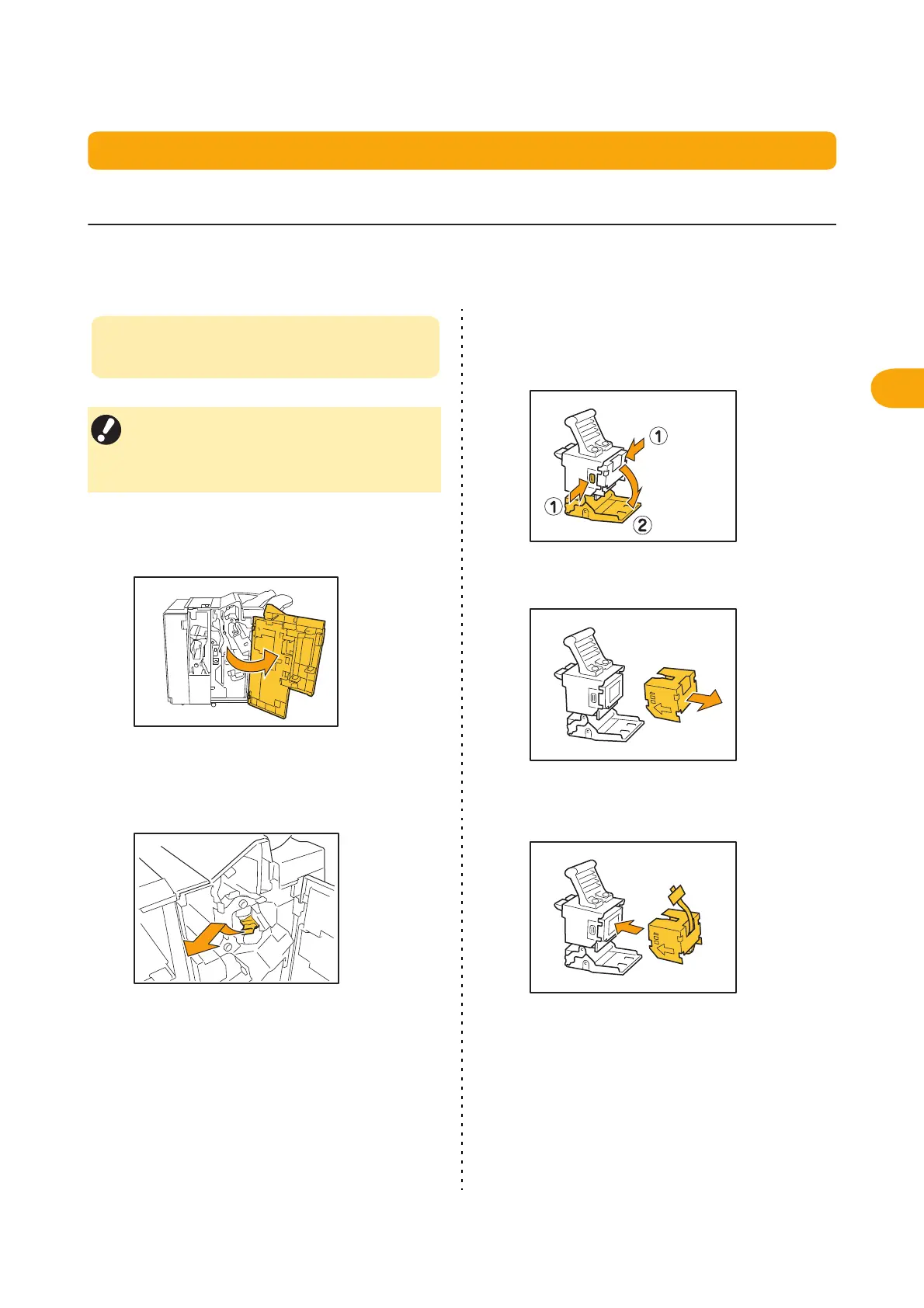
1
Open the cover.
2
Hold the handle of the staple
cartridge, and remove it by pulling it
towards you while slightly lifting.
3
Push the area indicated with arrow
a to open the staple cartridge
cover.
4
Remove the staple case.
5
Place a new staple case in the staple
cartridge.
• The staple replacement message may appear
even if there are staples remaining. Even so,
replace the staple case anyway. The remaining
staples can be used.



 To Next Page