FLAT BED IMAGE SCANNING SECTION
REMOVAL
GR3770 3 - 10
2. REMOVAL
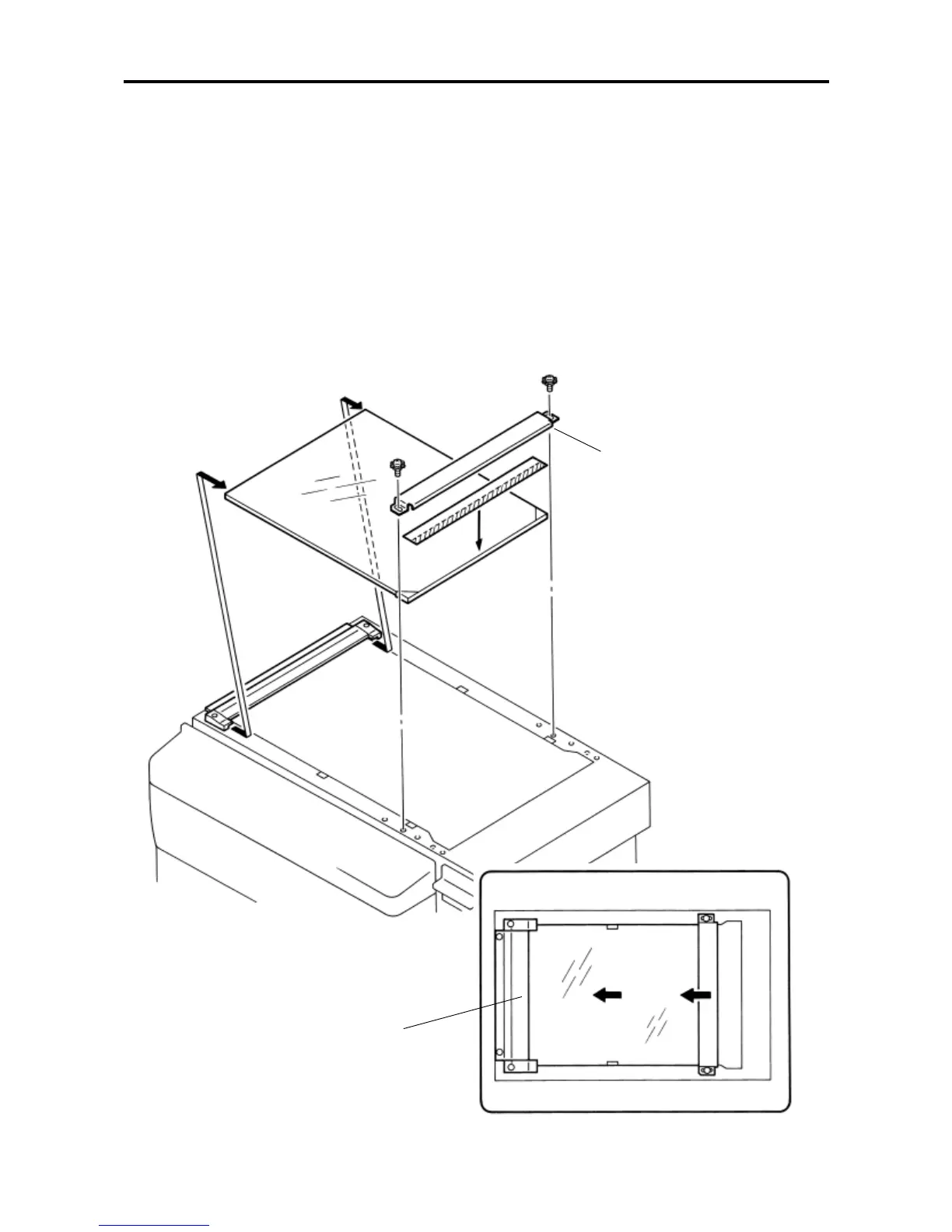
1. STAGE GLASS
REMOVAL
1) Turn off the power and remove the ADF unit.
2) Remove mounting screws (× 2) of the glass holder (R), remove the holder.
3) Shifting the stage glass rightward, lift it up for removal.
CAUTION ON MOUNTING
• Shifting the stage glass and the glass holder (right) toward the original stopper, fix it properly. (See Fig. a.)
Glass holder (R)
Original stopper
Fig. a










 To Next Page