FLAT BED IMAGE SCANNING SECTION
REMOVAL
GR3770 3 - 14
5. ORIGINAL STOPPER AND SHADING GLASS
The original stopper is correctly positioned and fitted prior to shipment.
Therefore, pay enough attention when you remove it.
REMOVAL
1) Turn off the power and remove the following parts:
• Stage cover, Scanner covers (rear/front/left)
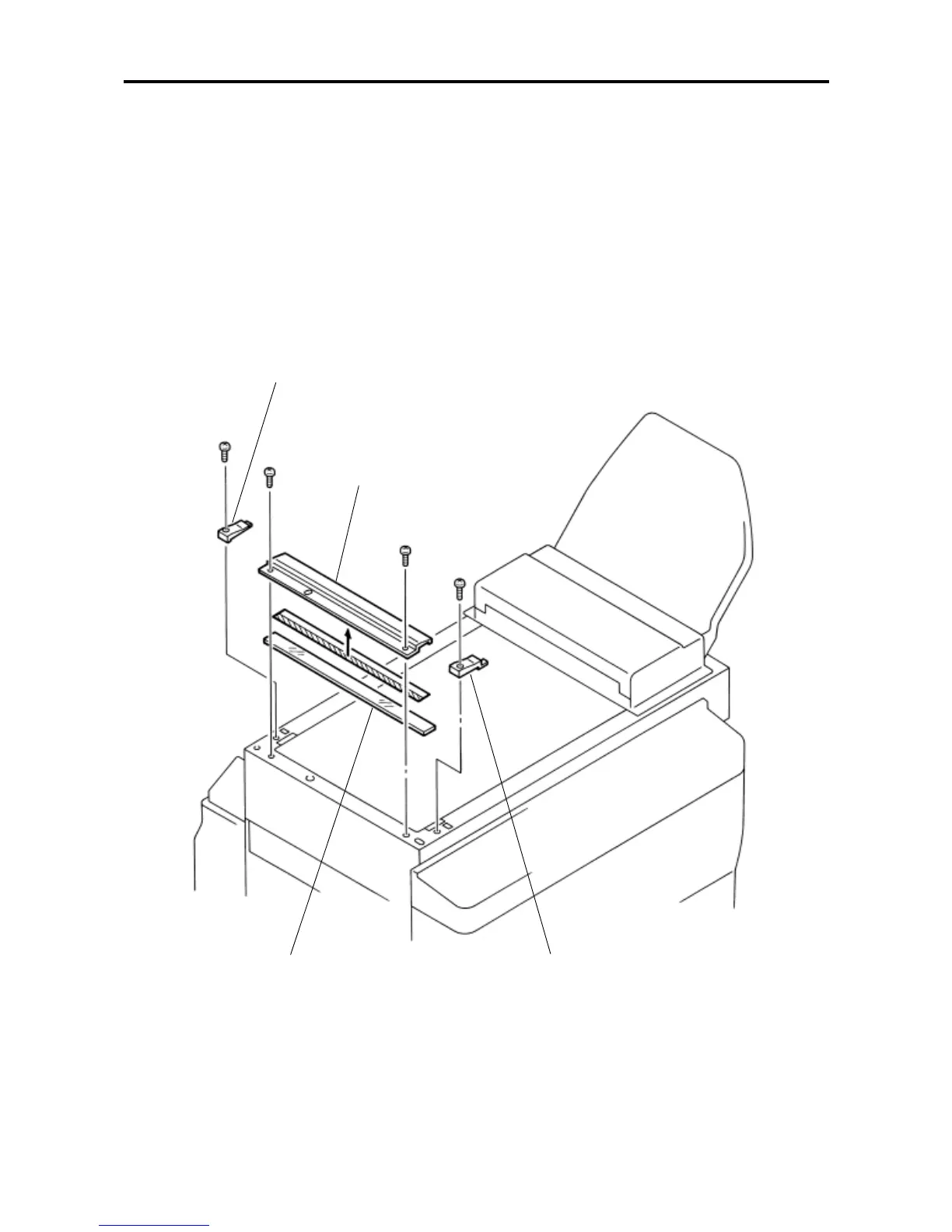
2) Remove mounting screws of the glass holder (front & back), remove the holder.
3) Remove mounting screws (× 2) of the original stopper, remove the stopper and the shading glass.
Glass holder (R)
Original stopper
Shading glass
Glass holder (F)










 To Next Page