21
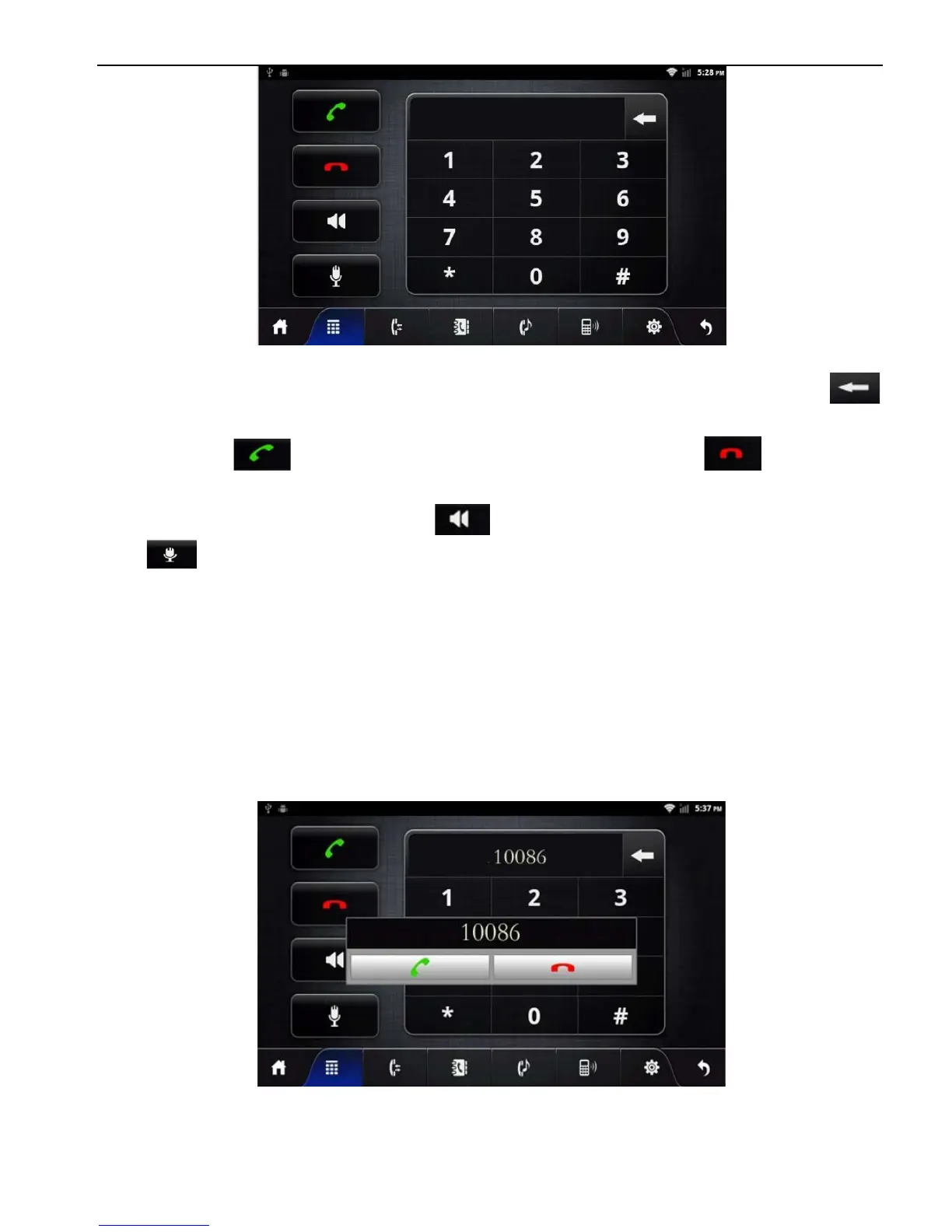
Bluetooth phone Dial Records Interface
① Click numbers on the interface, if the input is wrong, click
to delete
② Click after entering phone number; Click to end up
the call.
③ When in a call, press to switch to the phone call, press
to mute for MIC.
④ Function keys on the panel are unavailable when in the call; the
function keys return to normal after hang up.
2.5.4.2 To achieve the ‘being called’ function via Bluetooth
When the mobile phone is connected with Bluetooth device and
there is an incoming call, the interface is divided into two
situations:
① In the Bluetooth Application Interface
② In other function interfaces



 To Next Page